Good, better, best pricing means offering three versions of a job at three prices, so the customer chooses how to say yes rather than whether to. Optional extras do a similar job for add-ons: one main job, plus a few things the customer can tick to include. Use tiers when your work comes in clear levels, extras when it is one job with add-ons, and make the difference between choices obvious.
Tiers or optional extras?
| Tiers | Optional extras | |
|---|---|---|
| The customer | Picks one | Ticks any |
| Best for | Work with clear levels | One job with add-ons |
| Example | Standard, deep or full clean | Deep clean, plus windows or oven |
| Watch out for | Options too alike to tell apart | Too many extras to read |
Many businesses use both: tiers for the main job, and two or three extras anyone can add.
Why options win more work
- The question changes from “should I hire them?” to “which one do I want?”
- Customers on a budget stay, because there is a version they can afford, without you cutting your price for the same work.
- Customers who want more can have it, without you having to guess or upsell later.
- The middle option looks reasonable next to a leaner and a fuller one.
How to build good, better, best
- Start with “better”. It is the job most of your customers need, priced properly.
- Make “good” by taking away, not by cutting the price. A shorter session, fewer photos, the essentials only.
- Make “best” by adding what your best customers ask for: extra time, finishing touches, a guarantee, priority dates.
- Name each option by what it is, not just “gold, silver, bronze”: “Standard clean”, “Deep clean”, “Deep clean and appliances”.
- List what changes between them, so the customer can see what each extra pound buys.
Examples by kind of work
Example prices, to show the shape. Yours will differ.
| Business | Good | Better | Best |
|---|---|---|---|
| Cleaning | Standard clean, £120 | Deep clean, £180 | Deep clean, oven and windows, £260 |
| Photography | 2 hours, 50 photos, £350 | Half day, 150 photos, £650 | Full day, 300 photos and album, £1,100 |
| Catering, 50 guests | Buffet, £1,250 | Two courses, £2,000 | Three courses and staff, £2,900 |
| Bathroom | Refresh, £2,800 | Standard refit, £4,200 | Full refit and tiling, £5,600 |
| Freelance design | Logo, £400 | Logo and brand kit, £900 | Brand kit and website, £2,400 |
Optional extras customers actually add
Good extras are things customers often want but don’t think to ask for. A few ideas:
- Cleaning: inside windows, oven, fridge and freezer, carpet clean.
- Gardens: green waste removal, feeding the lawn, a second visit in a month.
- Trades: removing old fittings, making good after the work, an extension to the guarantee.
- Photography: extra hours, a printed album, express delivery.
- Beauty: a trial, extra people on the day, travel to a venue.
- Events: late service, extra staff, equipment hire.
- Freelance: a faster turnaround, an extra round of changes, ongoing support.
How to present options on a quote
- Put them on one quote, so the customer compares in one place.
- Show what each one includes, and what the next one adds.
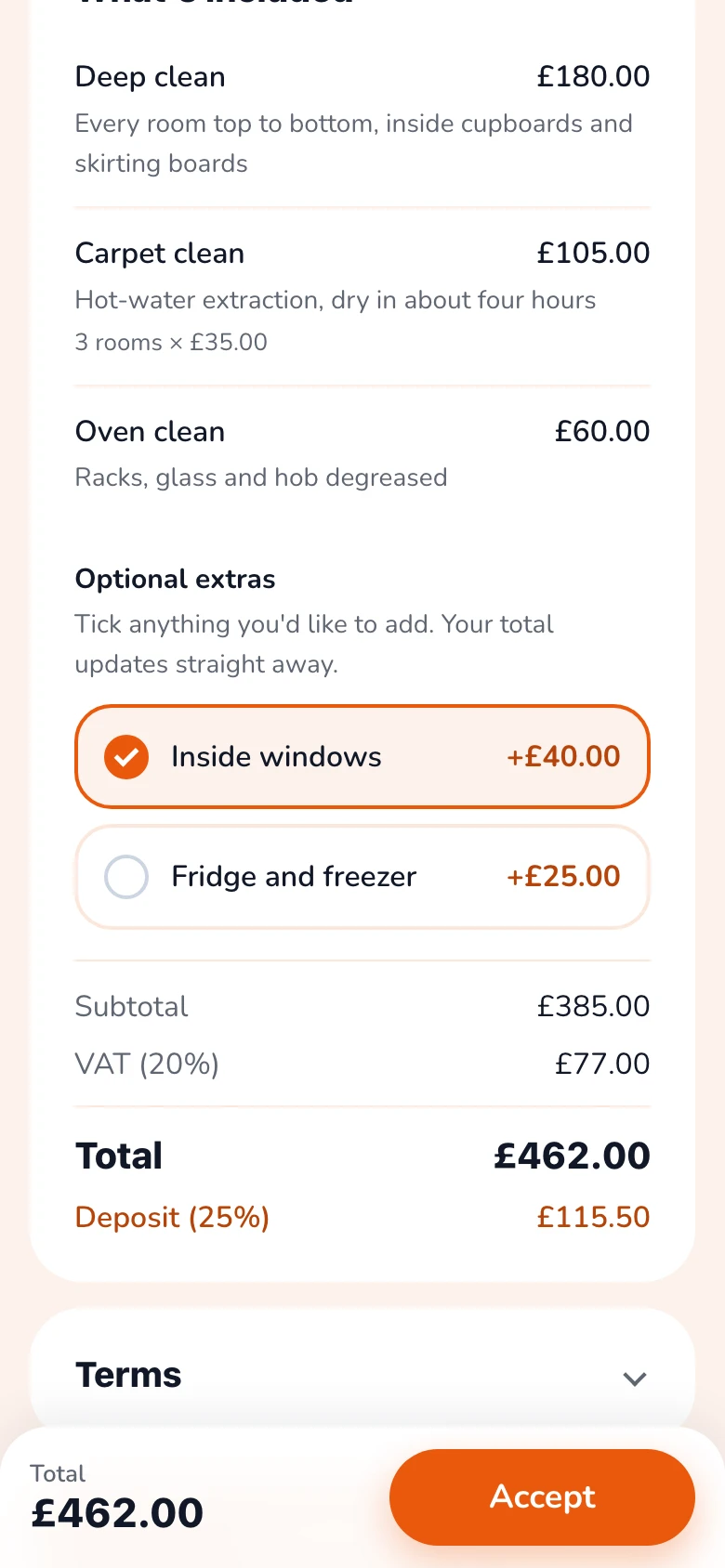
- Show a total for each, or a total that updates as extras are ticked.
- Keep the deposit in step with what they choose.
- Stop at three tiers and a handful of extras.
Common mistakes
- Options too similar to tell apart. If the difference needs explaining, it isn’t big enough.
- A “good” option you don’t want to do. Customers will choose it.
- Too many choices. More options means slower decisions.
- Pre-ticked extras. The customer should choose to add them.
The easy way: extras customers tick themselves
| By hand | With Gugab | |
|---|---|---|
| Showing options | Several quotes, or a long PDF | Tick boxes on one quote |
| The new total | Worked out again by you | Updates as they tick |
| The deposit | Recalculated by hand | Follows what they choose |
| What they chose | Asked for by phone | Shown when they accept |
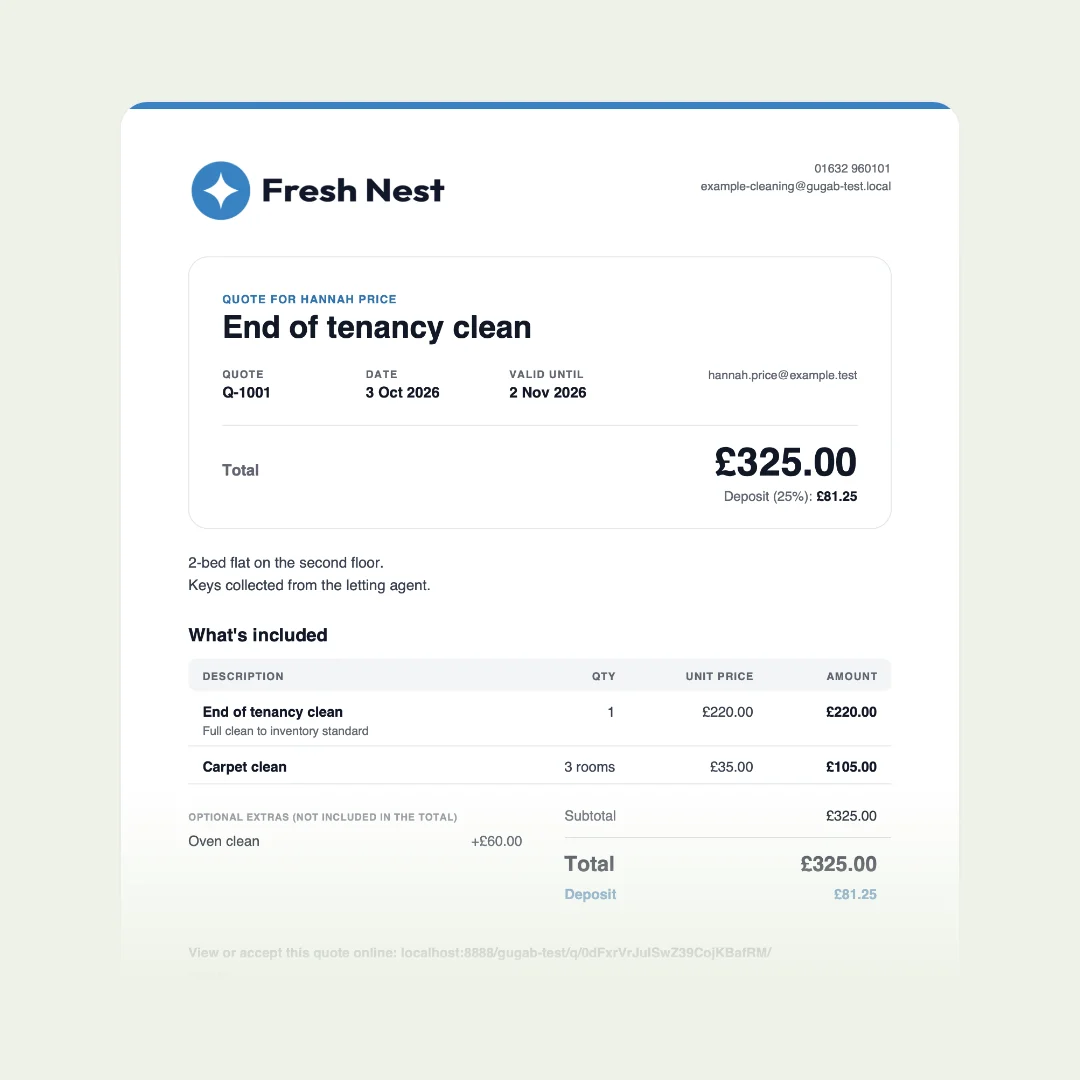
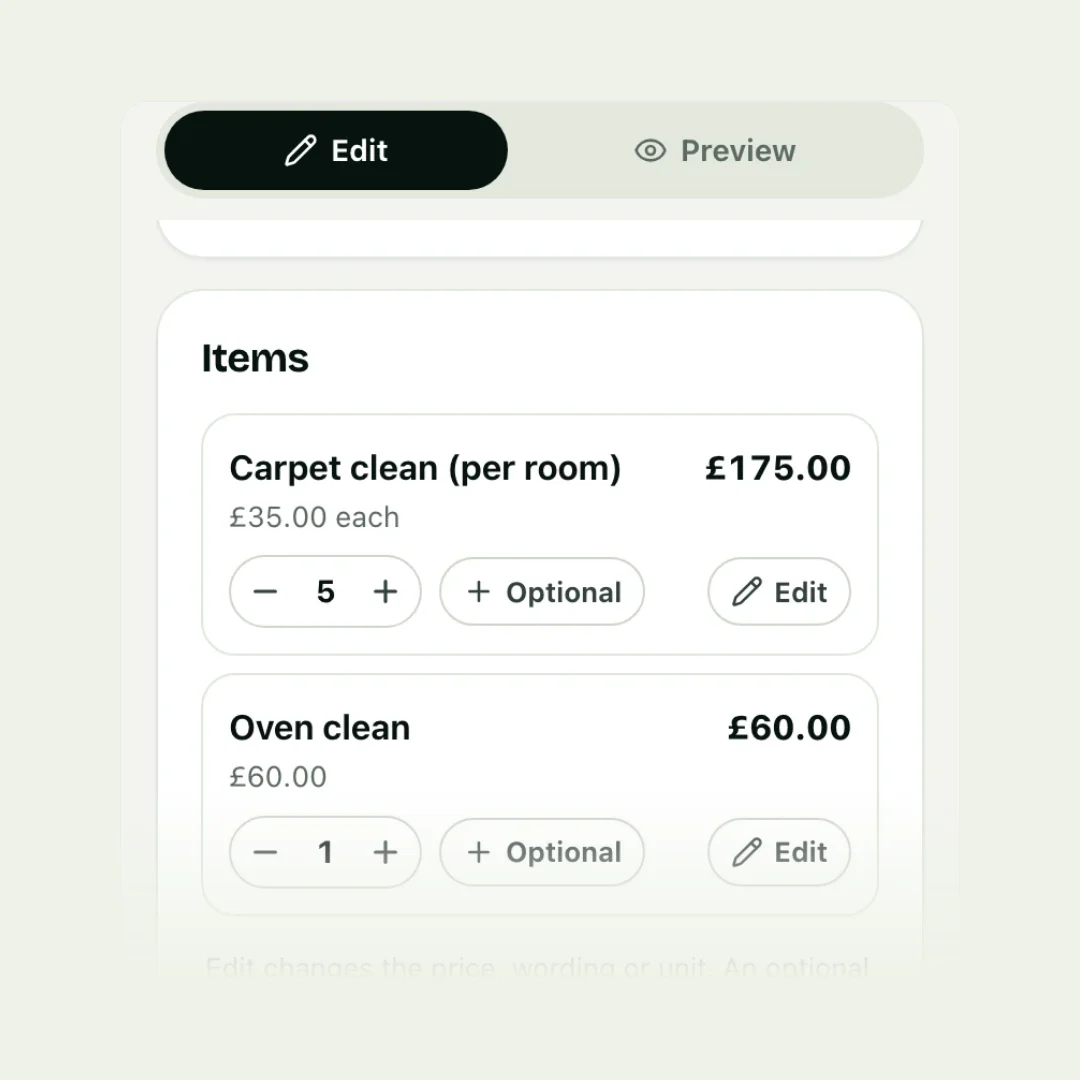
In Gugab, tap Optional on any item to make it an extra. The customer sees it on their quote with a tick box: when they tick it, the total and the deposit update in front of them, and you see exactly what they chose when they accept.
Questions people ask
Do customers really pick the middle option?
Often, because it looks like the sensible choice next to a cheaper and a pricier one. It isn't guaranteed, which is why each option should be one you are happy to do at that price.
How many options should I give?
Three tiers at most. With optional extras, keep to the handful customers actually ask for; a long list of add-ons slows the decision down.
Can I use tiers and extras together?
Yes: three levels of the main job, with a few extras anyone can add. Keep it simple enough to read in a minute.
Should options go on one quote or separate quotes?
One quote, so the customer can compare and choose in one place. Separate quotes make them do the comparing.
Do extras change the deposit?
If your deposit is a percentage, it should follow the total the customer chooses. Show the deposit for what they have actually picked.