For events and catering
Per guest, per hour, per event. Quoted in minutes.
Catering per person, staff per hour, equipment hire and set-up, with deposits that secure the date.
No credit card required
- Free to start, no card needed
- Nothing for your customers to download
- Works on your phone and your computer
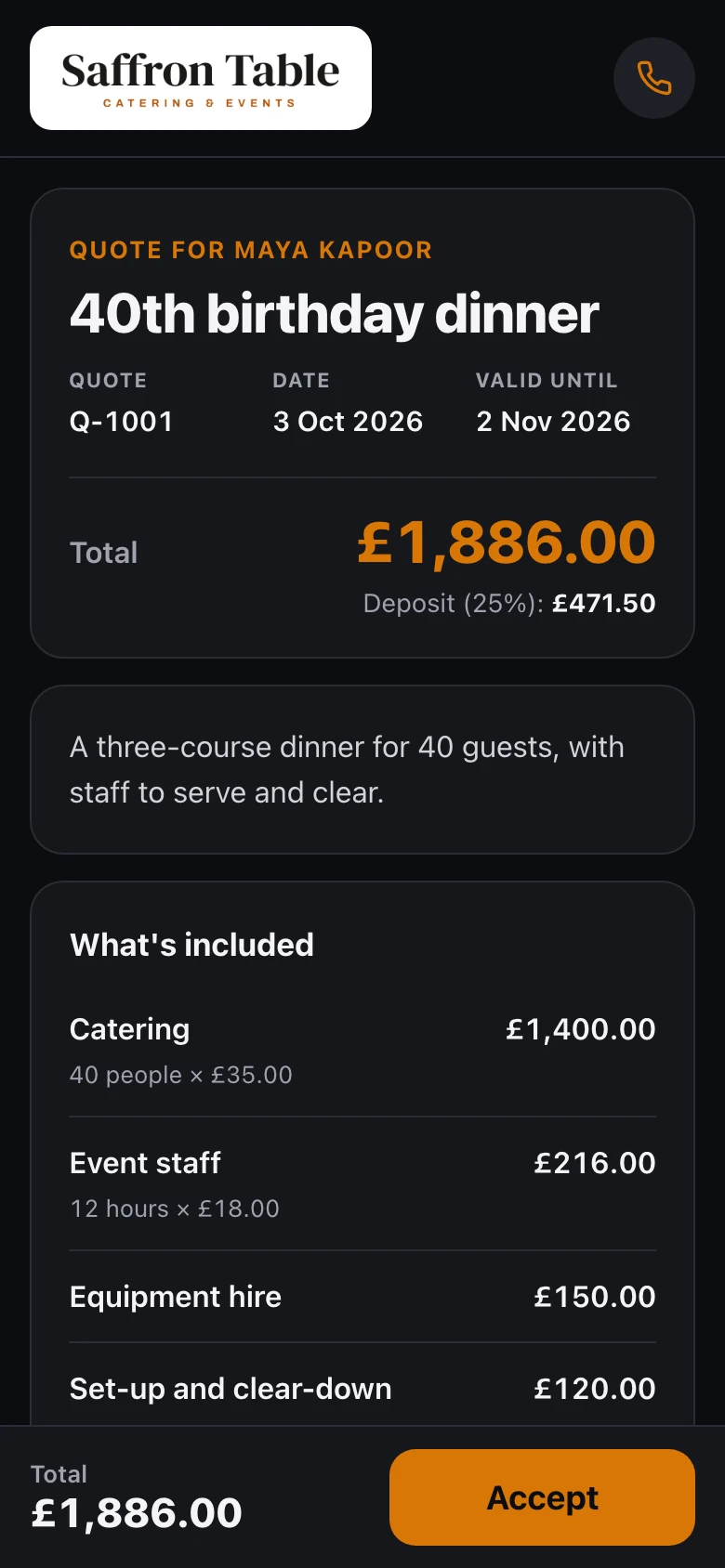
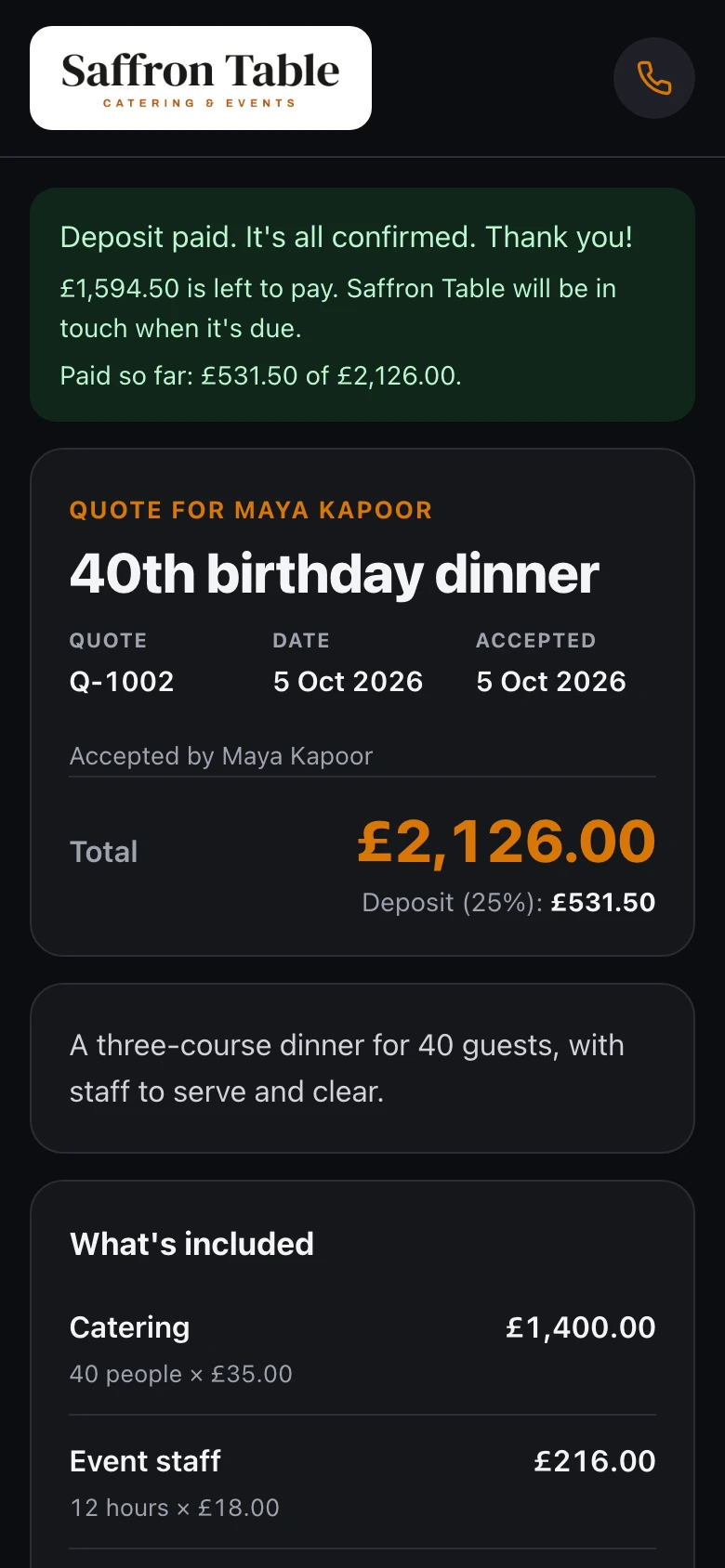
Example quote: Saffron Table, in the Night design.
Sound familiar?
The usual way, or the easy way
What quoting usually looks like, and what changes when the quote is a link your customer can say yes to.
The usual way
Texts, templates and chasing
- A spreadsheet for every per-head cost
- A new quote each time guest numbers change
- Upgrades talked about but never added
- Dates pencilled in with no deposit
- Balances chased by email before the day
With Gugab
One link, from price to paid
- Per guest and per hour prices ready to tap
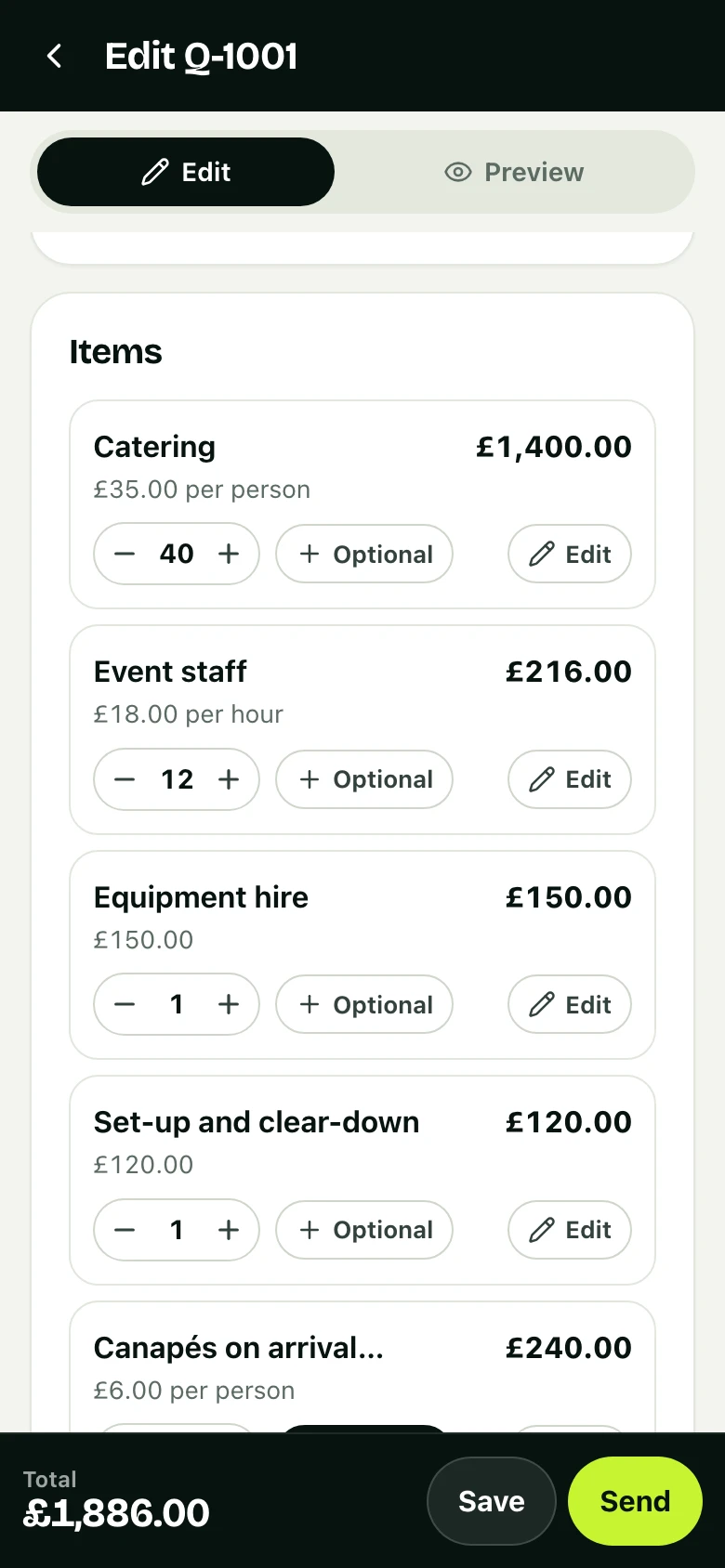
- Change the guest number and everything updates
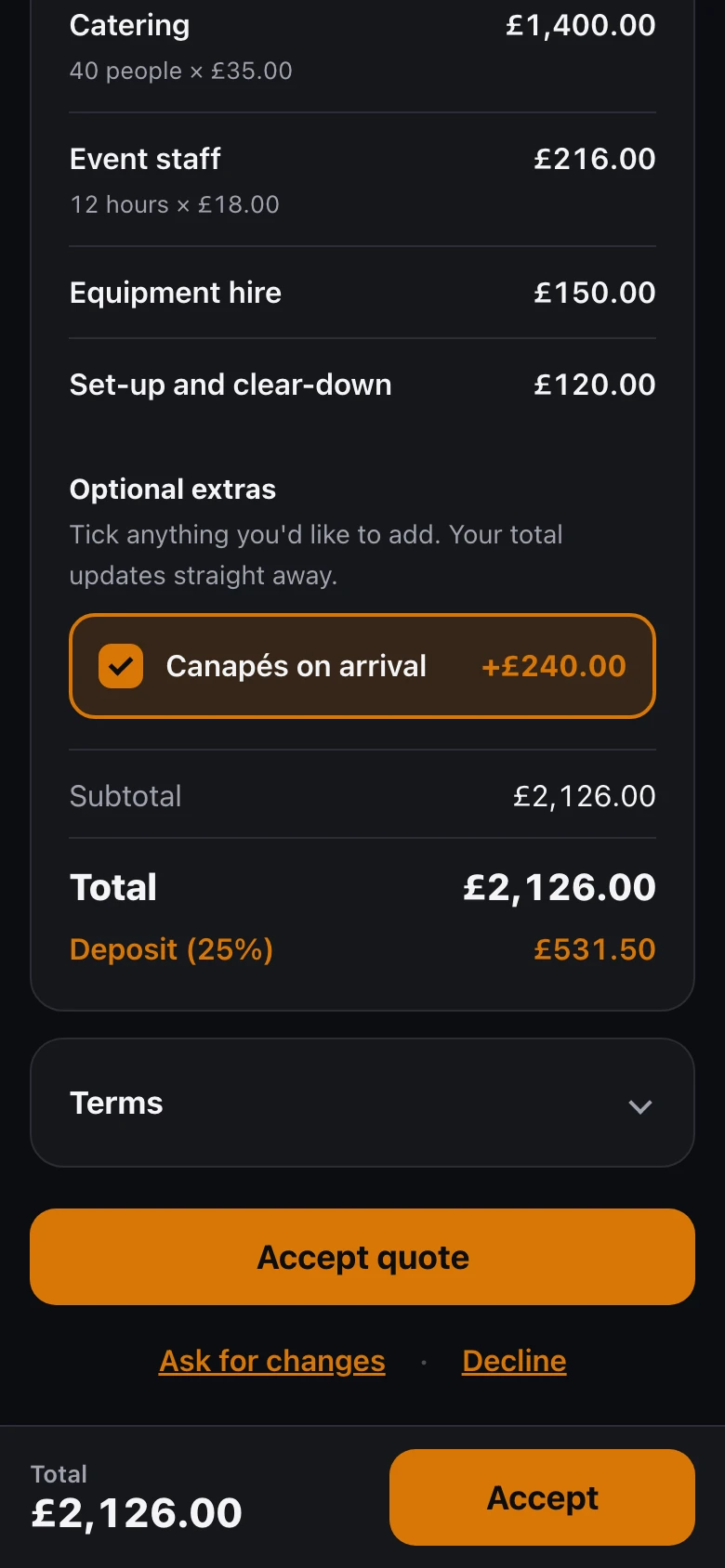
- Canapés or bar staff as extras they tick
- A deposit by card that locks in the date
- The balance asked for before the event, with reminders on Pro
Ready on day one
Your prices are already there
Sign up, choose your kind of work, and this is what you start with. Tap an item to add it to a quote. Change a price once and it's remembered.
- Your logo and colour on every quote
- Six quote designs, with a live preview
- Your terms written for you, ready to change
Your starter price list
Filled in when you sign up. Change any of it.
- Catering£35 per person
- Event staff£18 per hour
- Equipment hire£150
- Set-up and clear-down£120
25% deposit · Terms written for you
See it work
One job, start to finish
The quote above, from an example business, Saffron Table: how it was priced and how it was won, on real screens. Tap a step to jump to it.
Why it works
Less admin. More booked jobs.
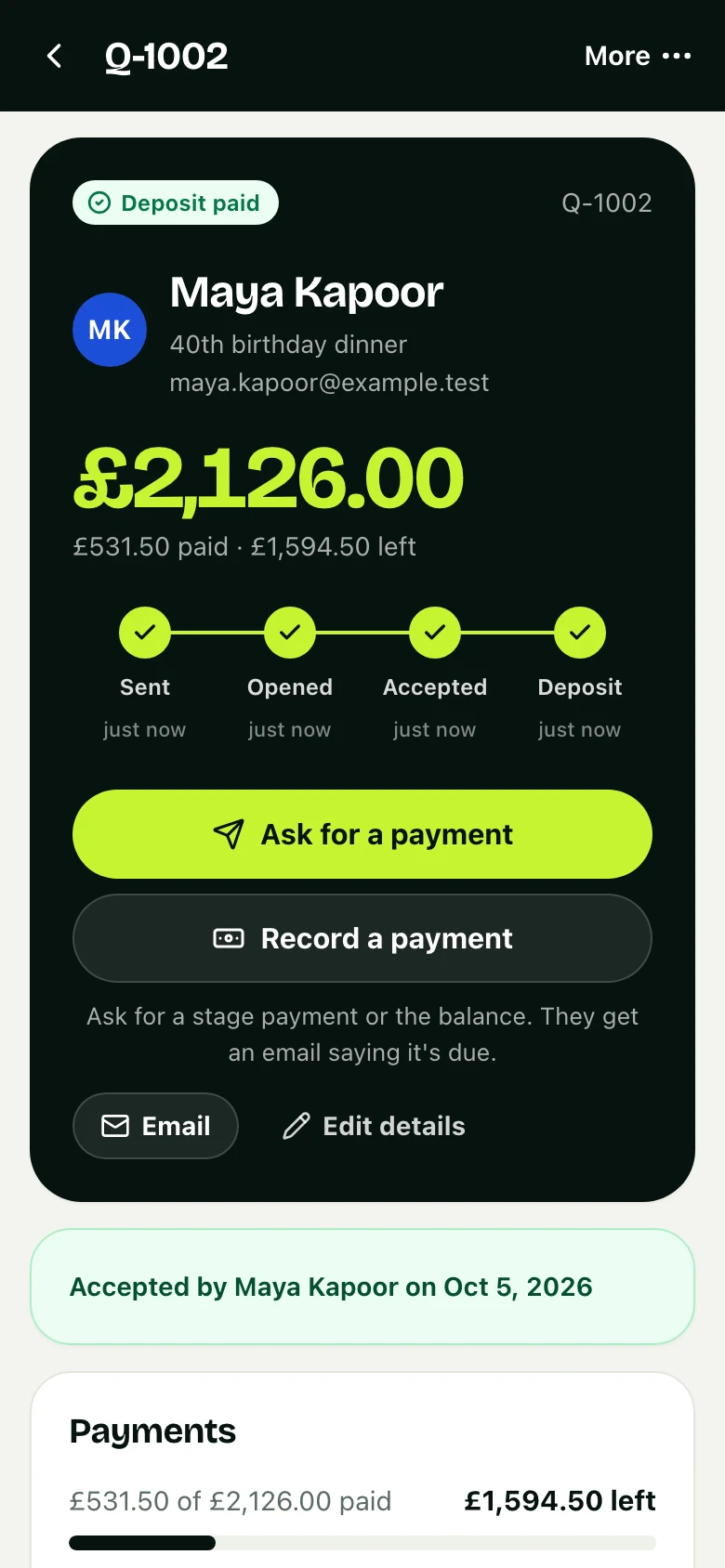
The same job, now in Saffron Table's app: accepted, deposit paid.
01 · Deposits
Dates locked in
A deposit by card confirms the booking, with your terms agreed in writing.
- Paid by card, Apple Pay or Google Pay
- Straight into your own Stripe account
- A receipt for them, a record for you
02 · One screen
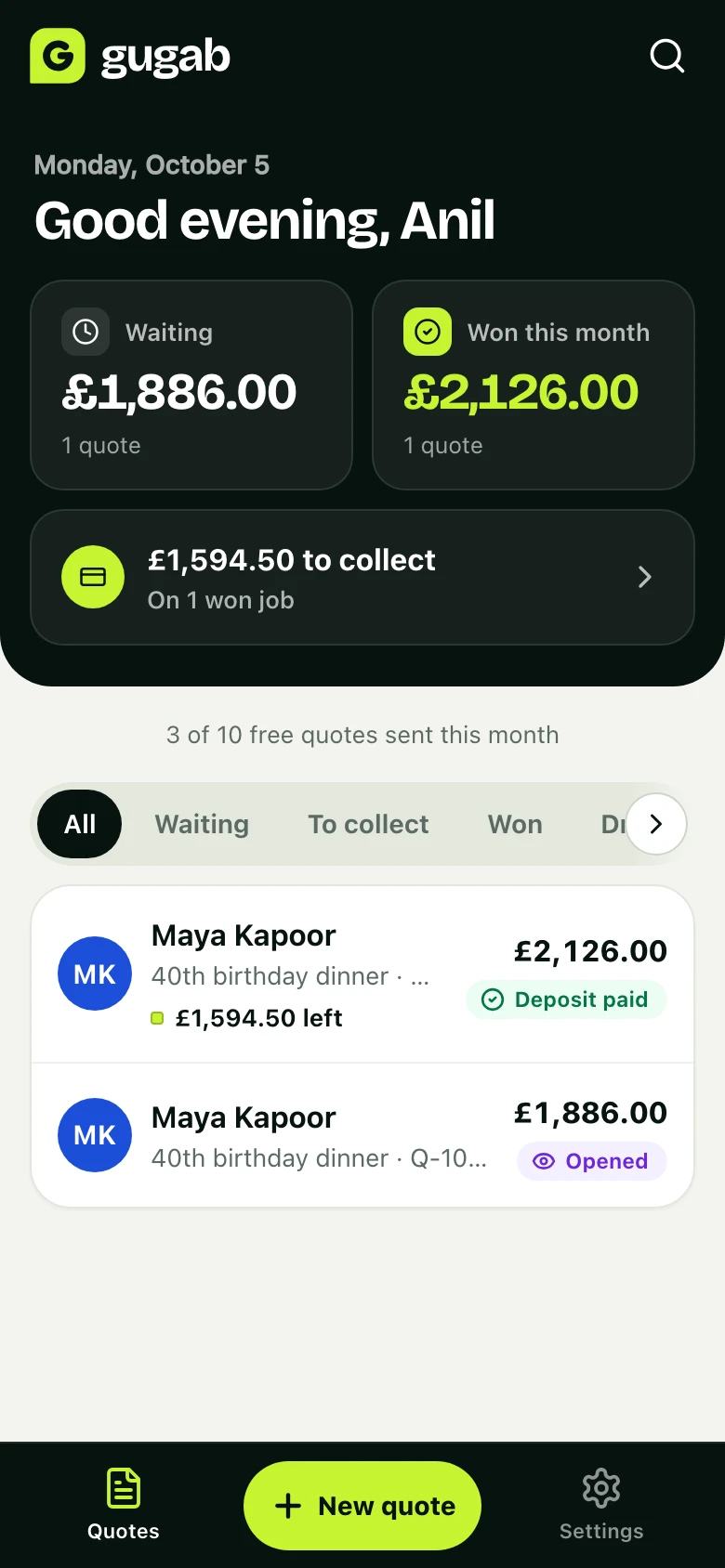
Know where every job stands
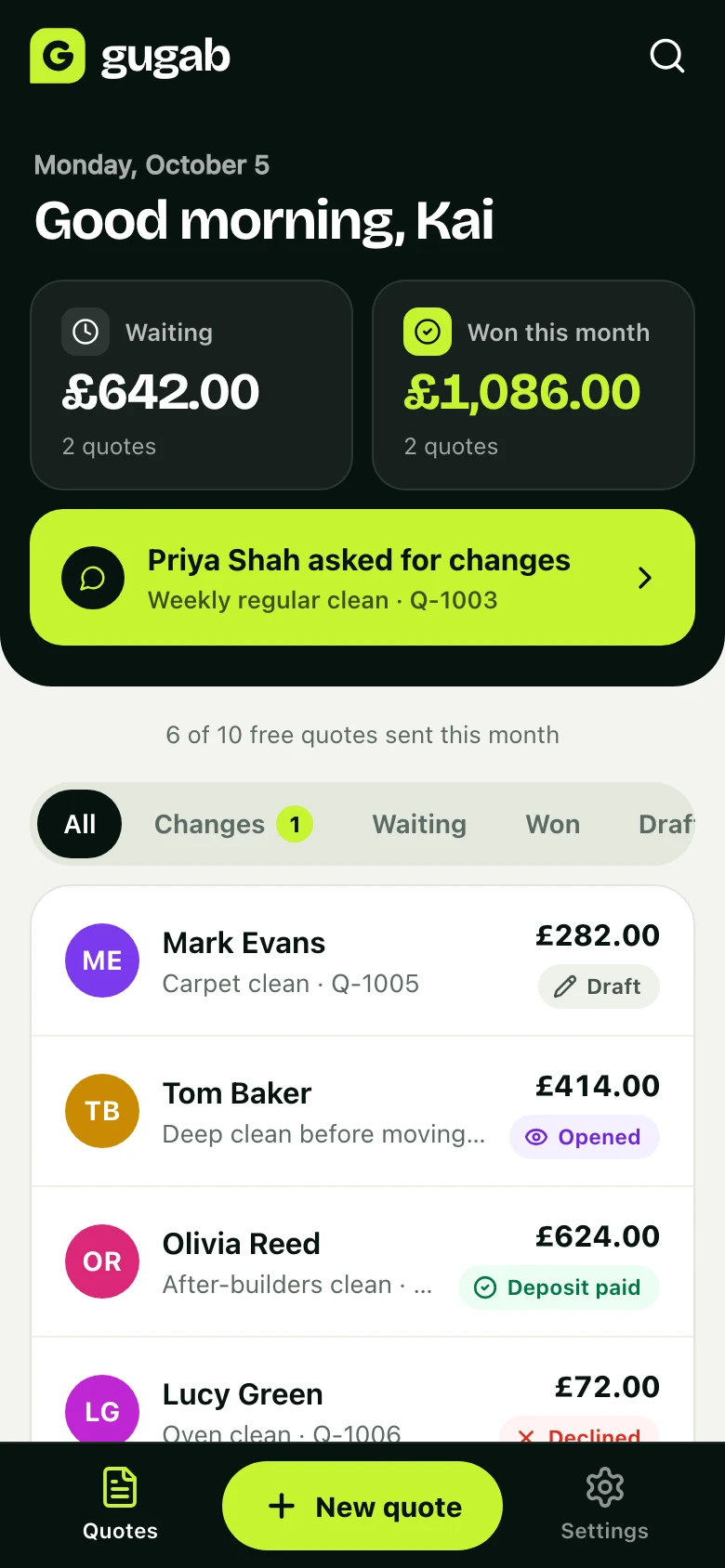
What's waiting for an answer, what you've won this month and what's still to collect, the moment you open the app.
- An email, or a notification on your phone, when a job moves
- Every quote and where it stands, in one list
- Search any customer, job or quote number
Also made for events & catering
Guest numbers made easy
Price per person and change the number of guests. The total and deposit update instantly.
Optional upgrades
Offer canapés, bar staff or extra hours as extras the client can tick.
Companies and venues
Add the client's company, the venue address and your tax details.
Questions
Good to know
Can I quote companies?
Yes. Add the company name and venue address, and include your tax details.
Can I send a PDF?
Yes. Every quote has a PDF your client can download and forward.
What if guest numbers change?
Before they accept, change the quote and their link updates. After, make a copy with the new numbers and send it.
How much does it cost?
It’s free to start, with 10 quotes a month. Pro is £15 a month for unlimited quotes, no platform branding and automatic follow-ups.
Send your next quote with Gugab
Your services and prices are ready the moment you sign up.
No credit card required
Rather use your phone? Point its camera at the square to open Gugab there.