For cleaning businesses
Quote the clean before you've left the driveway
Regular, deep and end of tenancy cleans with your prices ready to tap. Add extras like ovens and carpets, and let customers book with a deposit.
No credit card required
- Free to start, no card needed
- Nothing for your customers to download
- Works on your phone and your computer
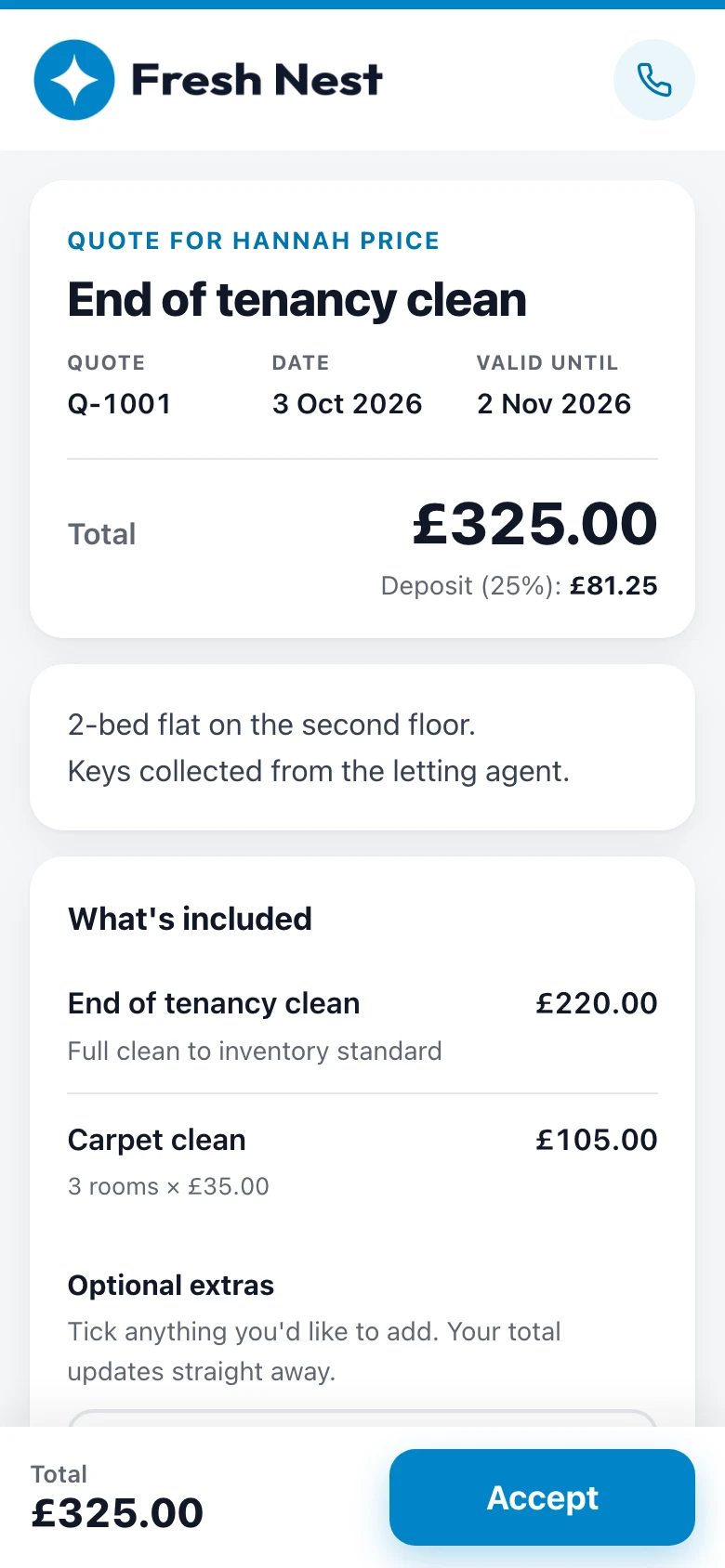
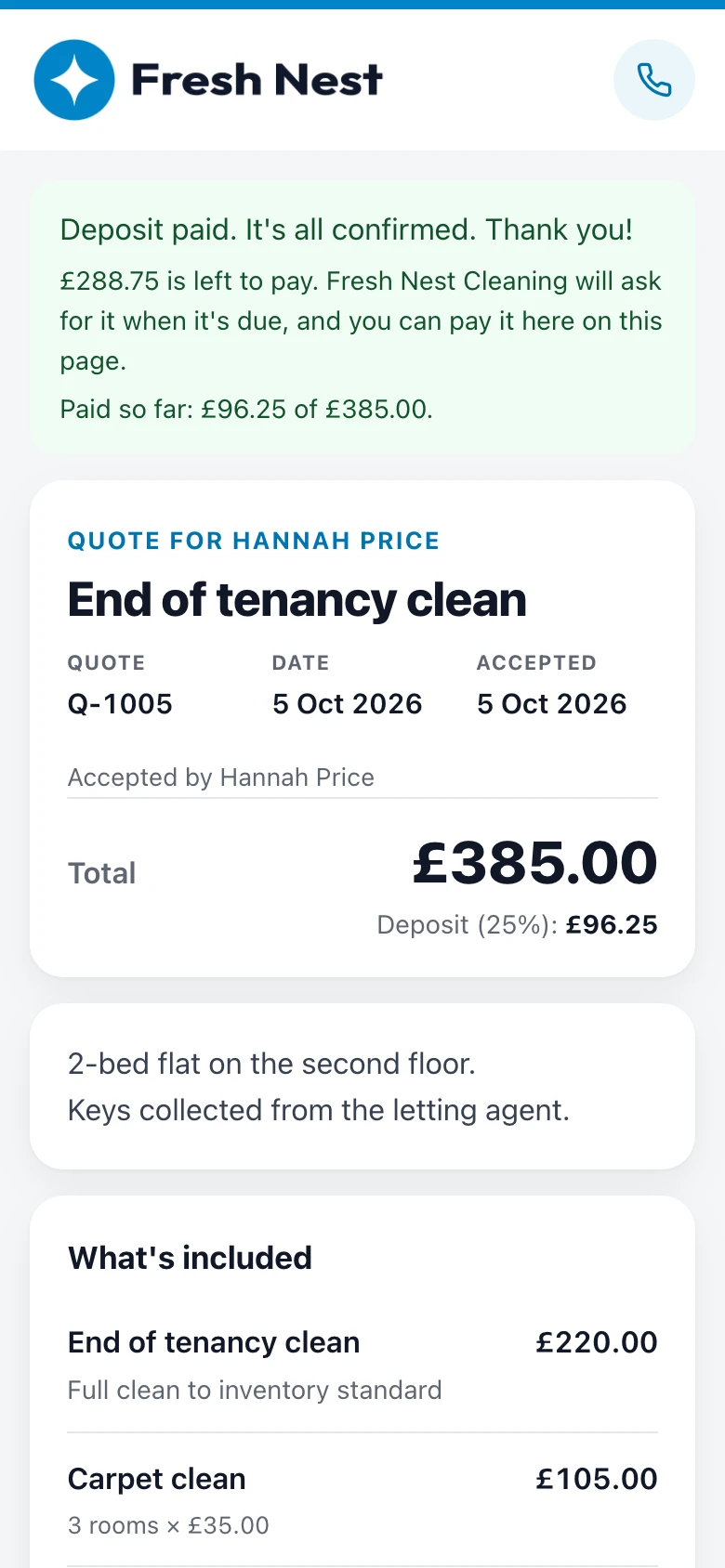
Example quote: Fresh Nest Cleaning, in the Clean design.
Sound familiar?
The usual way, or the easy way
What quoting usually looks like, and what changes when the quote is a link your customer can say yes to.
The usual way
Texts, templates and chasing
- A price sent by text, lost in the thread
- “Do you want the oven doing too?” and no reply
- Bookings cancelled the night before
- Chasing landlords and letting agents for a yes
- An invoice written up after every clean
With Gugab
One link, from price to paid
- A quote link with your logo that opens on any phone
- Oven, fridge and windows as extras they tick themselves
- A deposit by card that holds the date
- You're told when they open it, and Pro follows up for you
- The invoice and receipt are made when they pay
Ready on day one
Your prices are already there
Sign up, choose your kind of work, and this is what you start with. Tap an item to add it to a quote. Change a price once and it's remembered.
- Your logo and colour on every quote
- Six quote designs, with a live preview
- Your terms written for you, ready to change
Your starter price list
Filled in when you sign up. Change any of it.
- Regular cleanKitchen, bathrooms, dusting, hoovering and mopping£60 per visit
- Deep cleanTop-to-bottom clean including inside cupboards and skirting boards£180
- End of tenancy cleanFull clean to inventory standard£220
- Oven clean£60
- Carpet clean£35 per room
No deposit by default · Terms written for you
See it work
One job, start to finish
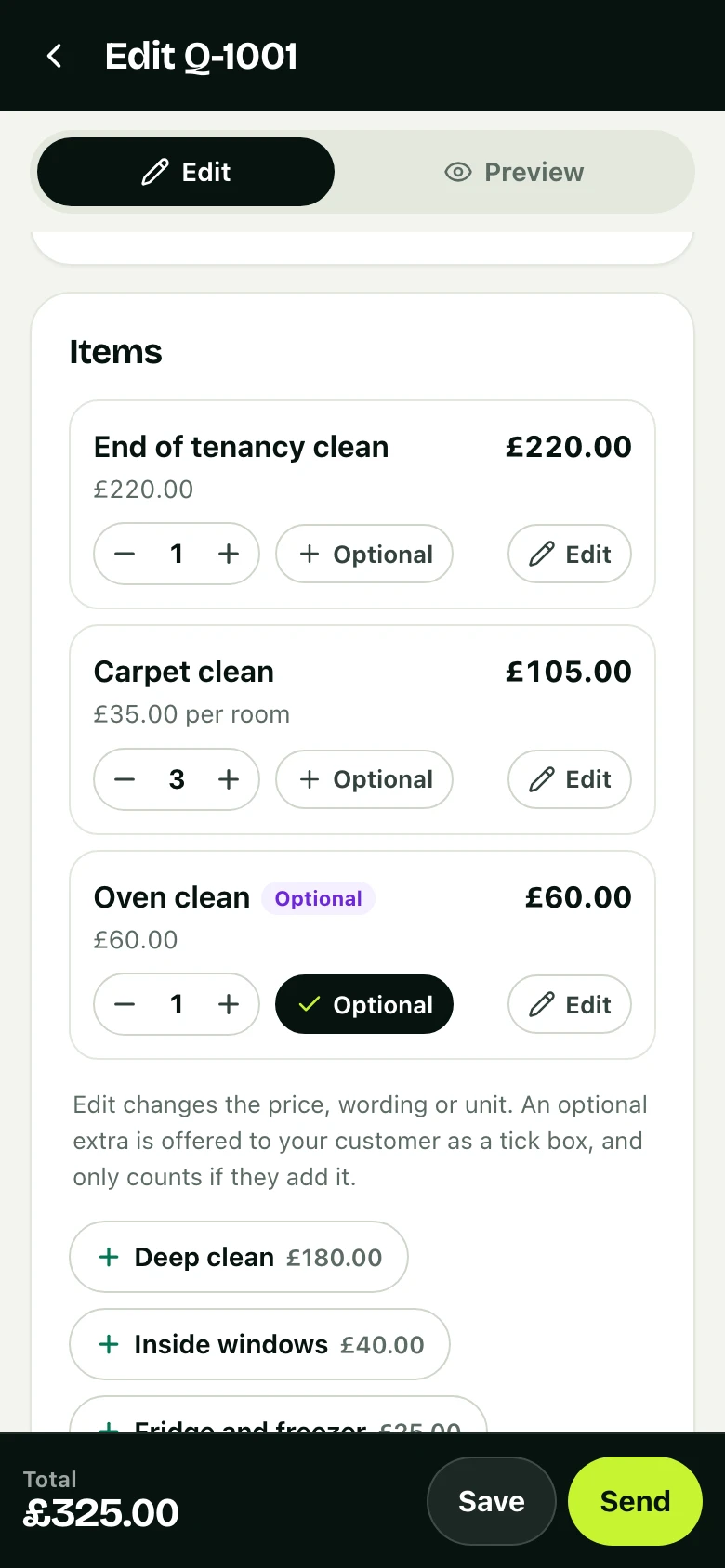
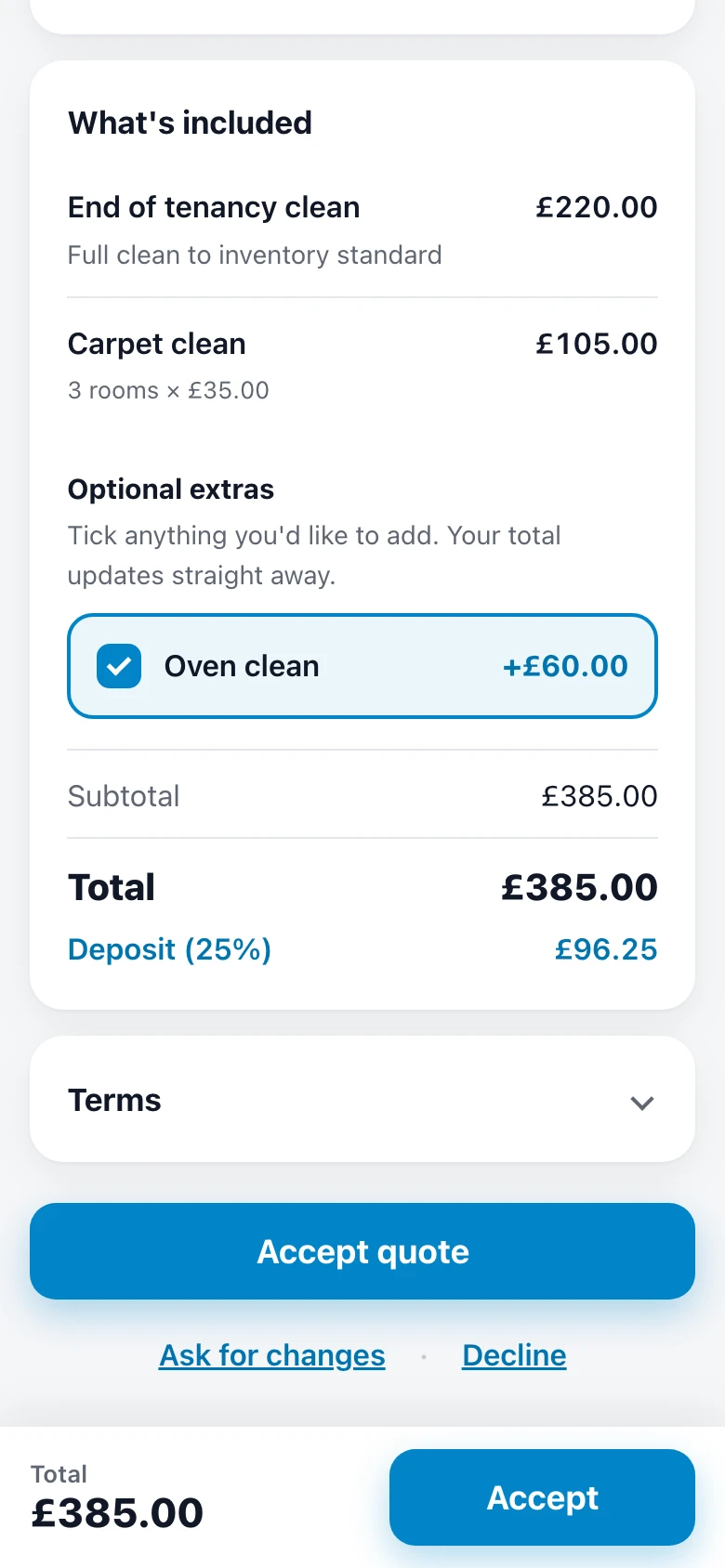
The quote above, from an example business, Fresh Nest Cleaning: how it was priced and how it was won, on real screens. Tap a step to jump to it.
Why it works
Less admin. More booked jobs.
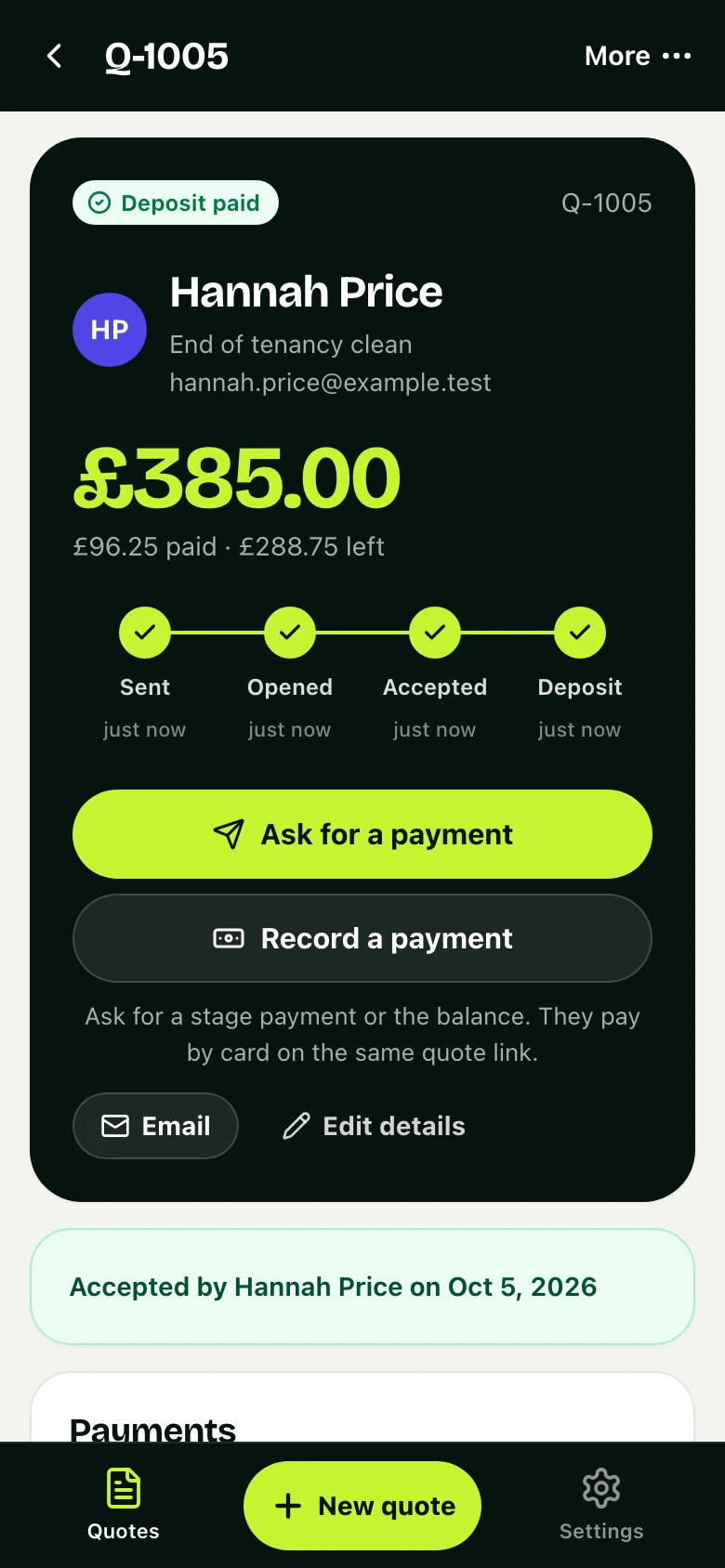
The same job, now in Fresh Nest Cleaning's app: accepted, deposit paid.
01 · Deposits
No more no-shows
Ask for a deposit to secure the booking. It's paid by card before you arrive.
- Paid by card, Apple Pay or Google Pay
- Straight into your own Stripe account
- A receipt for them, a record for you
02 · One screen
Know where every job stands
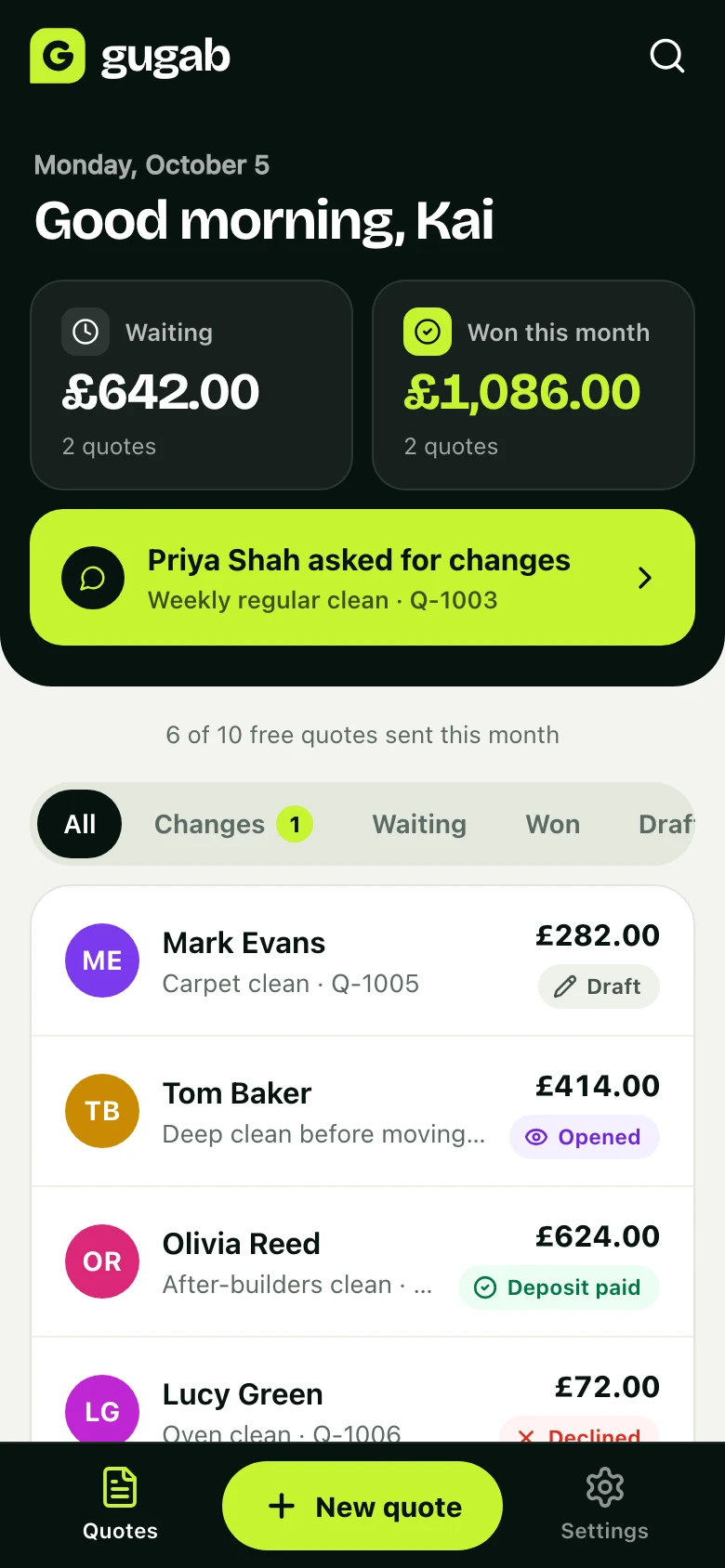
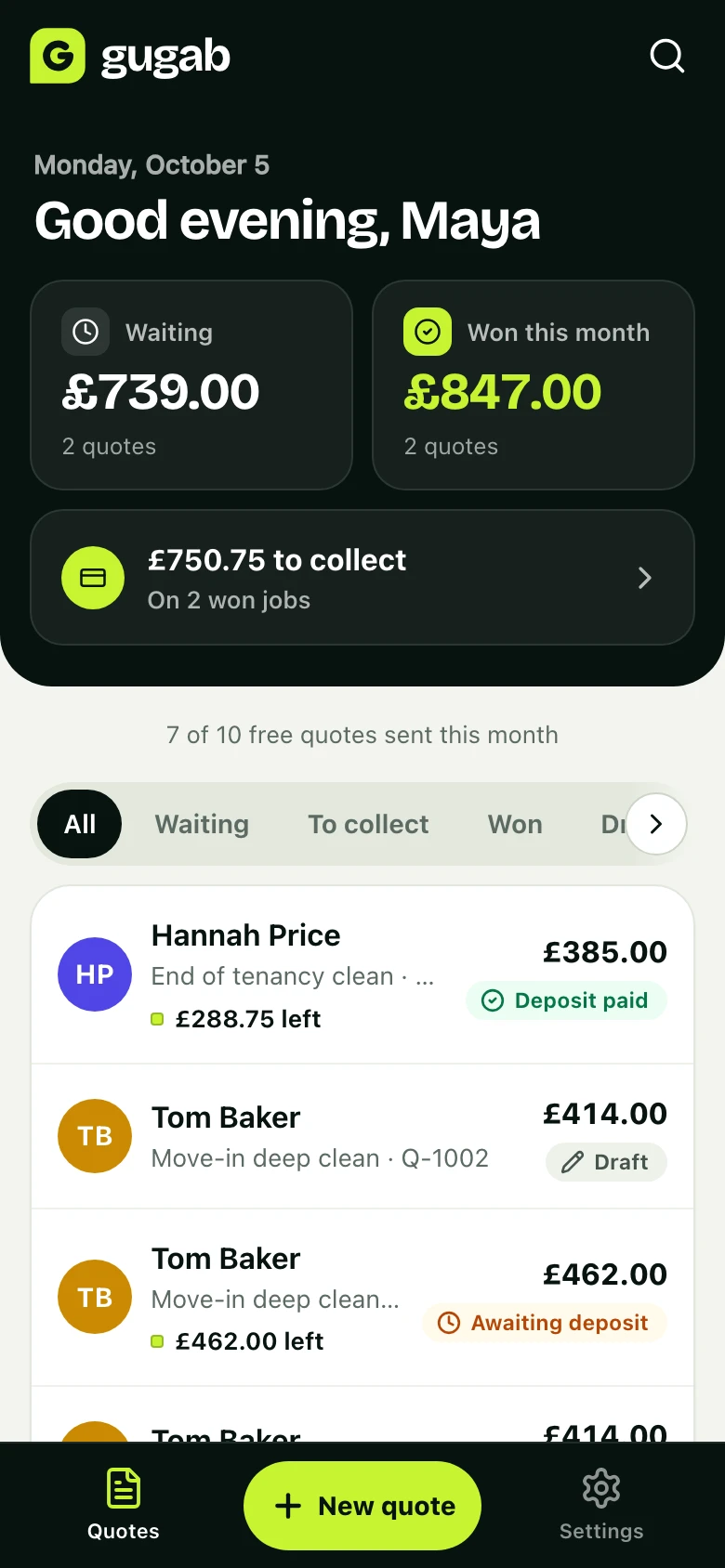
What's waiting for an answer, what you've won this month and what's still to collect, the moment you open the app.
- An email, or a notification on your phone, when a job moves
- Every quote and where it stands, in one list
- Search any customer, job or quote number
Also made for cleaners
Extras that sell themselves
Add oven, fridge or window cleans as optional extras. Customers tick what they want and the total updates.
Regulars in seconds
Duplicate last month's quote for a returning customer, change the date and send.
Show your work
Add photos of your best cleans. They appear on every quote, so customers see what they're paying for.
Questions
Good to know
Can I price per room or per hour?
Yes. Price any item per hour, per room, per visit or as a fixed price, and change the quantity with a tap.
Can I quote landlords and letting agents?
Yes. Add a company name and the property address to the quote, and they can download a PDF for their records.
Do my customers need an app?
No. They get a link and open it on any phone or computer. They tick the extras they want, accept by typing their name and pay by card.
What if they want something changed?
They tap Ask for changes and say what. You change the quote and their link shows the new version.
How much does it cost?
It’s free to start, with 10 quotes a month. Pro is £15 a month for unlimited quotes, no platform branding and automatic follow-ups.
Send your next quote with Gugab
Your services and prices are ready the moment you sign up.
No credit card required
Rather use your phone? Point its camera at the square to open Gugab there.