For beauty and wellness
Bridal parties, courses and packages, quoted beautifully
Consultations, treatments and courses priced per session, with your branding. Clients pay a deposit to secure their appointment.
No credit card required
- Free to start, no card needed
- Nothing for your customers to download
- Works on your phone and your computer
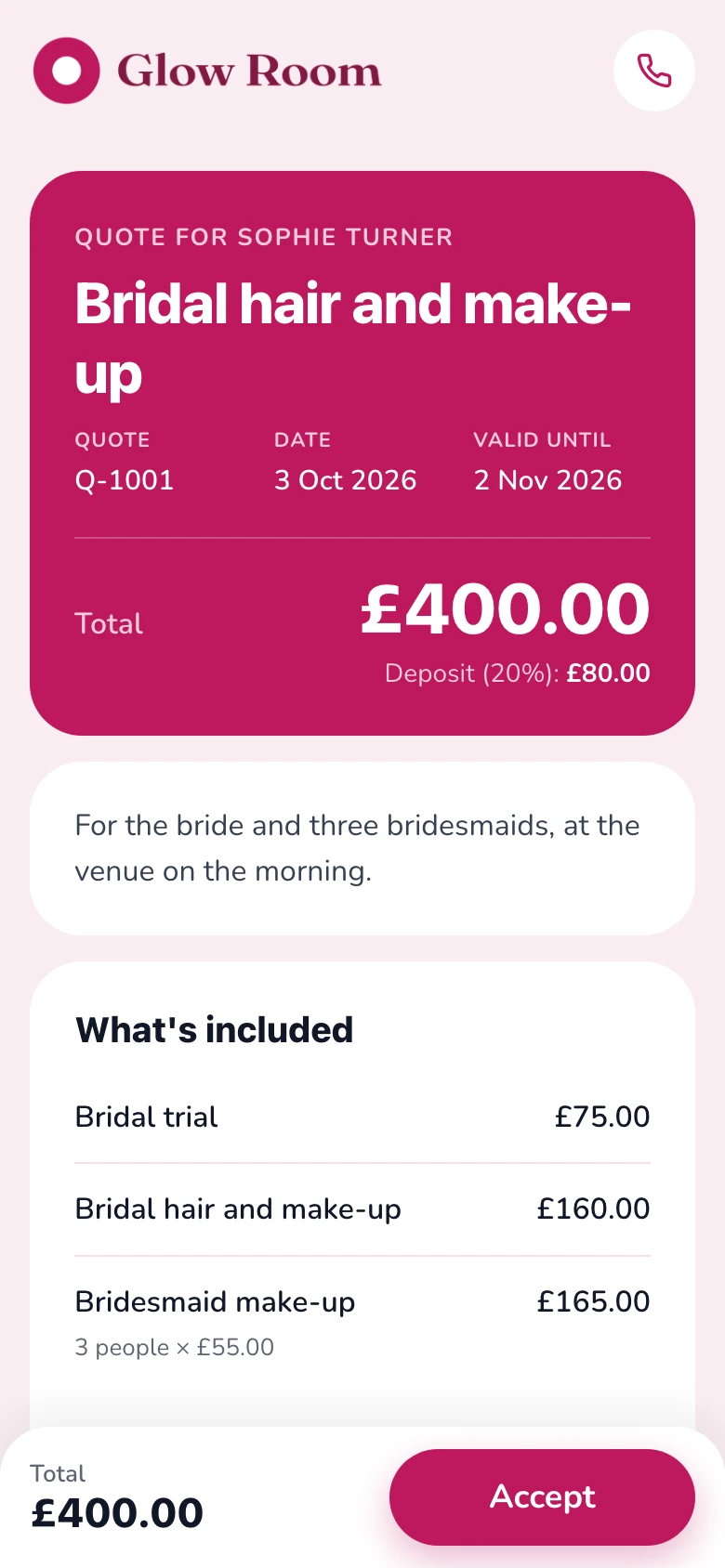
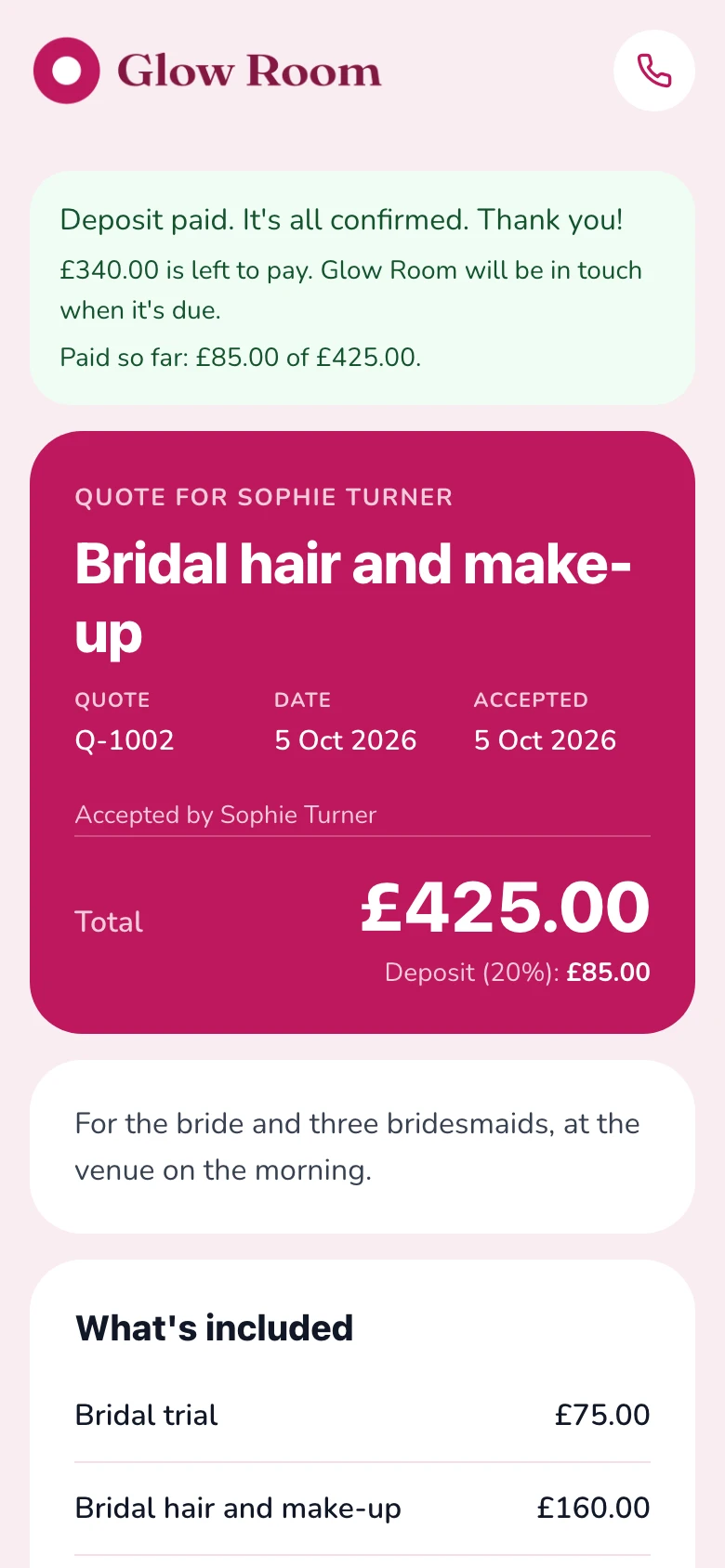
Example quote: Glow Room, in the Soft design.
Sound familiar?
The usual way, or the easy way
What quoting usually looks like, and what changes when the quote is a link your customer can say yes to.
The usual way
Texts, templates and chasing
- Prices sent by direct message, then lost
- Bridal parties priced by hand, person by person
- No-shows on the morning
- Lashes and extras forgotten until the day
- Deposits chased in messages
With Gugab
One link, from price to paid
- A quote that looks like your salon, sent as a link
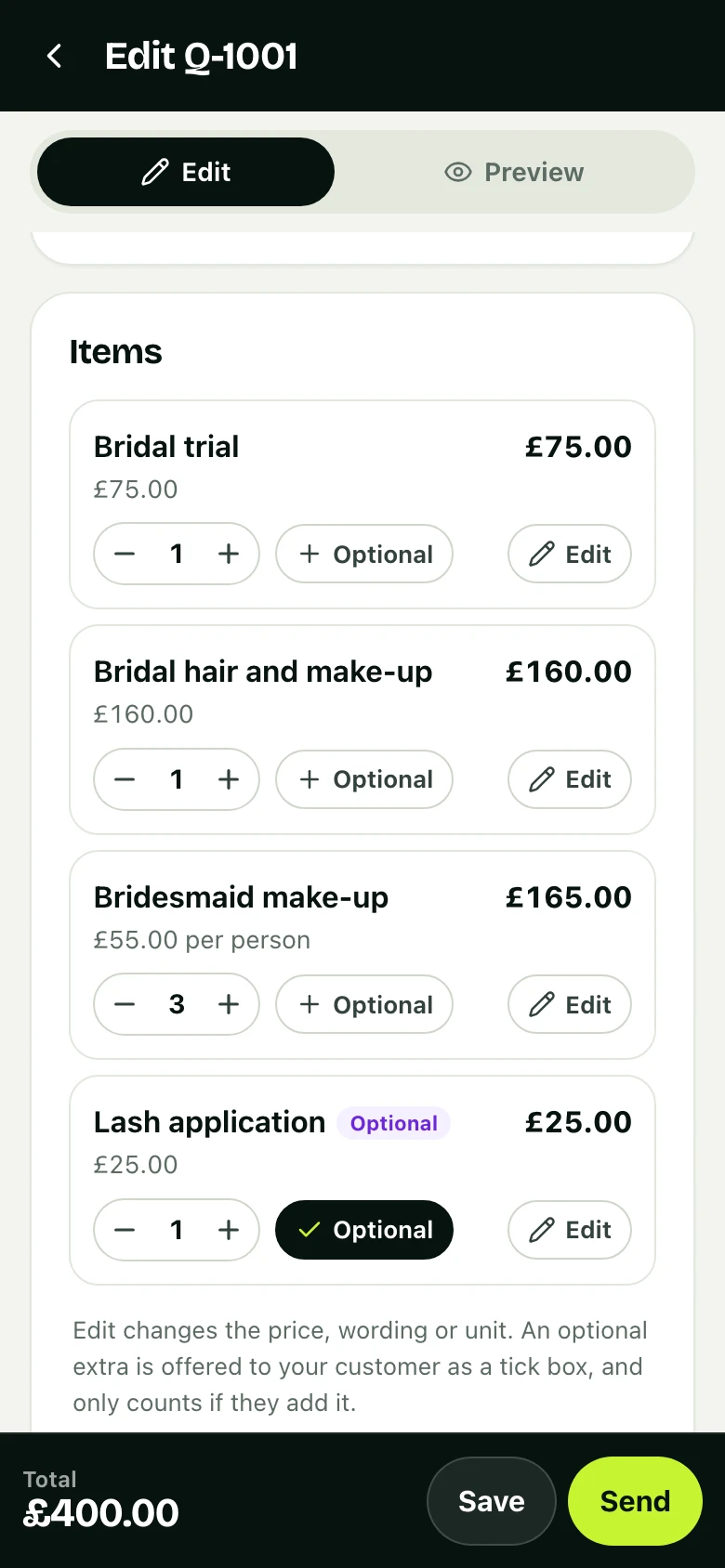
- Per person and per session prices: change the number and the total follows
- A deposit by card that secures the appointment
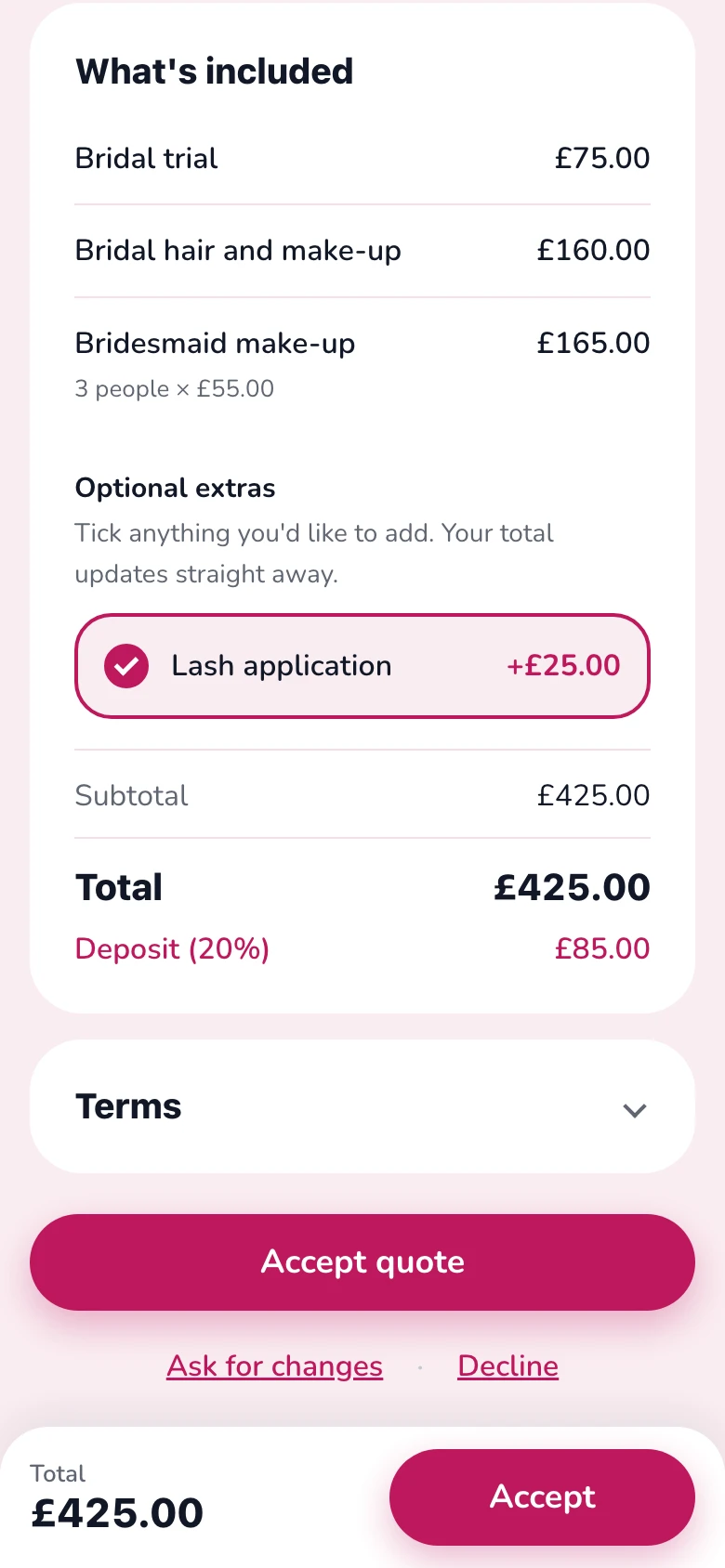
- Lashes or extra looks as extras they tick
- You're told when they accept and when they pay
Ready on day one
Your prices are already there
Sign up, choose your kind of work, and this is what you start with. Tap an item to add it to a quote. Change a price once and it's remembered.
- Your logo and colour on every quote
- Six quote designs, with a live preview
- Your terms written for you, ready to change
Your starter price list
Filled in when you sign up. Change any of it.
- Consultation£25
- Treatment (60 minutes)£60 per session
- Course of 6 sessions£300
- Bridal trial£75
20% deposit · Terms written for you
See it work
One job, start to finish
The quote above, from an example business, Glow Room: how it was priced and how it was won, on real screens. Tap a step to jump to it.
Why it works
Less admin. More booked jobs.
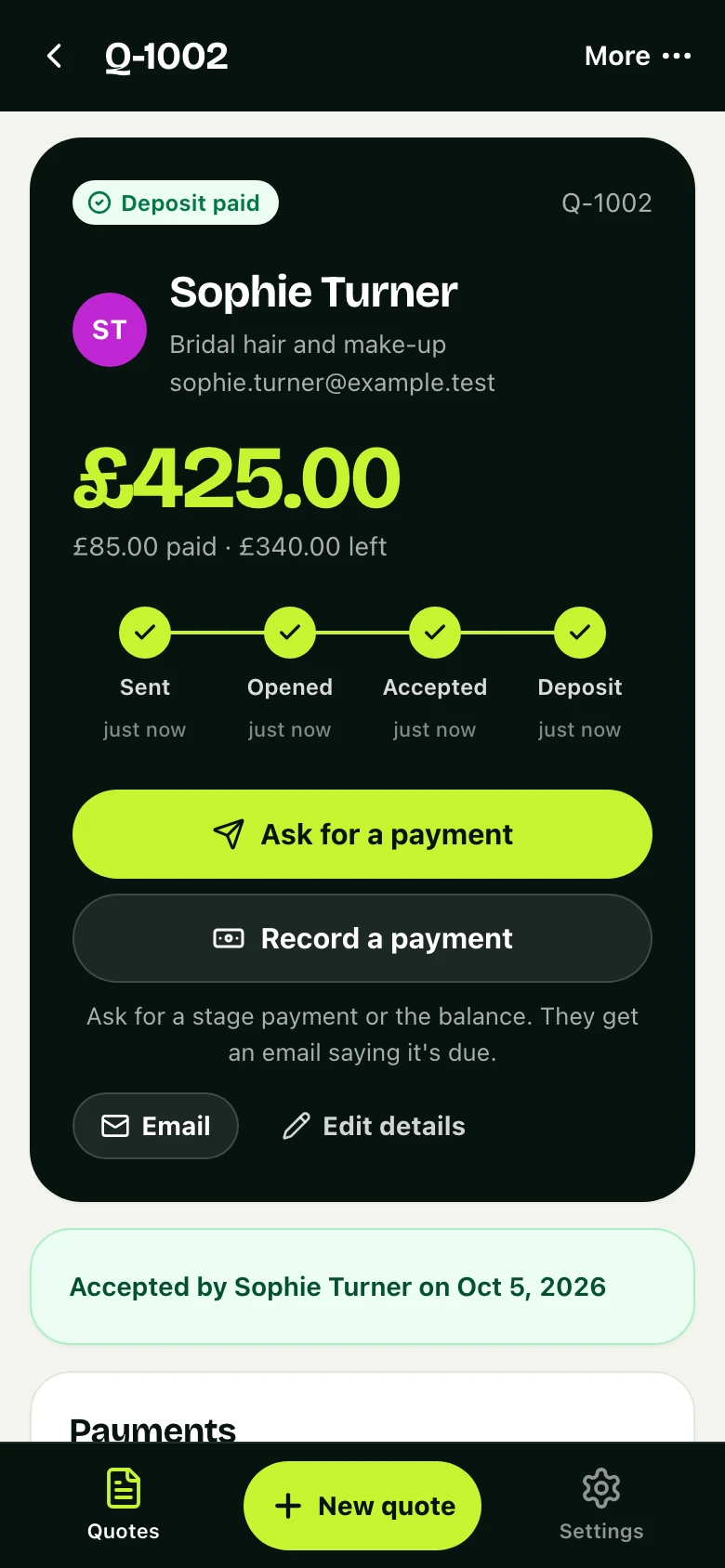
The same job, now in Glow Room's app: accepted, deposit paid.
01 · Deposits
Deposits that stick
Clients pay the deposit on their phone, so last-minute cancellations cost less.
- Paid by card, Apple Pay or Google Pay
- Straight into your own Stripe account
- A receipt for them, a record for you
02 · One screen
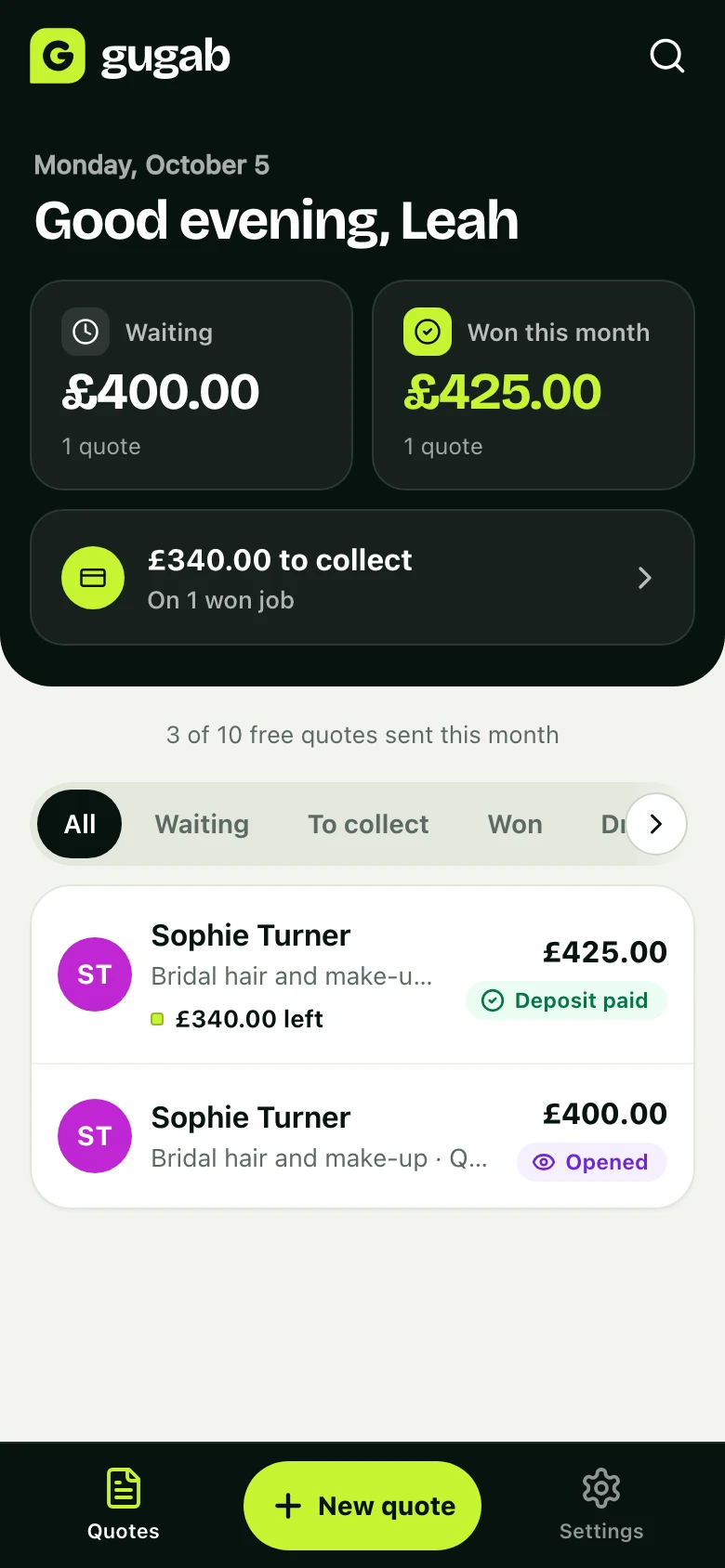
Know where every job stands
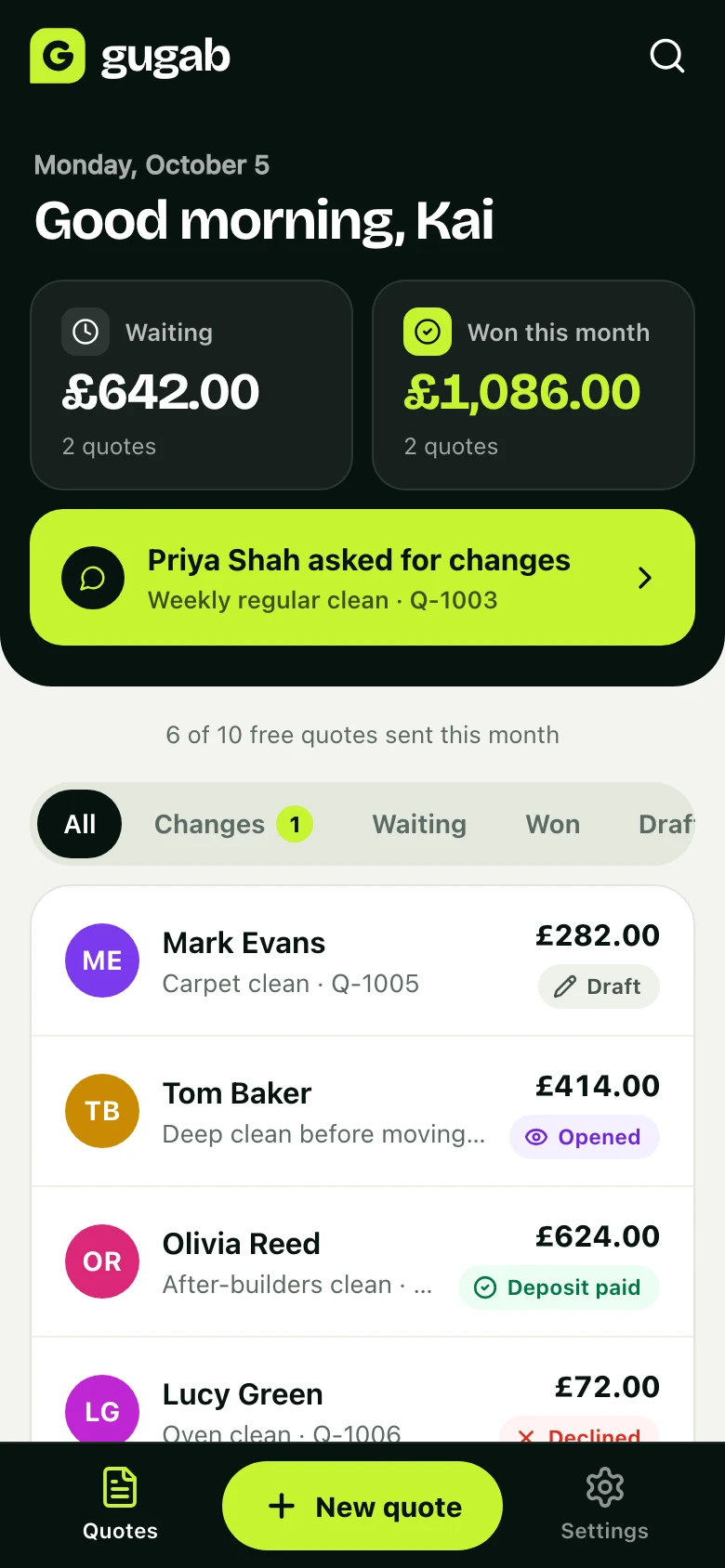
What's waiting for an answer, what you've won this month and what's still to collect, the moment you open the app.
- An email, or a notification on your phone, when a job moves
- Every quote and where it stands, in one list
- Search any customer, job or quote number
Also made for beauty & wellness
Per session or per person
Price treatments per session and bridal parties per person, then adjust the numbers with a tap.
Looks like your salon
Your logo and colours, and on White label, your own web address and email.
Courses and packages
Price a course of treatments per session and change the number with a tap.
Questions
Good to know
Can I take the deposit off the final bill?
Yes. Say so in your terms. The deposit amount is shown on the quote and on its invoice, which becomes the receipt.
Do clients need an account?
No. They open the link, accept and pay. Nothing to download.
Can I quote a bridal party?
Yes. Price per person and set the number of people. The total and the deposit update.
How much does it cost?
It’s free to start, with 10 quotes a month. Pro is £15 a month for unlimited quotes, no platform branding and automatic follow-ups.
Send your next quote with Gugab
Your services and prices are ready the moment you sign up.
No credit card required
Rather use your phone? Point its camera at the square to open Gugab there.