For trades and builders
Price the job on site. Win it before the next quote lands.
Labour by the day or hour, materials, call-outs and waste removal, ready to tap. Send a professional quote from the van and take a deposit to lock in the start date.
No credit card required
- Free to start, no card needed
- Nothing for your customers to download
- Works on your phone and your computer
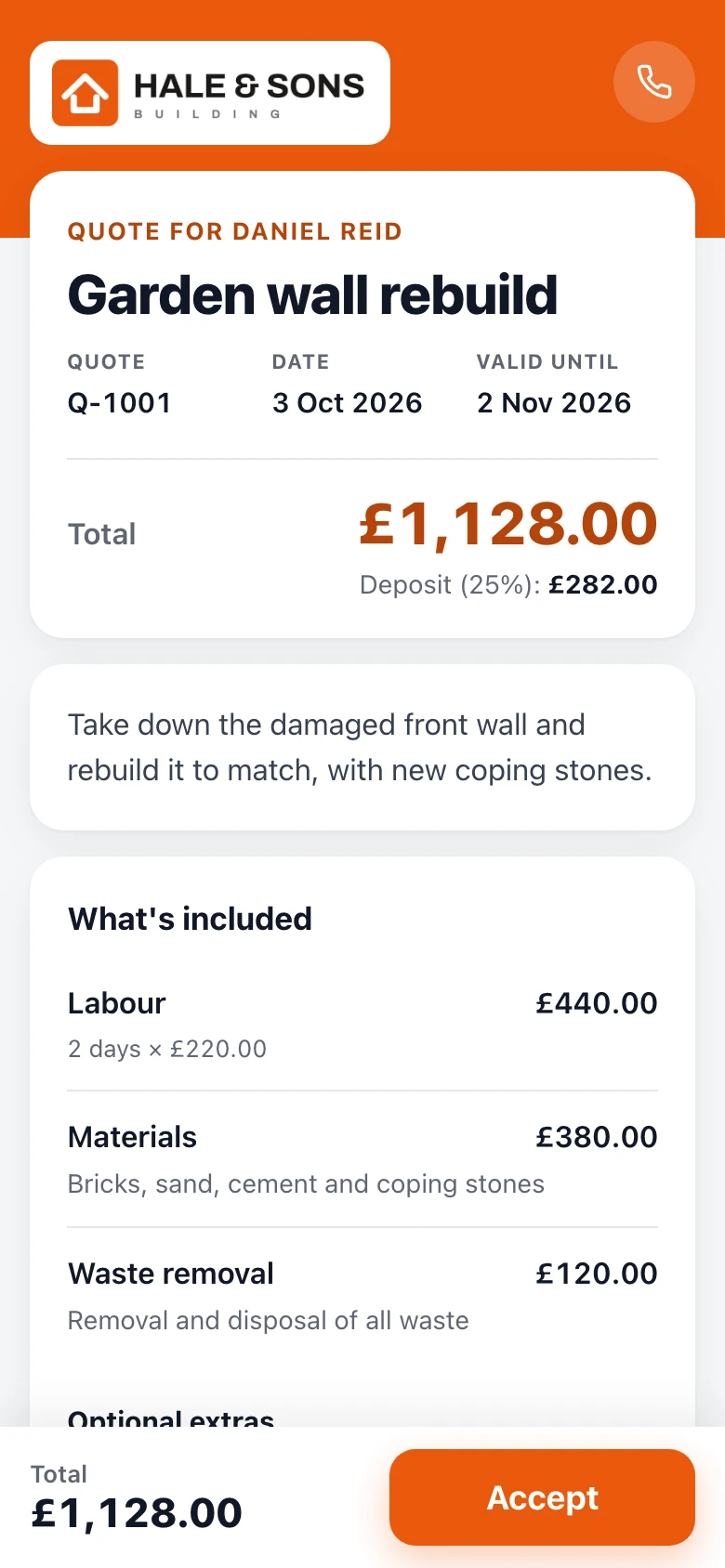
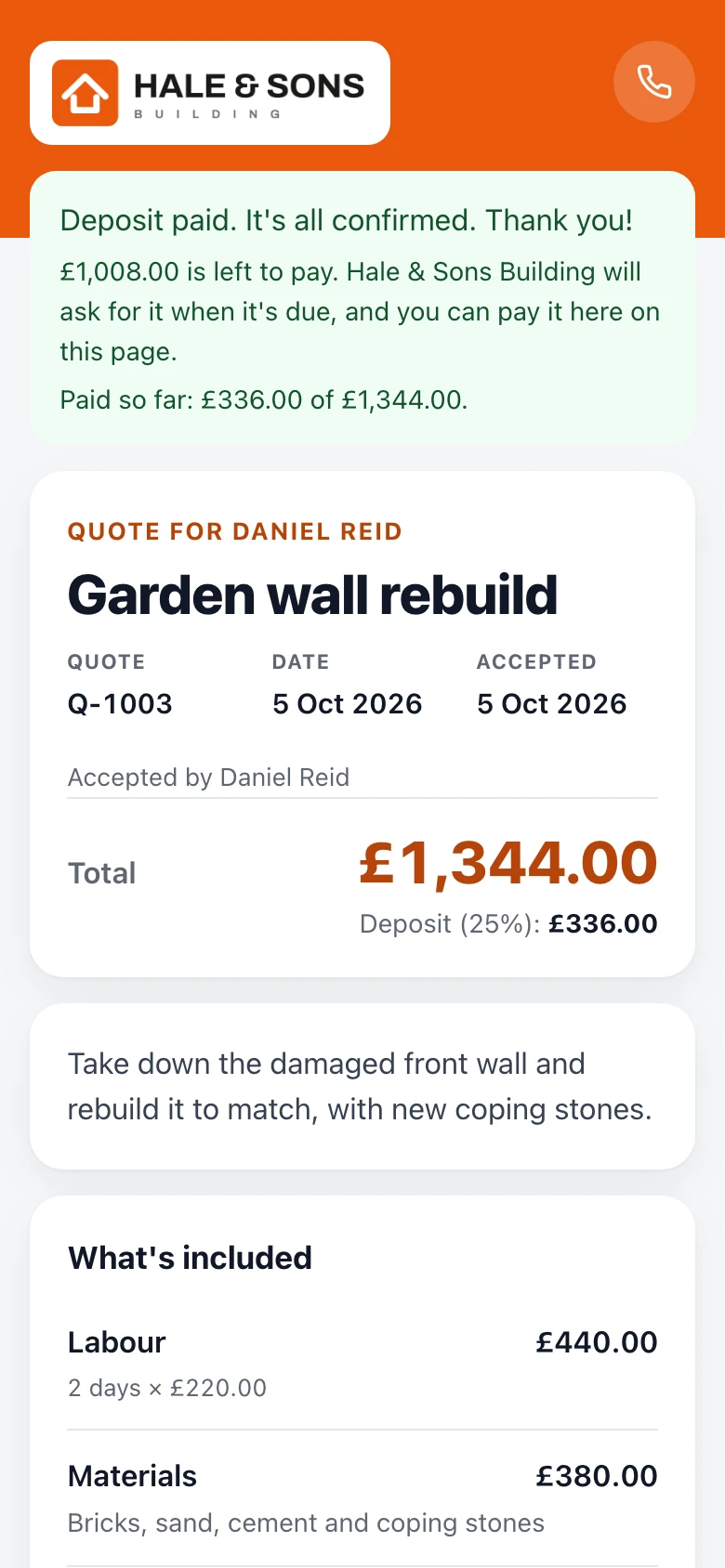
Example quote: Hale & Sons Building, in the Bold design.
Sound familiar?
The usual way, or the easy way
What quoting usually looks like, and what changes when the quote is a link your customer can say yes to.
The usual way
Texts, templates and chasing
- Prices worked out on scrap paper, typed up at night
- A template that takes an evening to fill in
- Weeks of waiting to hear if you won it
- Materials bought before anything is paid
- Chasing the balance once the job is done
With Gugab
One link, from price to paid
- Day rates, materials and waste ready to tap, on site
- A professional quote with the tax worked out, sent from the van
- You're told when they open it, and Pro follows up for you
- A deposit by card before you order materials
- Each stage and the balance asked for in a tap
Ready on day one
Your prices are already there
Sign up, choose your kind of work, and this is what you start with. Tap an item to add it to a quote. Change a price once and it's remembered.
- Your logo and colour on every quote
- Six quote designs, with a live preview
- Your terms written for you, ready to change
Your starter price list
Filled in when you sign up. Change any of it.
- Labour£220 per day
- Labour (hourly)£45 per hour
- MaterialsSupplied and fitted£150
- Call-out charge£60
- Waste removalRemoval and disposal of all waste£120
25% deposit · Terms written for you
See it work
One job, start to finish
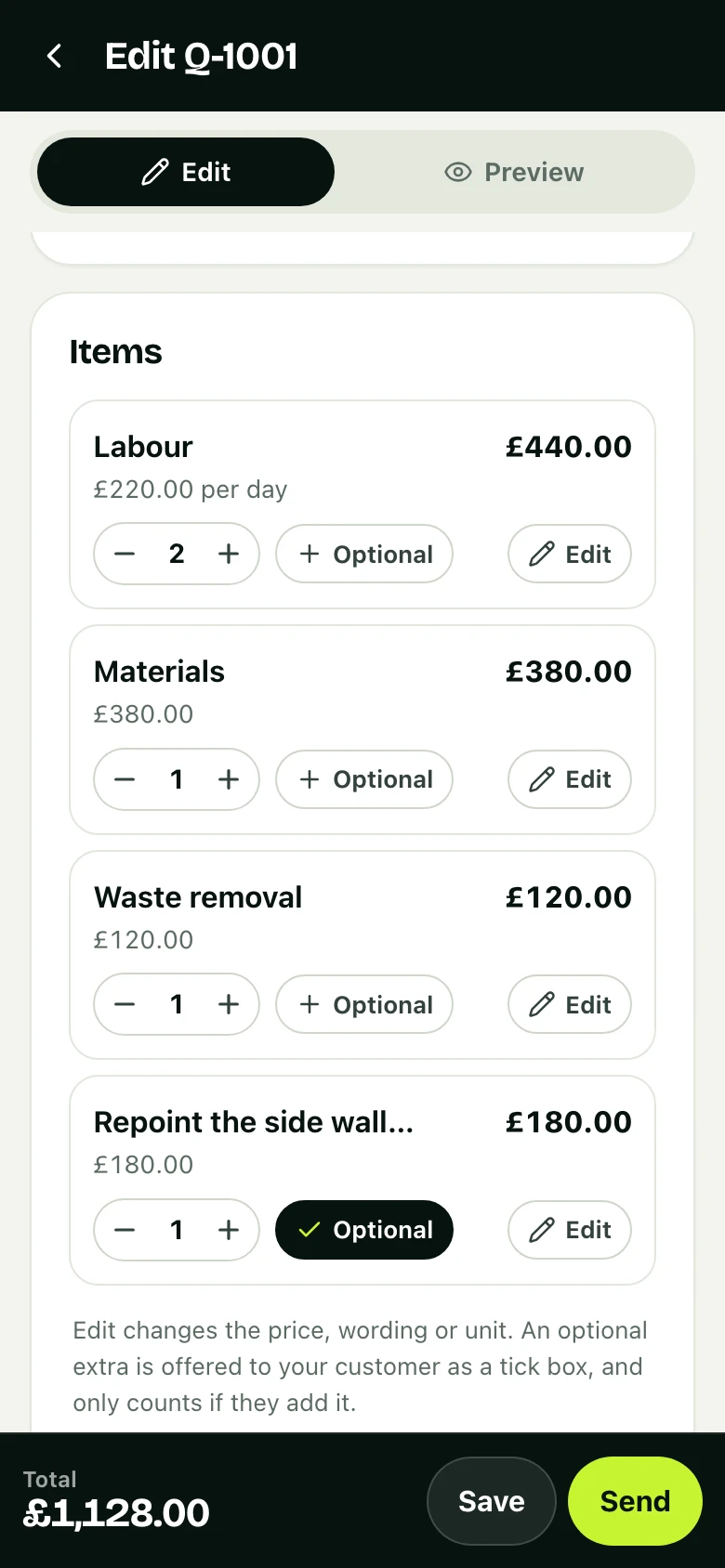
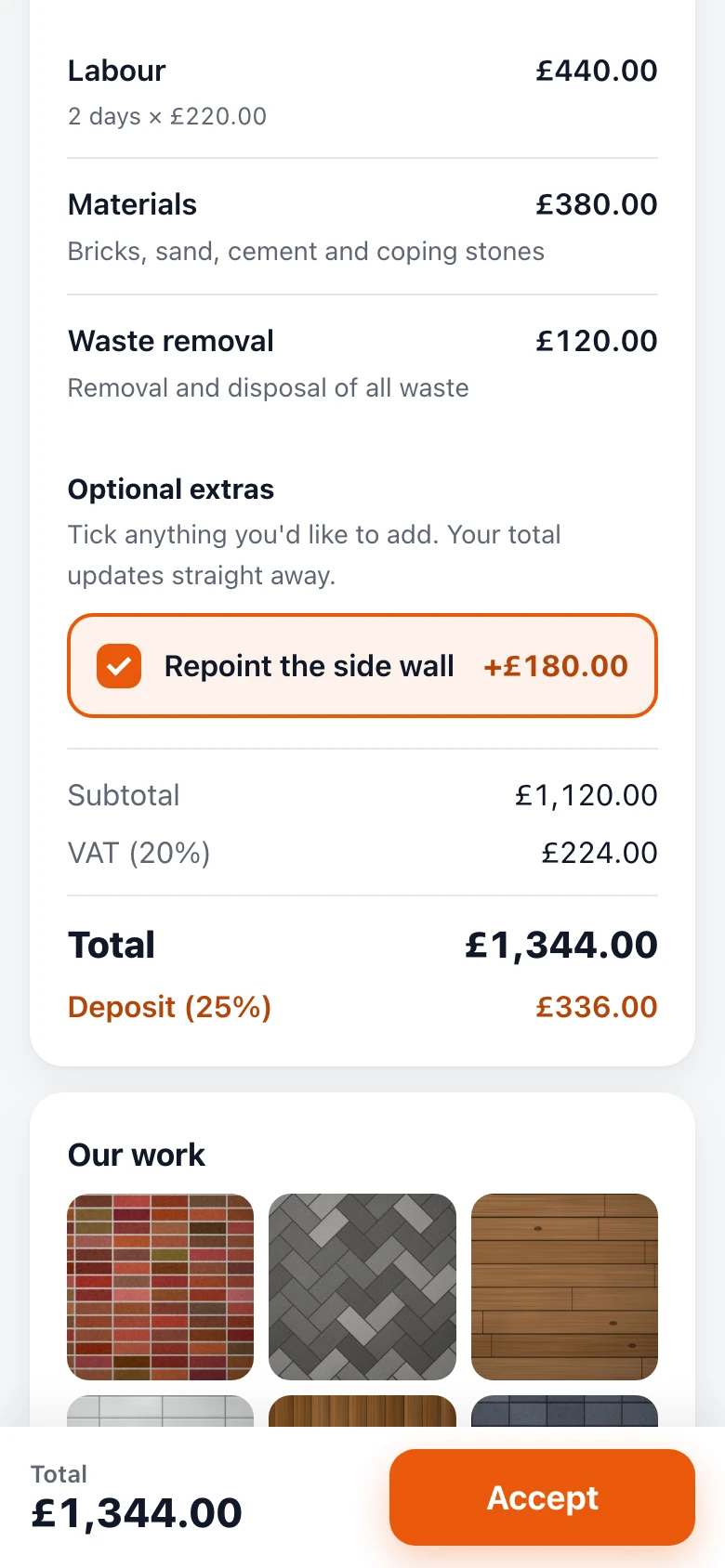
The quote above, from an example business, Hale & Sons Building: how it was priced and how it was won, on real screens. Tap a step to jump to it.
Why it works
Less admin. More booked jobs.
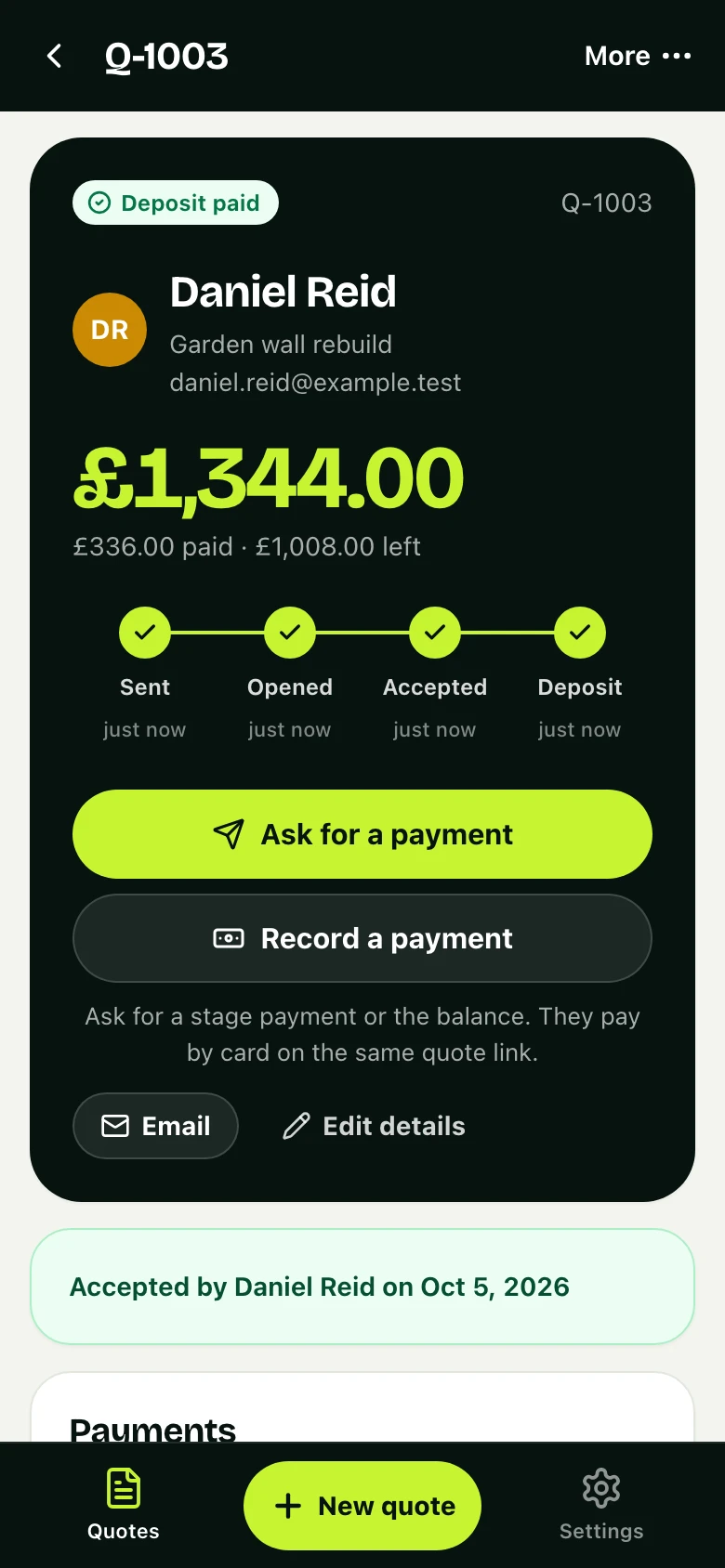
The same job, now in Hale & Sons Building's app: accepted, deposit paid.
01 · Deposits
Deposits for materials
Take a percentage up front by card, Apple Pay or Google Pay, paid straight into your account.
- Paid by card, Apple Pay or Google Pay
- Straight into your own Stripe account
- A receipt for them, a record for you
02 · One screen
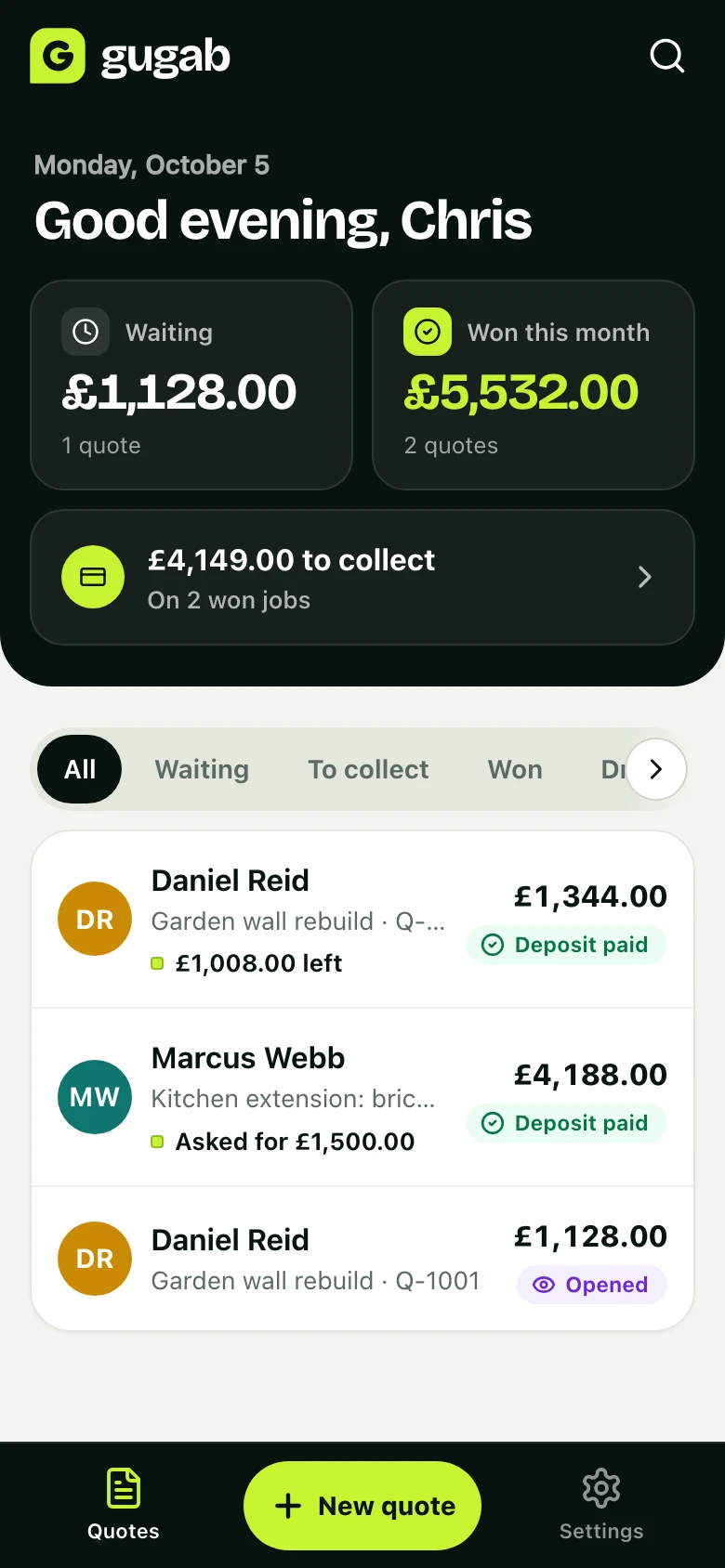
Know where every job stands
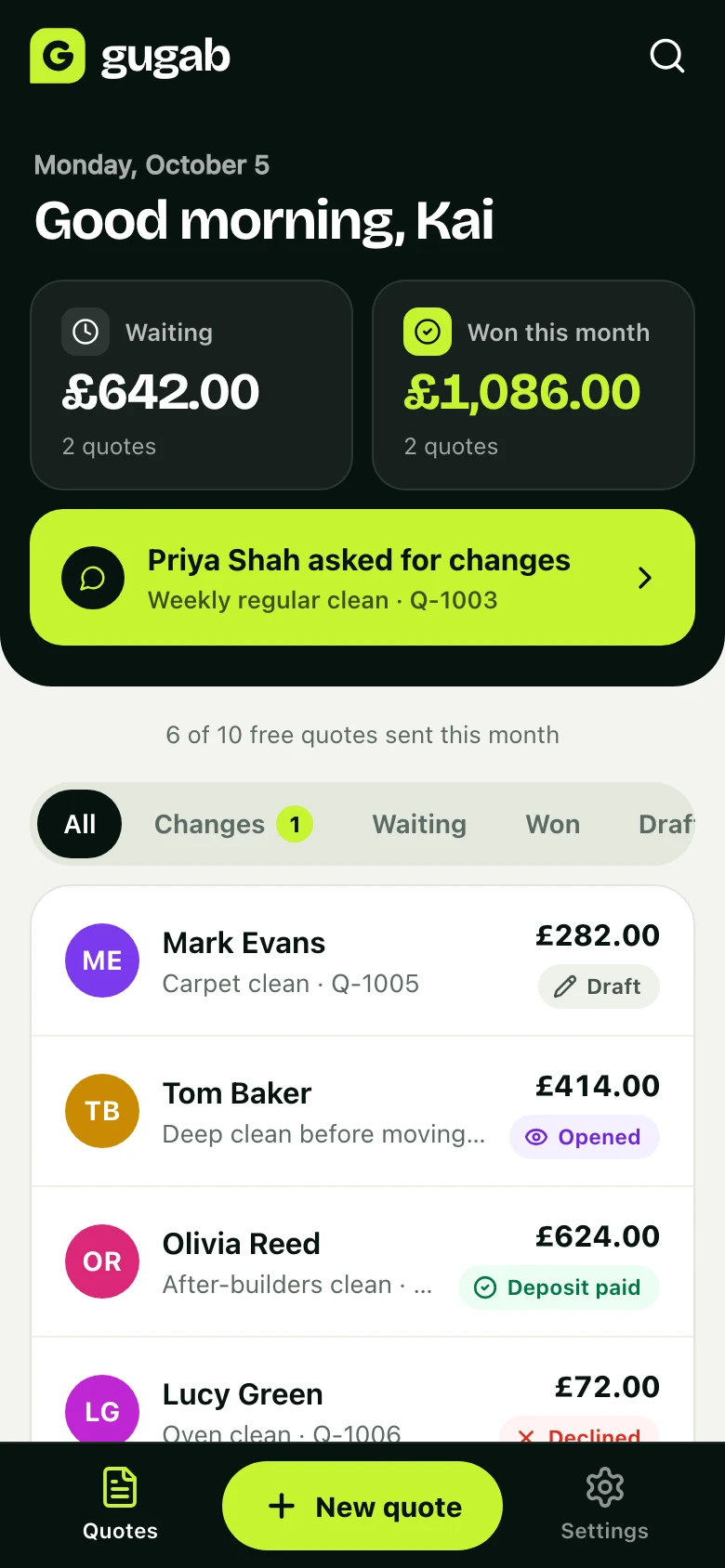
What's waiting for an answer, what you've won this month and what's still to collect, the moment you open the app.
- An email, or a notification on your phone, when a job moves
- Every quote and where it stands, in one list
- Search any customer, job or quote number
Also made for trades & builders
Day rates and square metres
Price labour per day or hour, and areas per square metre. The quote shows the working, so customers trust the number.
Changes without the back and forth
Customers ask for changes from the quote. Update it and resend in one tap.
Big jobs in stages
Take a deposit, then ask for each stage as the work is done, then the balance.
Questions
Good to know
Can I add tax?
Yes. Add VAT, GST or sales tax on top, or tell it your prices already include it and the quote shows the tax inside the total. Your tax number goes on every quote and invoice.
Can I put the site address on the quote?
Yes. Add the job address and the customer’s company when you need them.
Can I take stage payments?
Yes. Take a deposit when they accept, then ask for each stage as the work goes on. Each one is paid by card from the same quote link, with a receipt.
What if the job changes after they accept?
Open the quote and choose Make a copy to edit. Change what you need and send the new version.
How much does it cost?
It’s free to start, with 10 quotes a month. Pro is £15 a month for unlimited quotes, no platform branding and automatic follow-ups.
Send your next quote with Gugab
Your services and prices are ready the moment you sign up.
No credit card required
Rather use your phone? Point its camera at the square to open Gugab there.