Send the quote.
Get the yes. Get paid.
Build a branded quote in a few minutes. Your customer opens one link, accepts it and pays the deposit, and you see it happen.
No credit card required
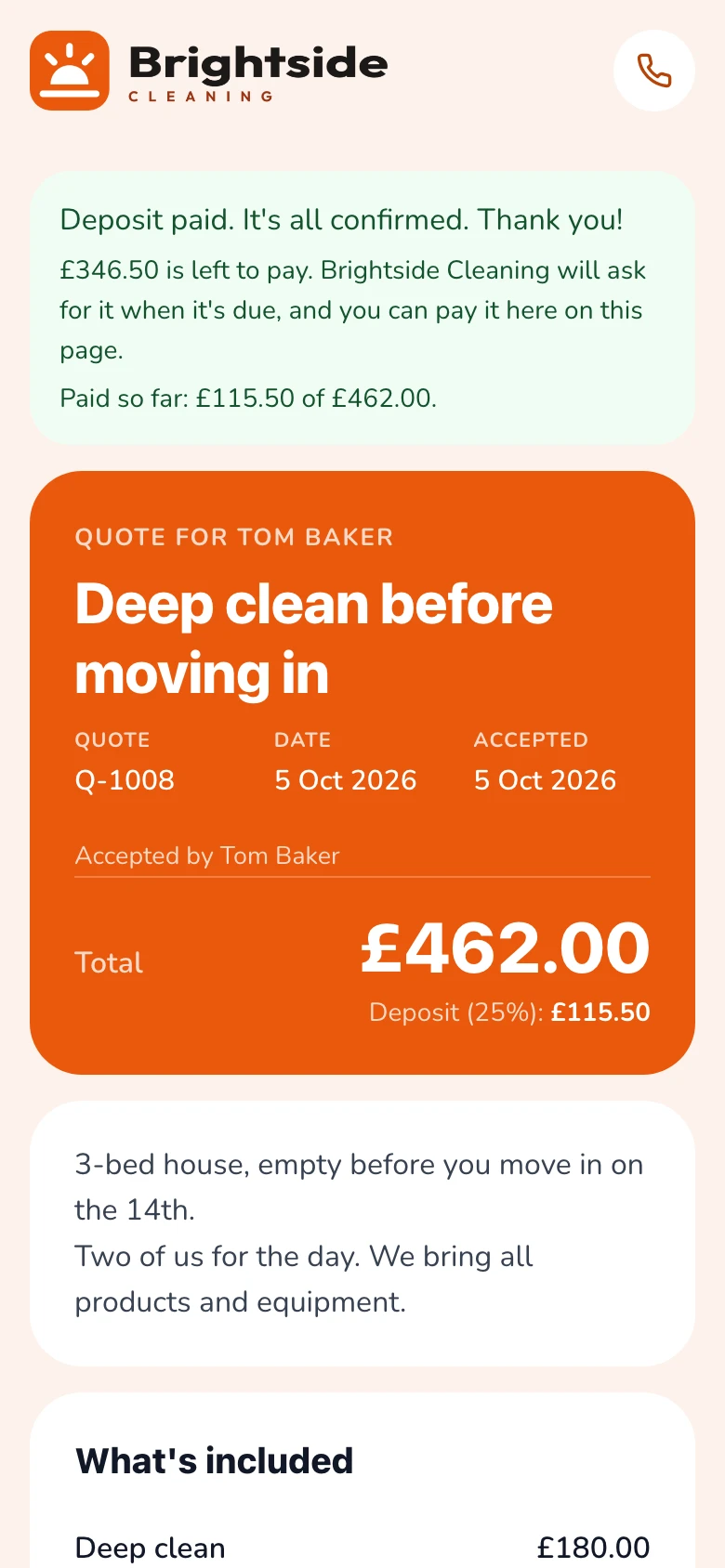
Ready-made price lists for
Why switch
The usual way vs. the Gugab way
Quoting usually means six tools and a lot of chasing. Every hand-off is a chance for the job to go cold.
The usual way
Notes, templates, texts and a spreadsheet
- Prices in your head or a notes app
- A Word template, then a PDF attachment
- “Did you get my quote?” texts
- Bank details sent by message
- A spreadsheet to remember who said yes
With Gugab
One link from quote to deposit
- Your prices ready to tap
- A branded quote built in minutes
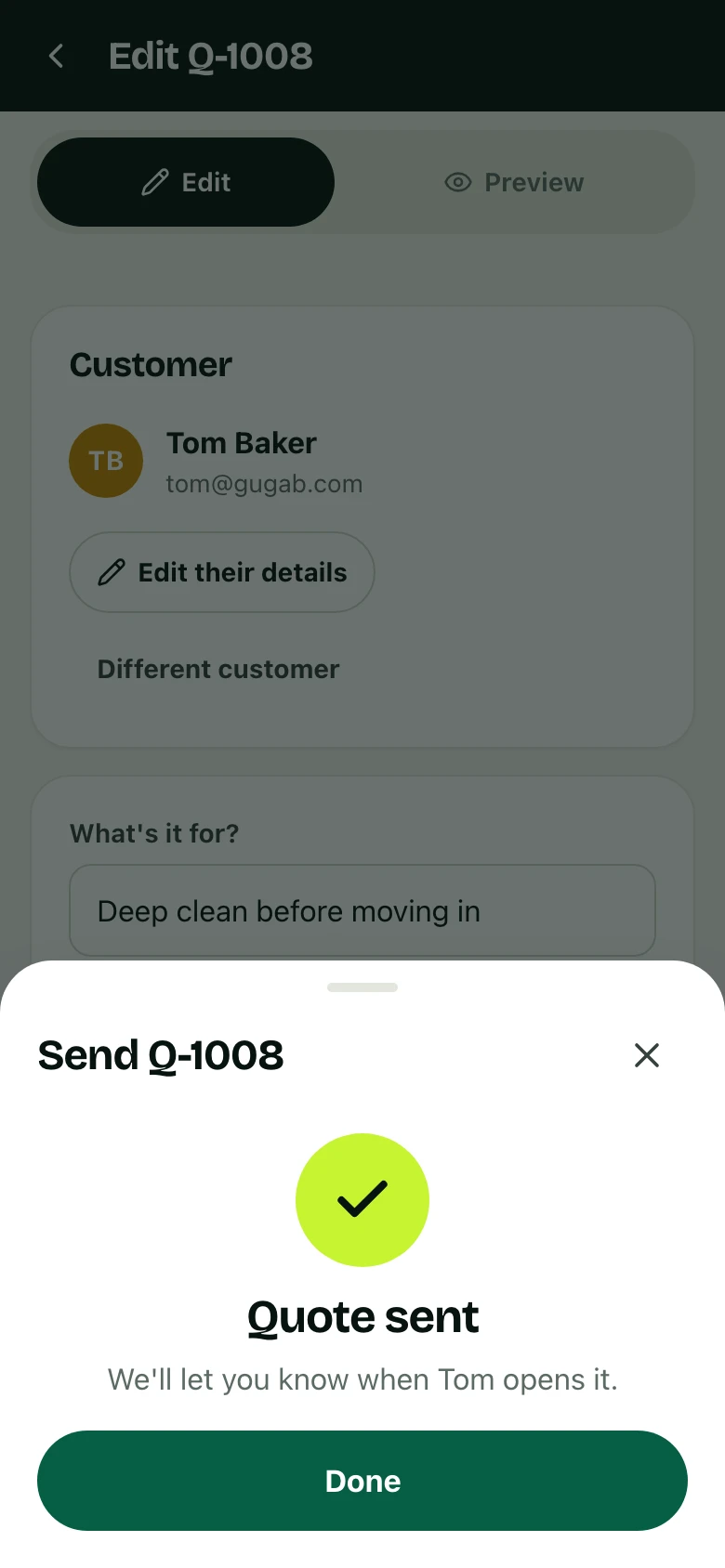
- You're told when it's opened and accepted
- Deposit and later payments by card, Apple Pay or Google Pay
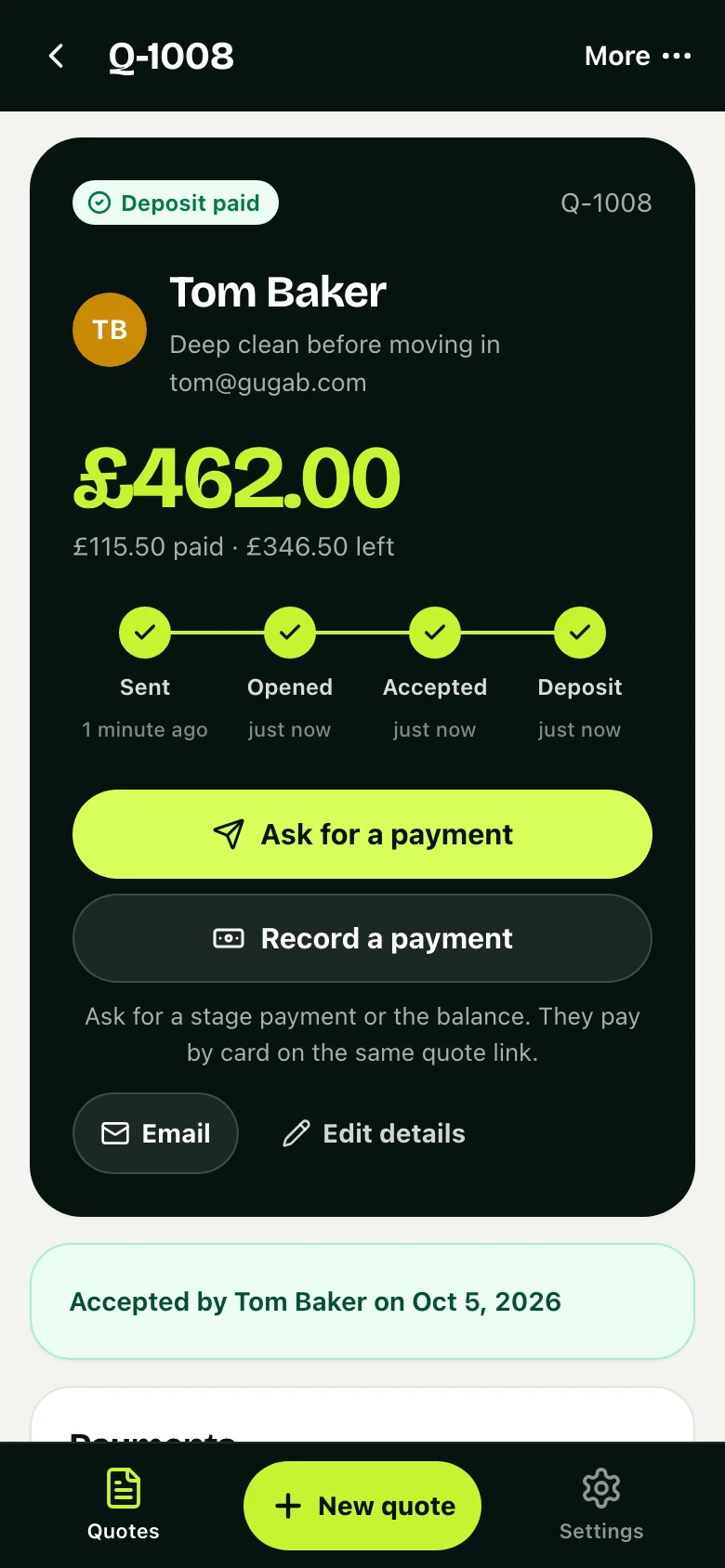
- Every quote and where it stands, on one screen
Made for your trade
A quote that looks like your business
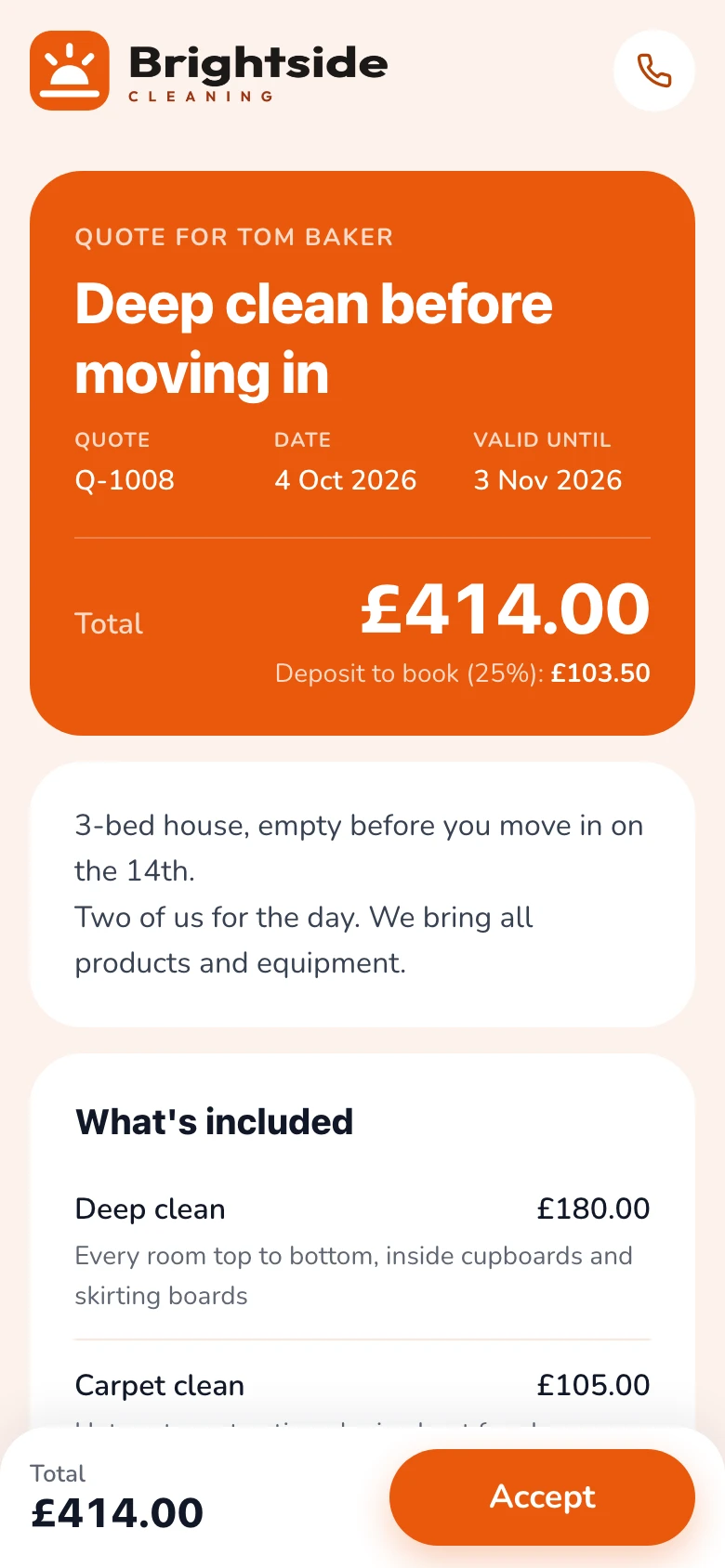
Six designs, your logo and your colour. Your quotes start in the one that suits your kind of work. These are example quotes, as a customer sees them.
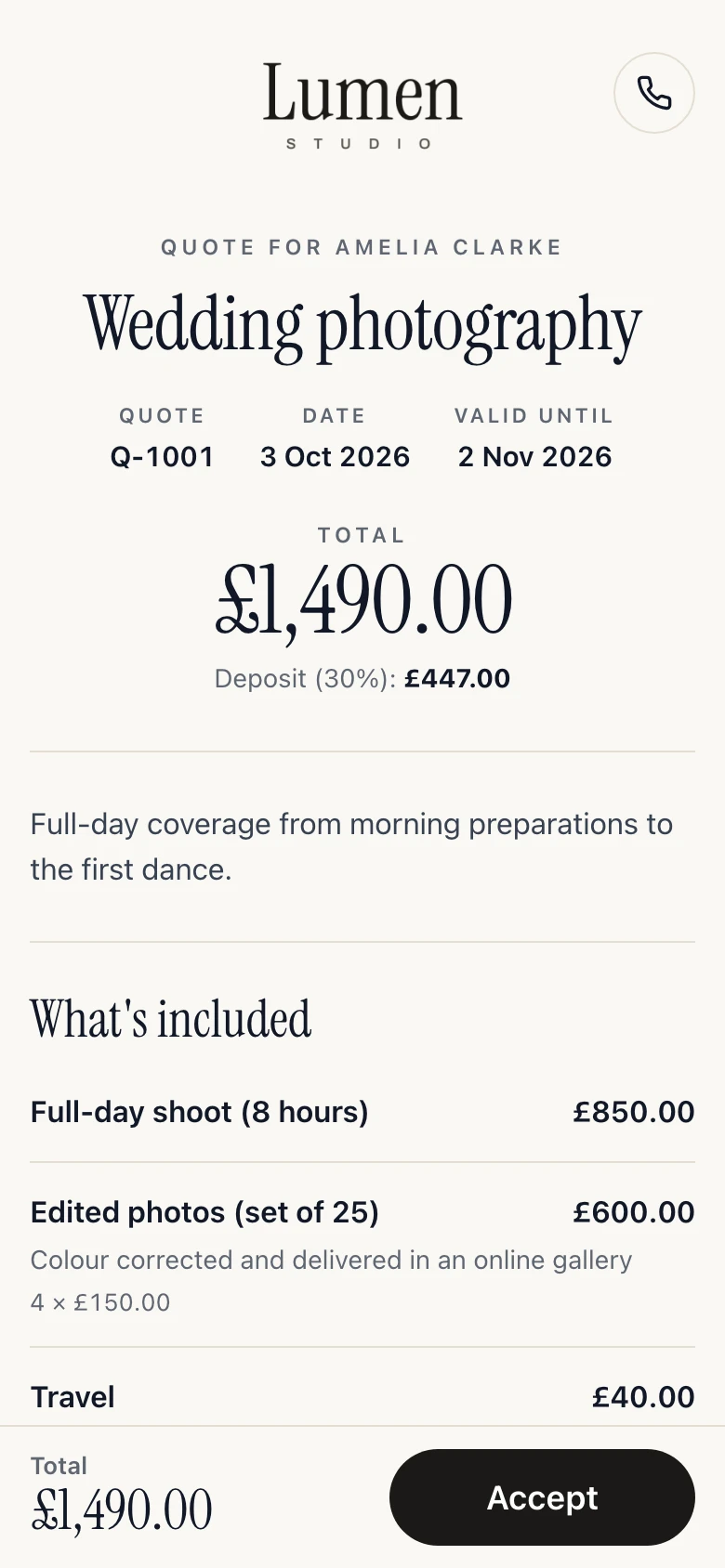
Photographers
Studio design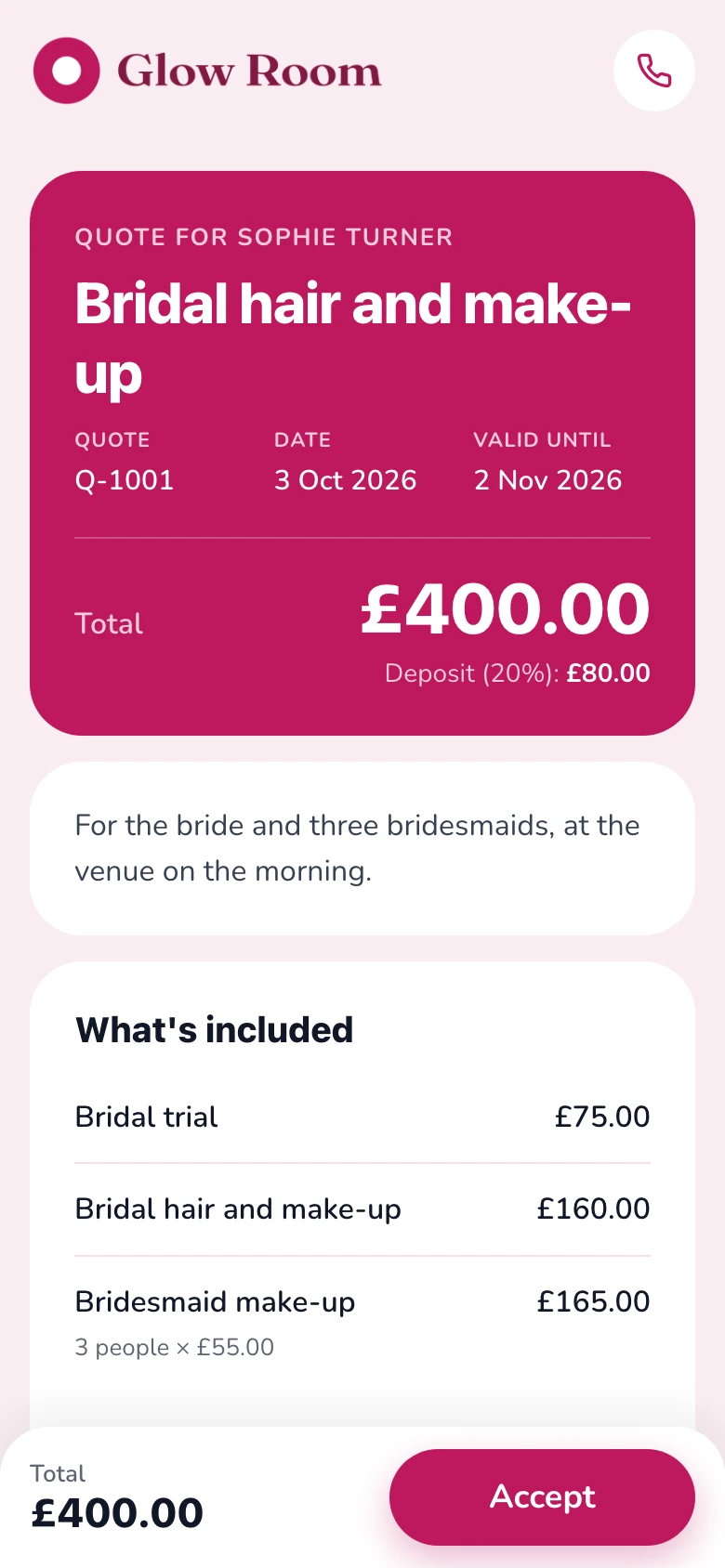
Beauty & wellness
Soft design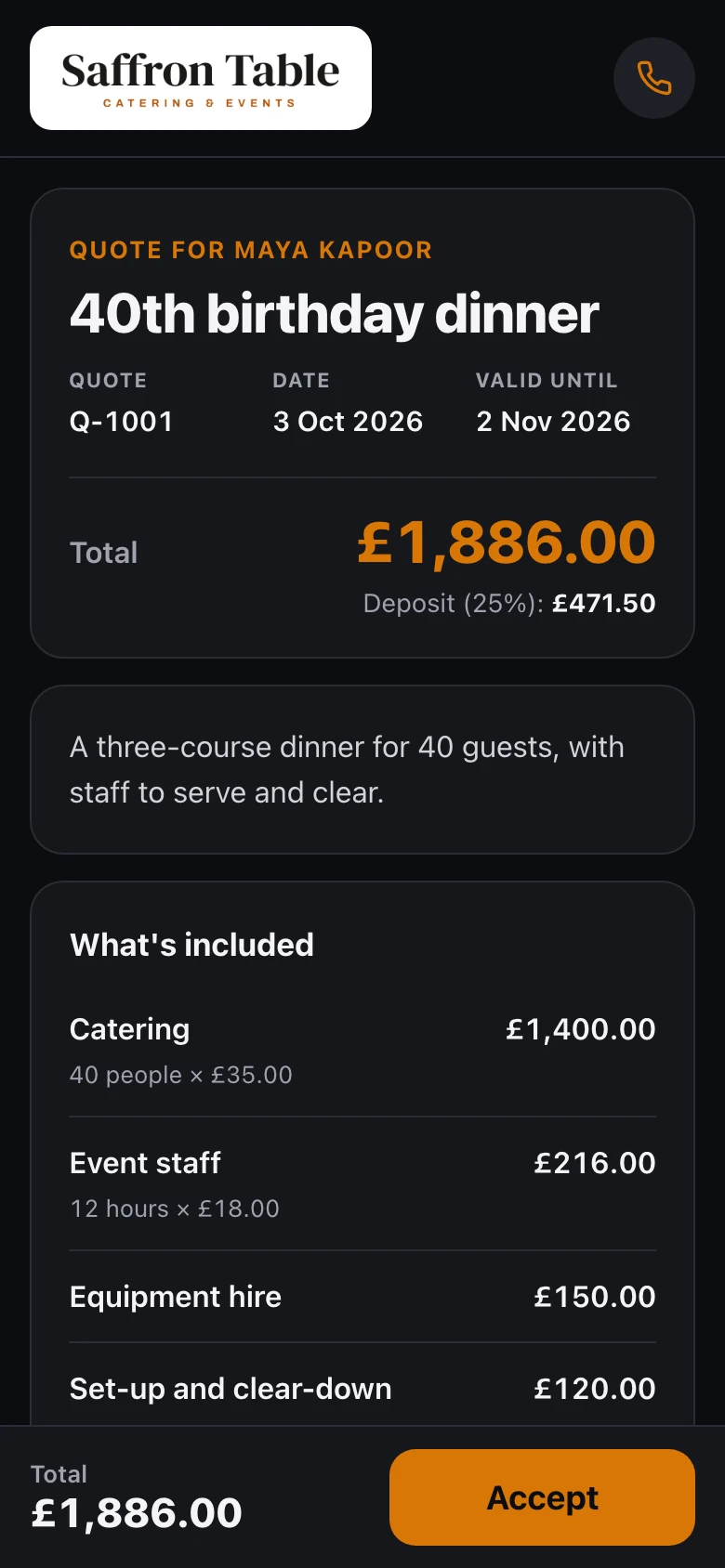
Events & catering
Night design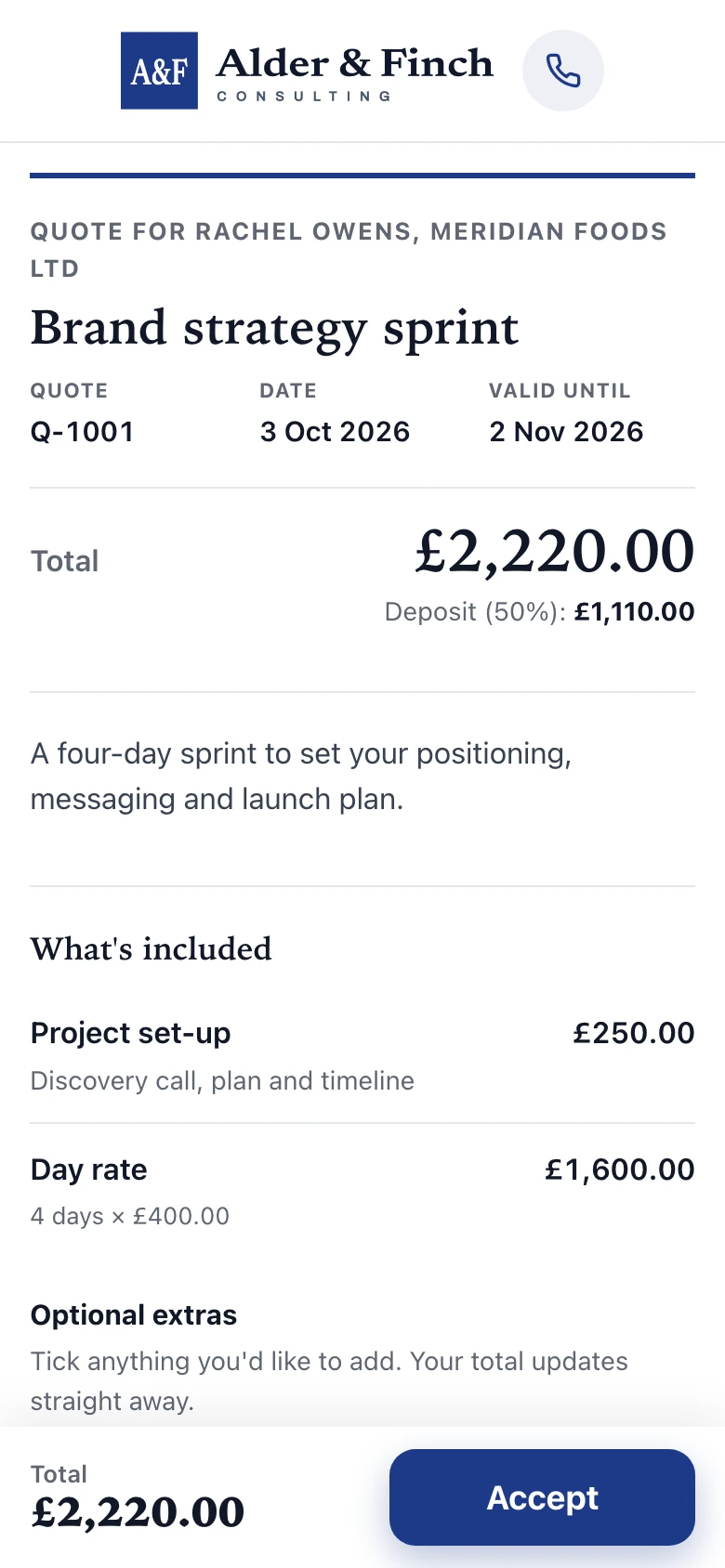
Freelancers
Classic designThe product
Everything a quote needs. Nothing it doesn't.
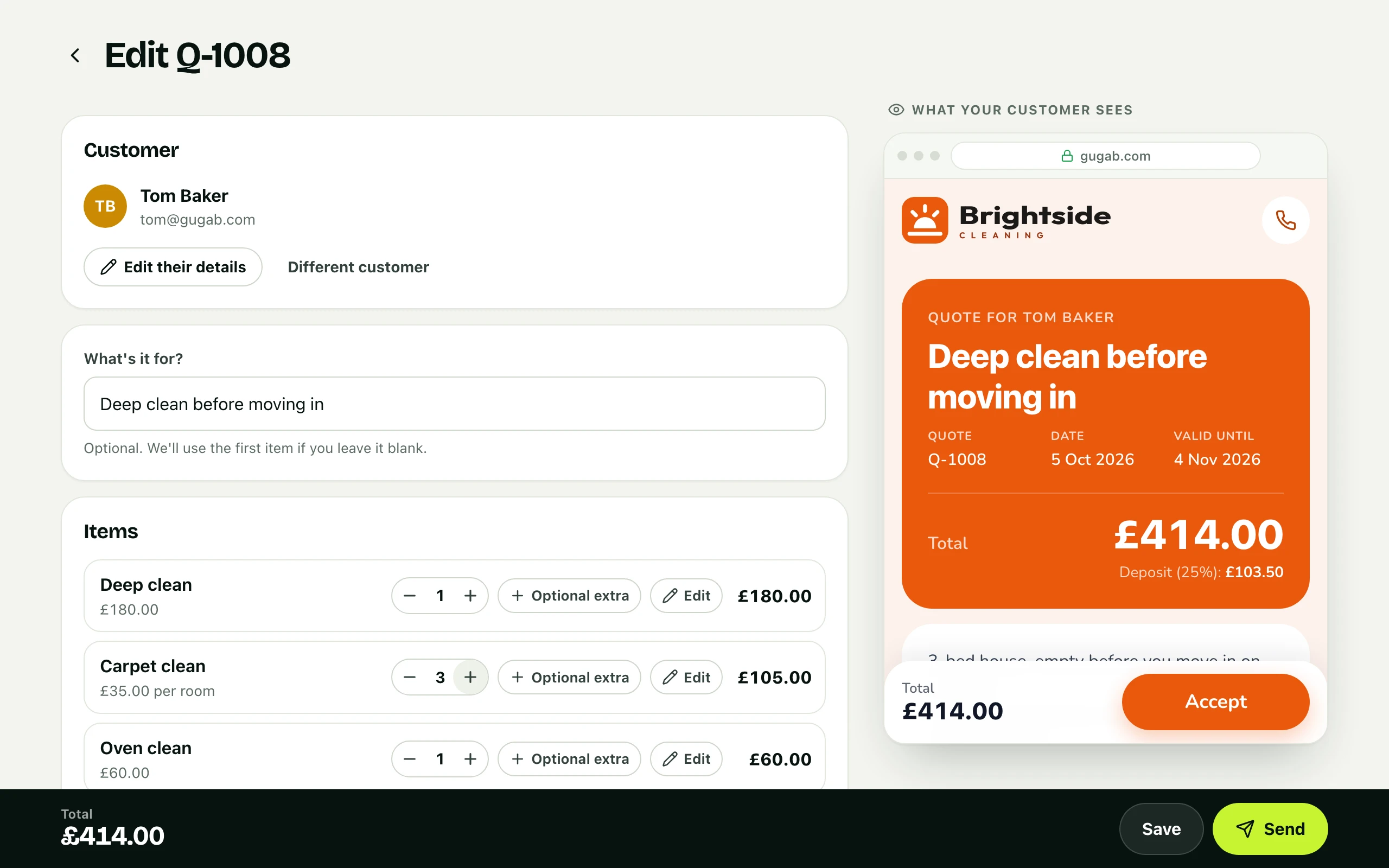
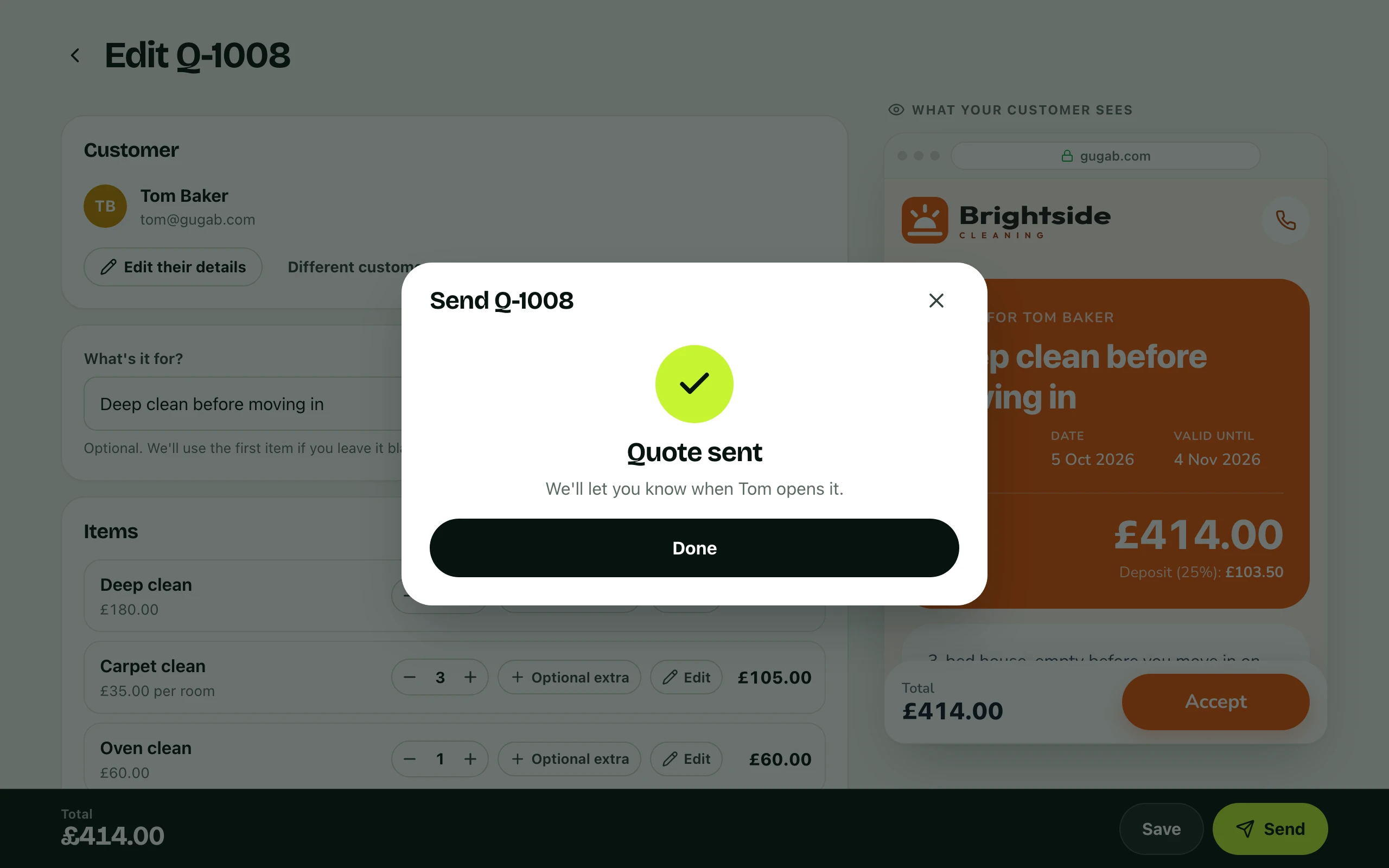
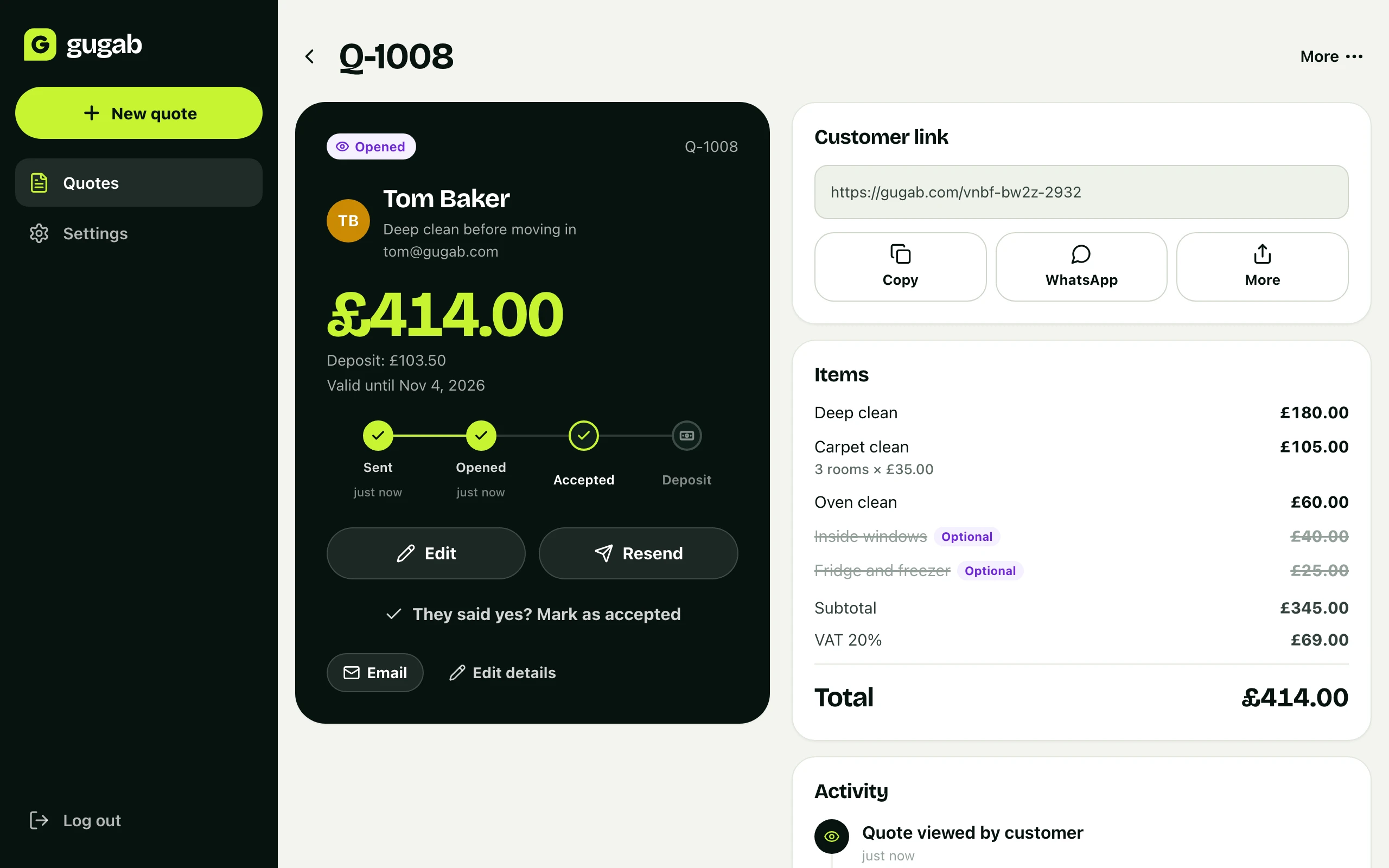
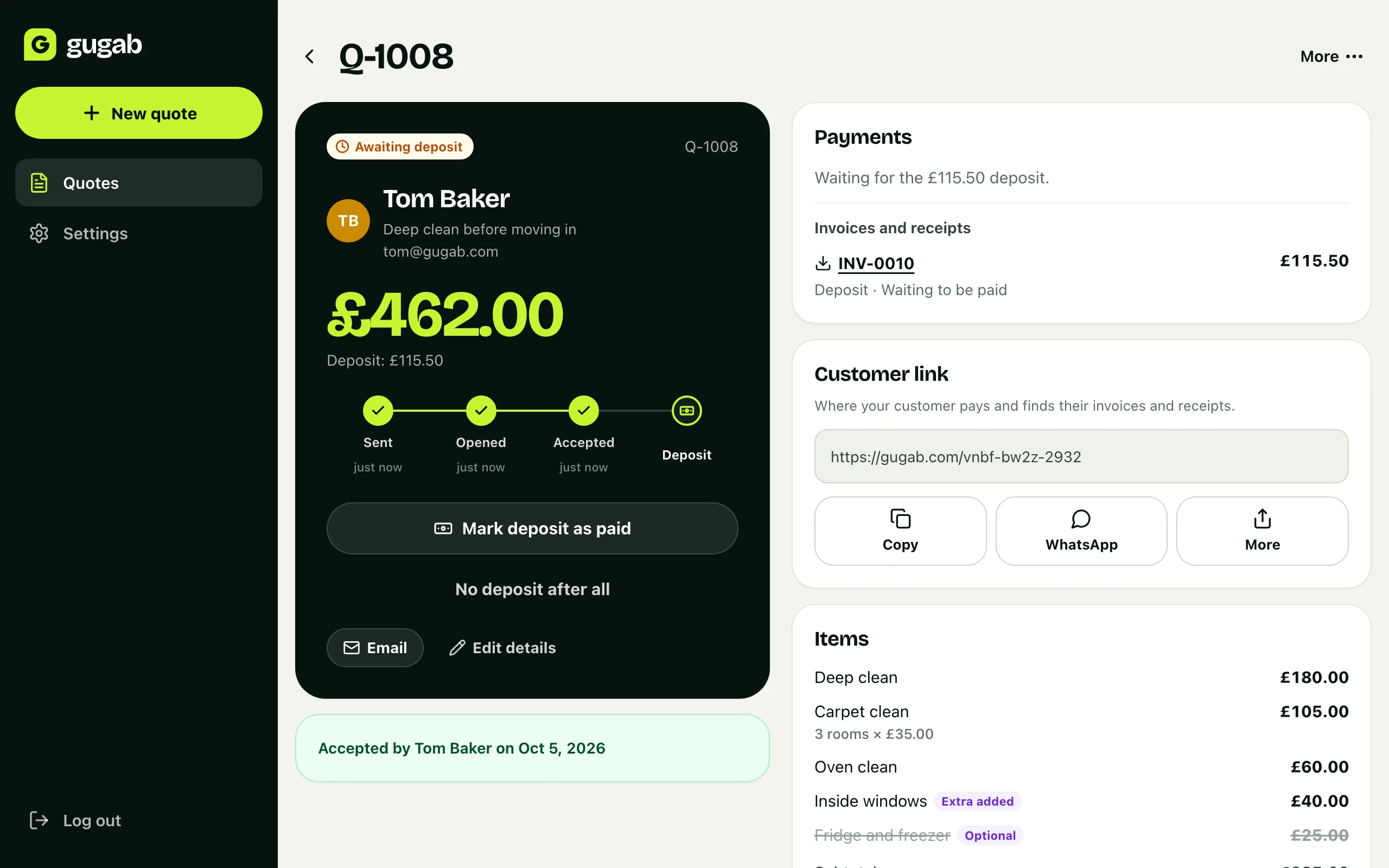
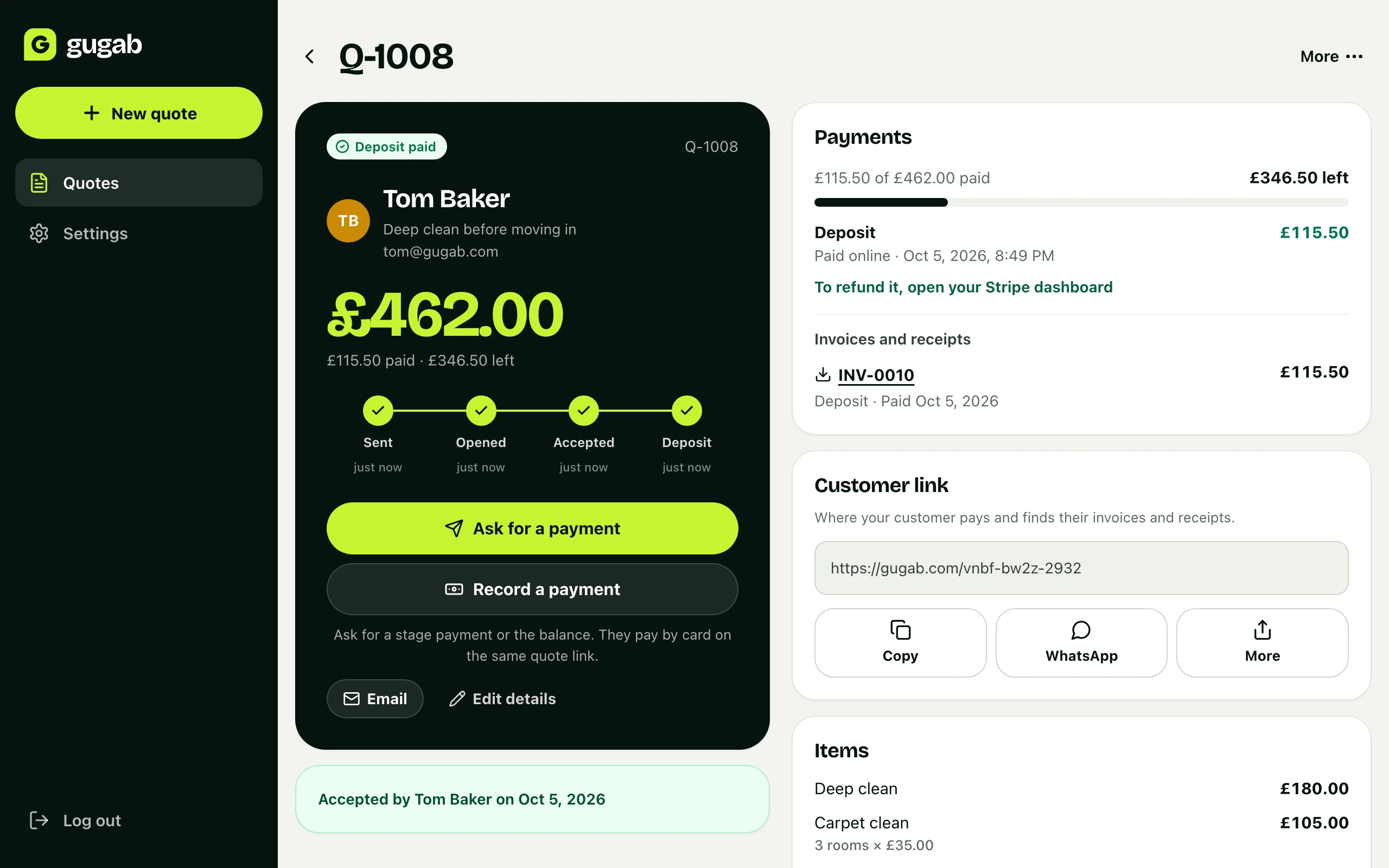
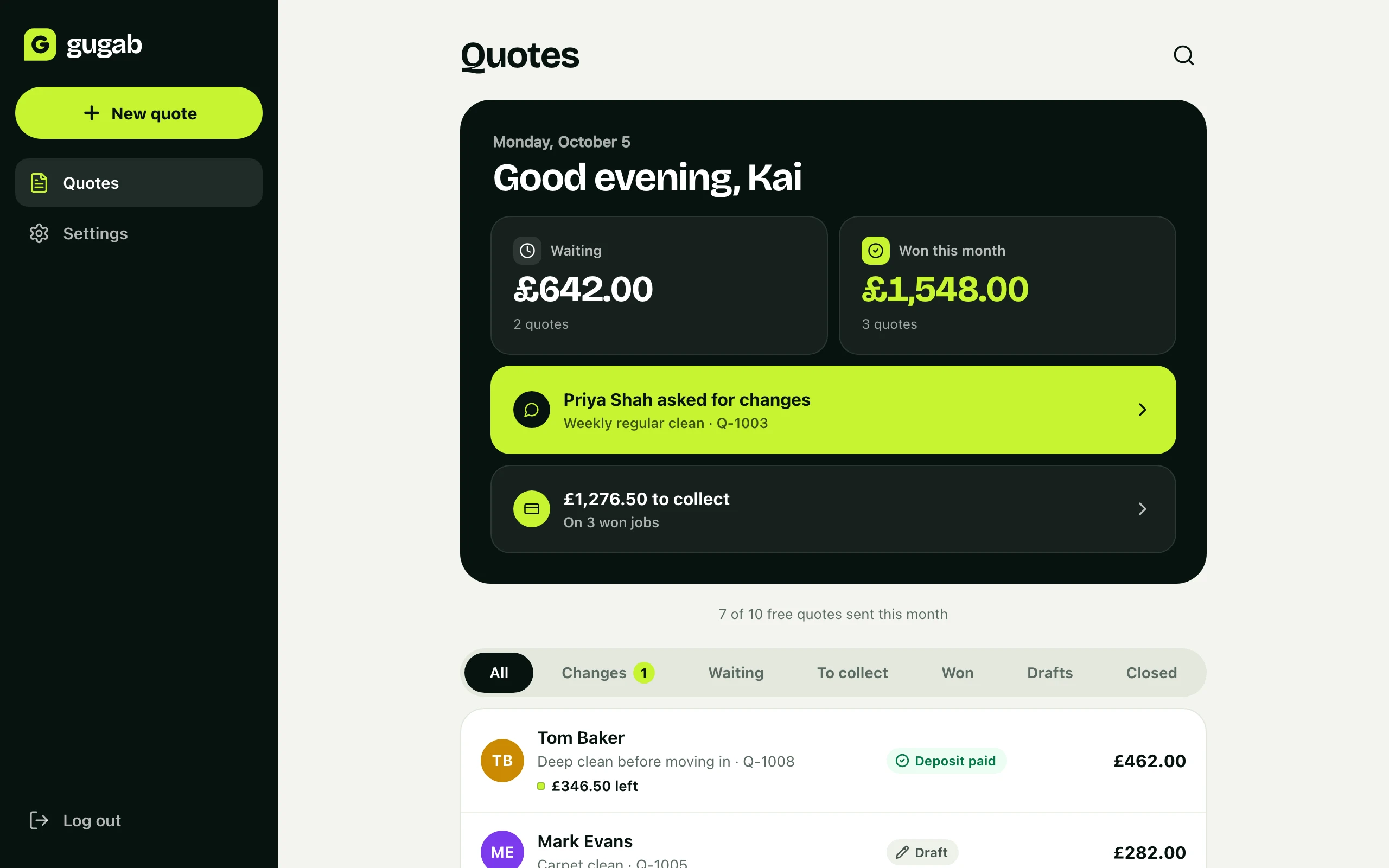
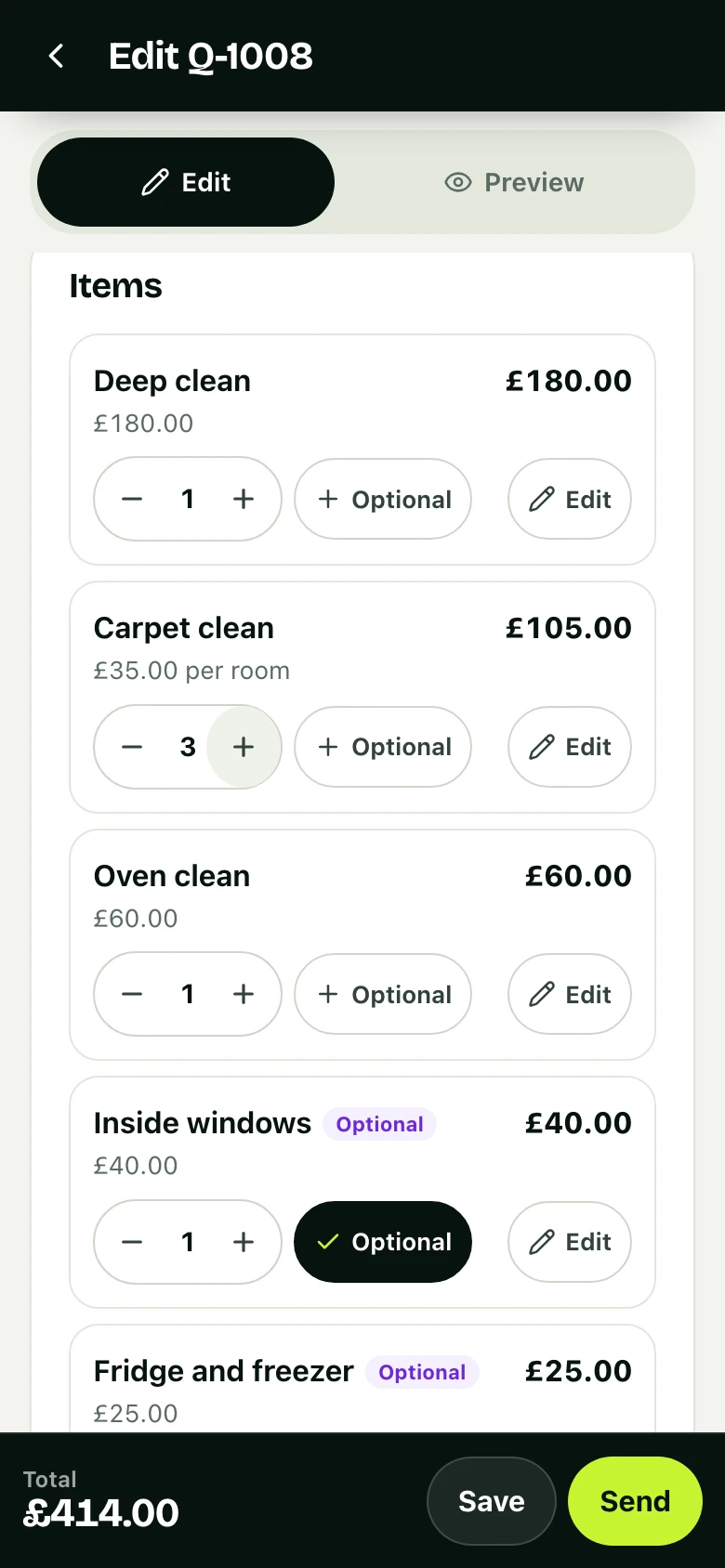
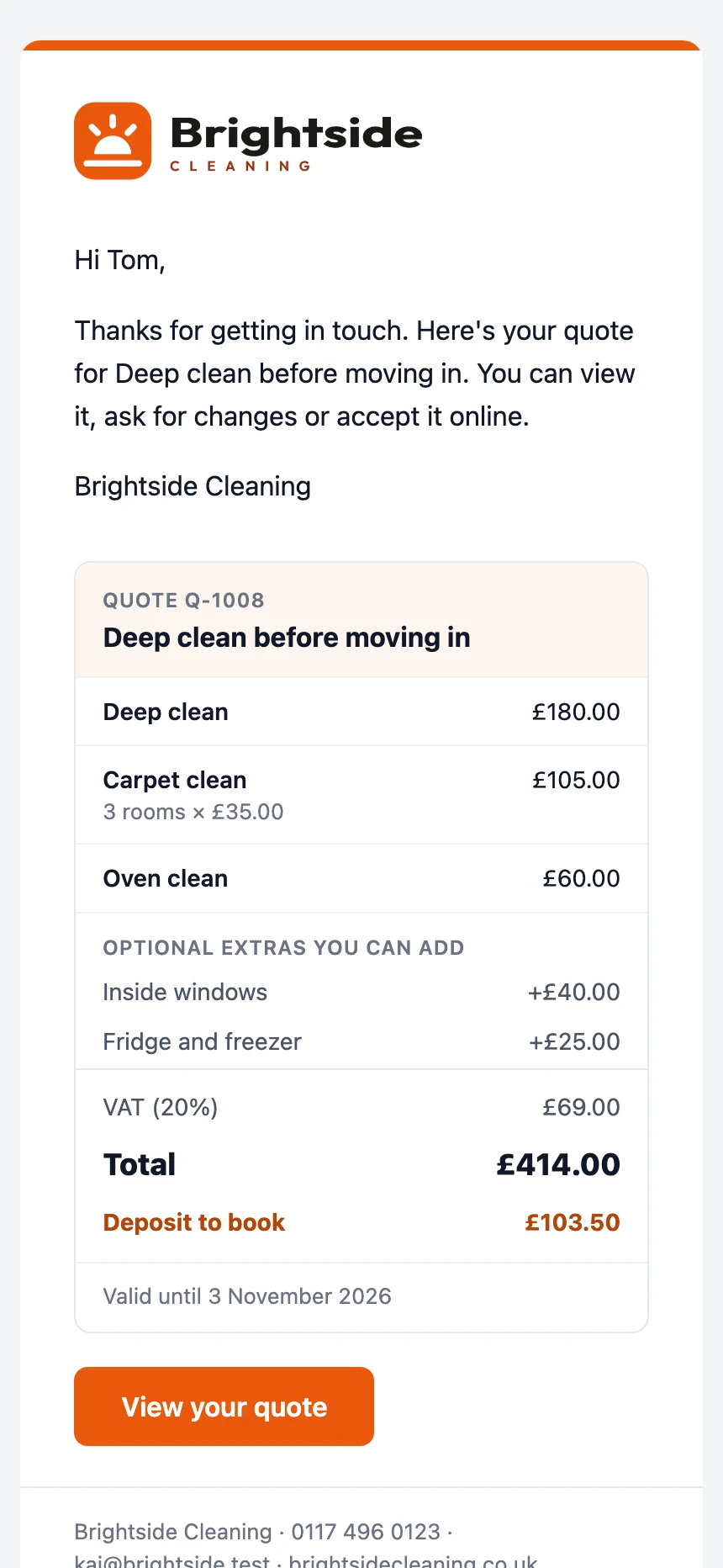
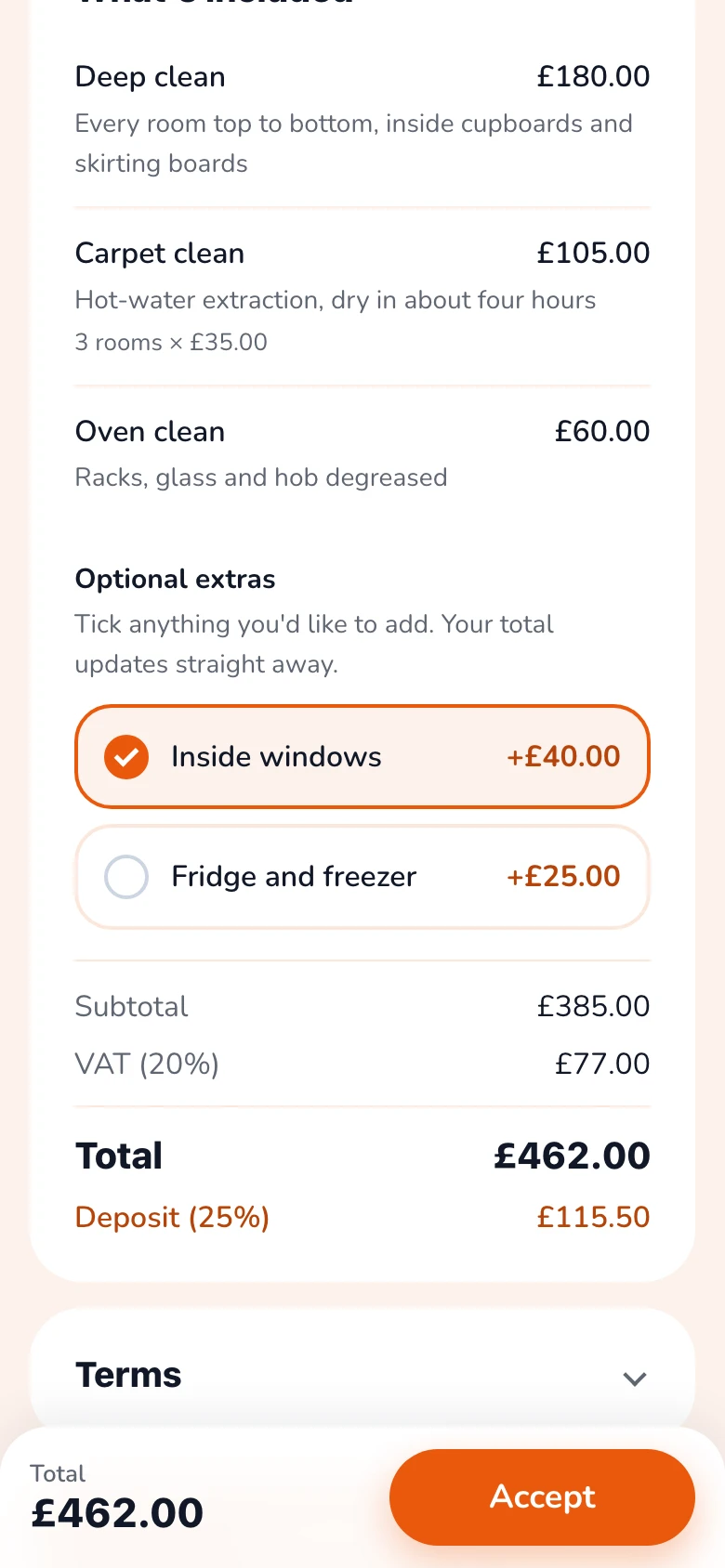
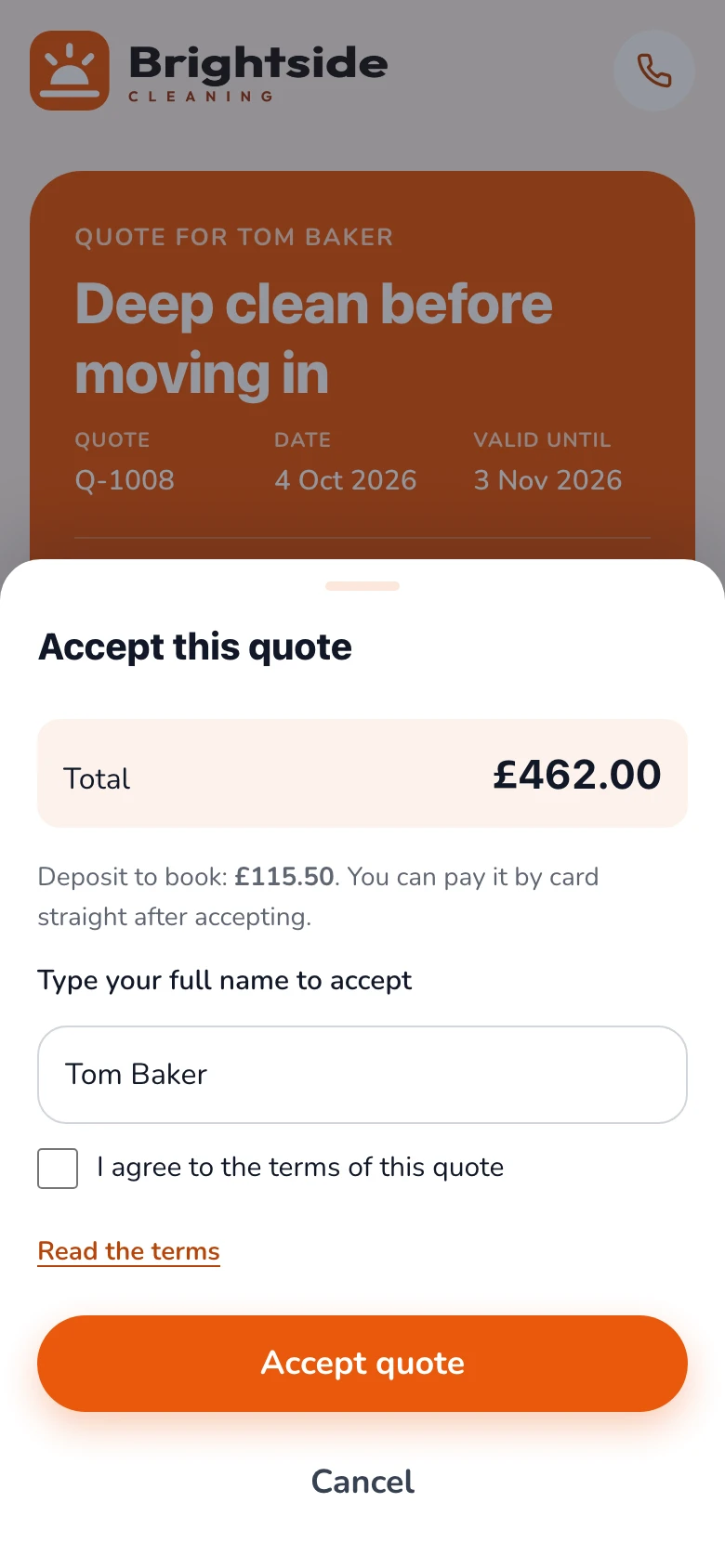
Real screens from the app, on a phone and on a computer. It works the same on both.
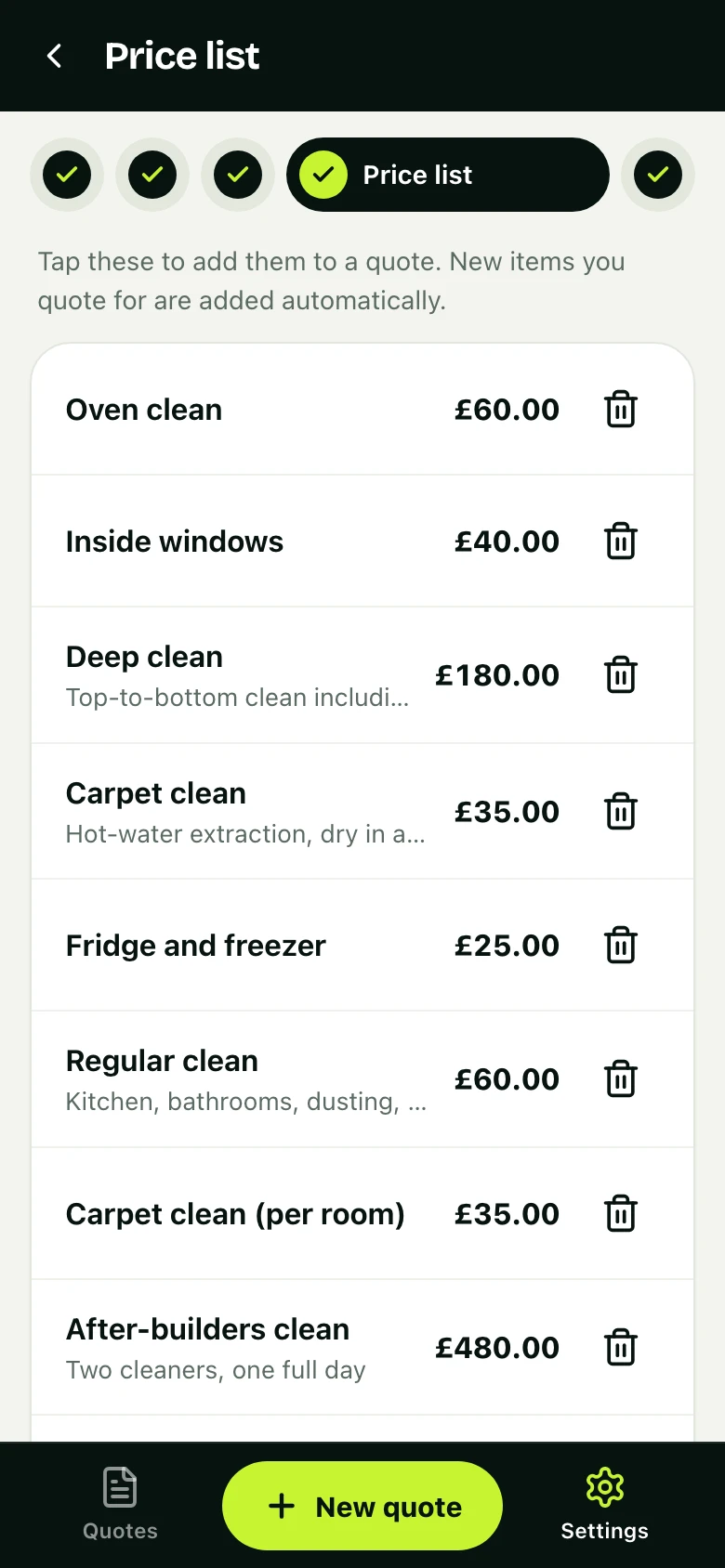
01 · Ready on day one
Your prices are already there
Pick your kind of work when you sign up and your services, prices, terms and deposit are filled in. Tap one to add it to a quote, and change any of them whenever you like.
- Ready-made lists for seven kinds of work
- Price per hour, day, visit, room or square metre
- New items you quote for are remembered
02 · One screen
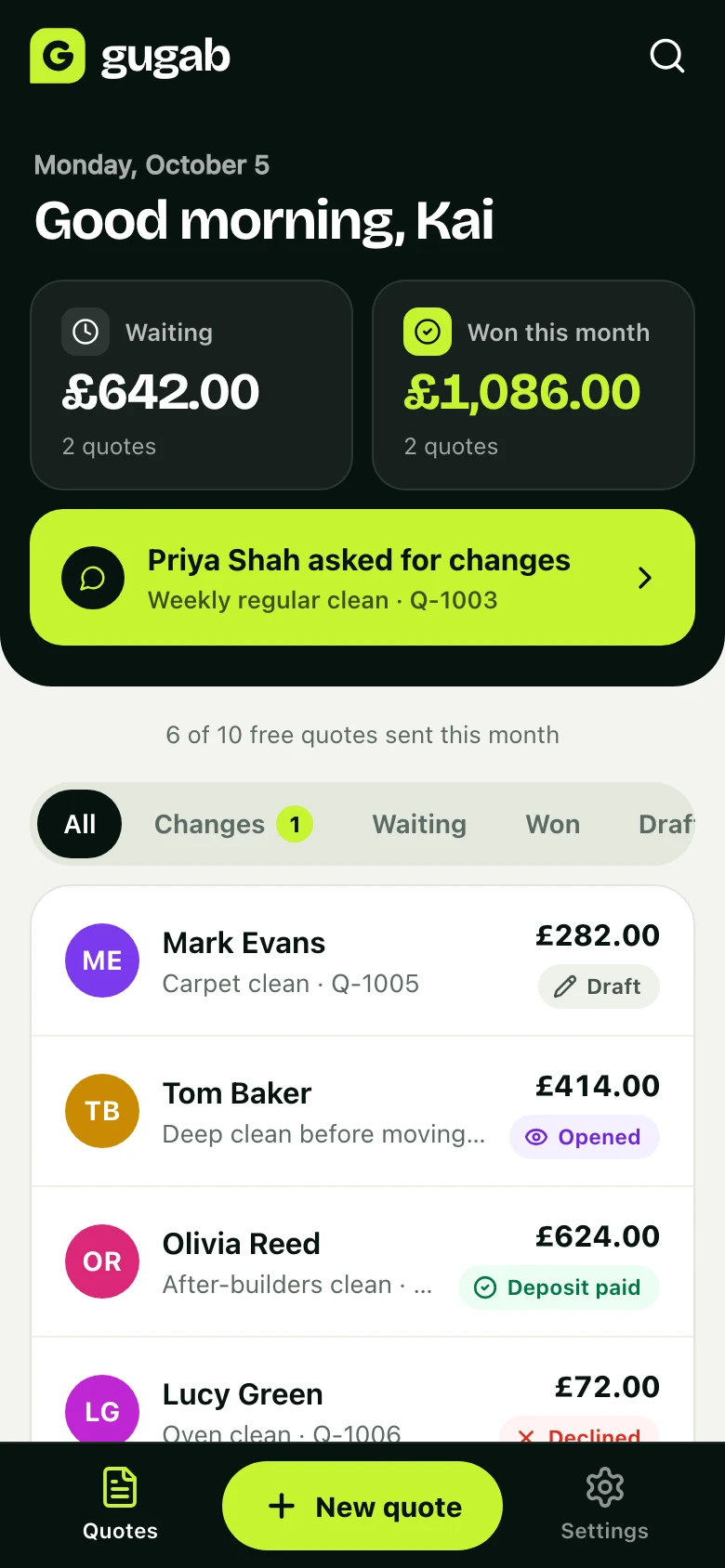
Know where every quote stands
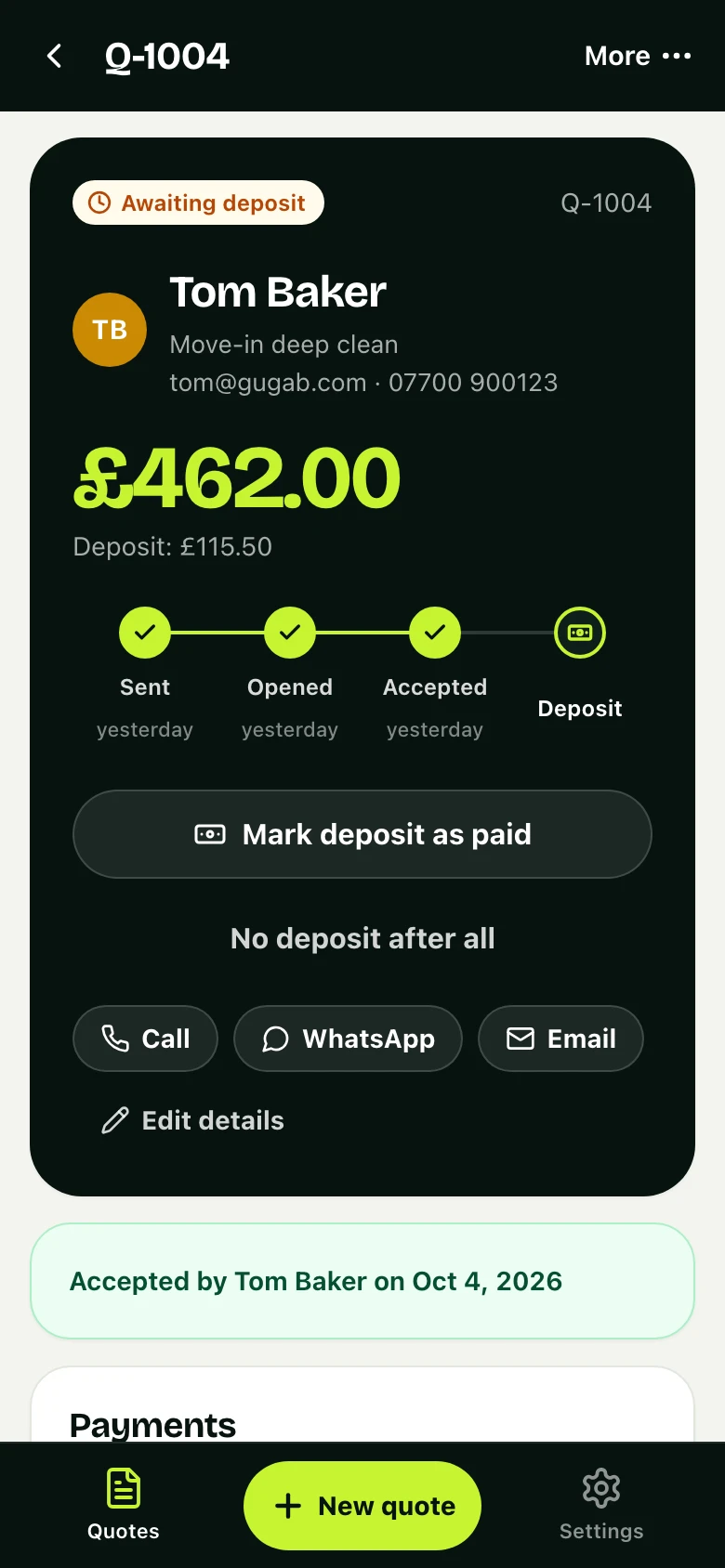
See what's waiting and what you've won this month. When a customer asks for a change, it's at the top with their name on it, one tap from the quote.
- An email when a quote is opened, accepted or questioned
- Every step is kept in the quote's activity
- On Pro, follow-ups and late-payment reminders go out for you
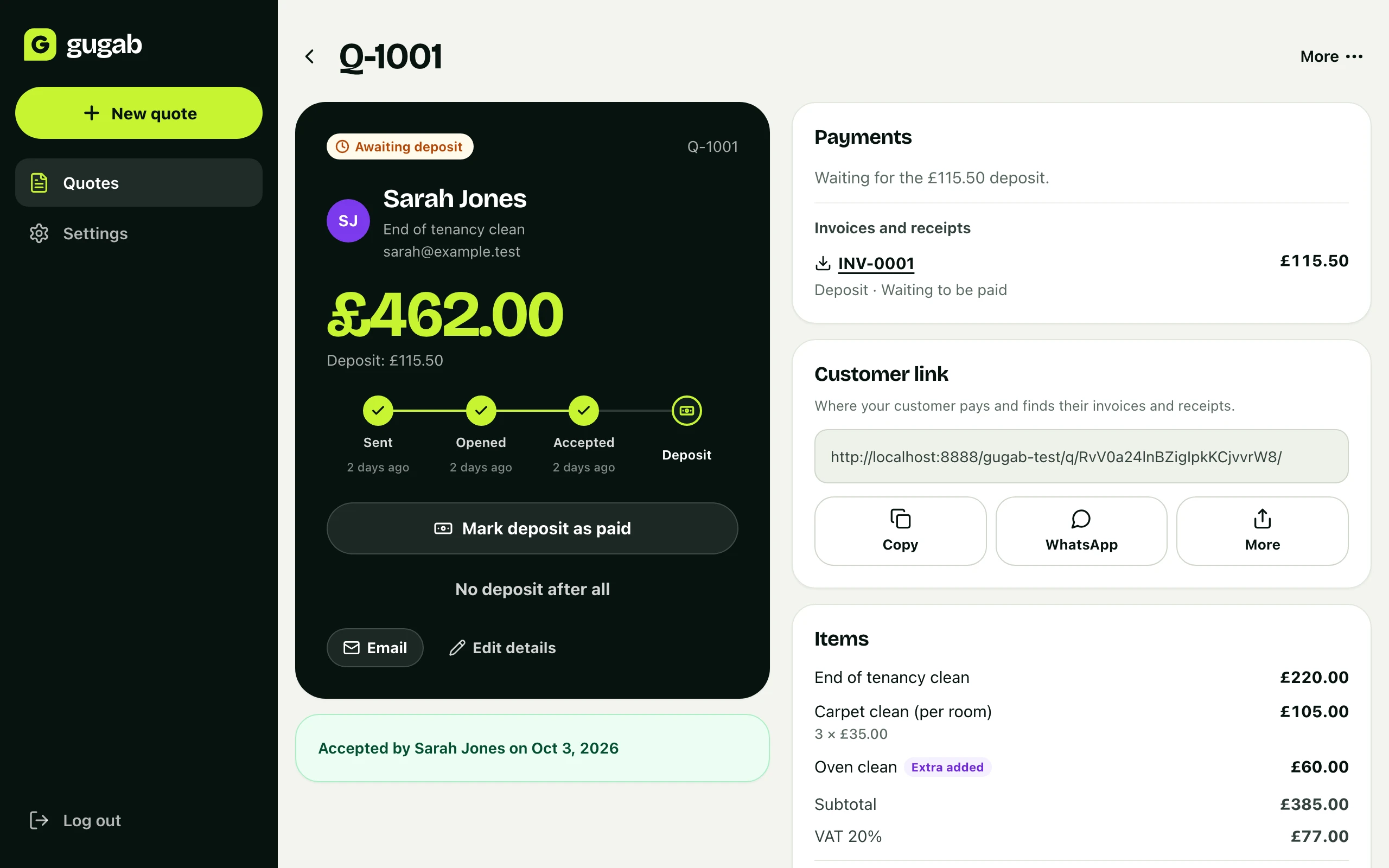
03 · Deposits
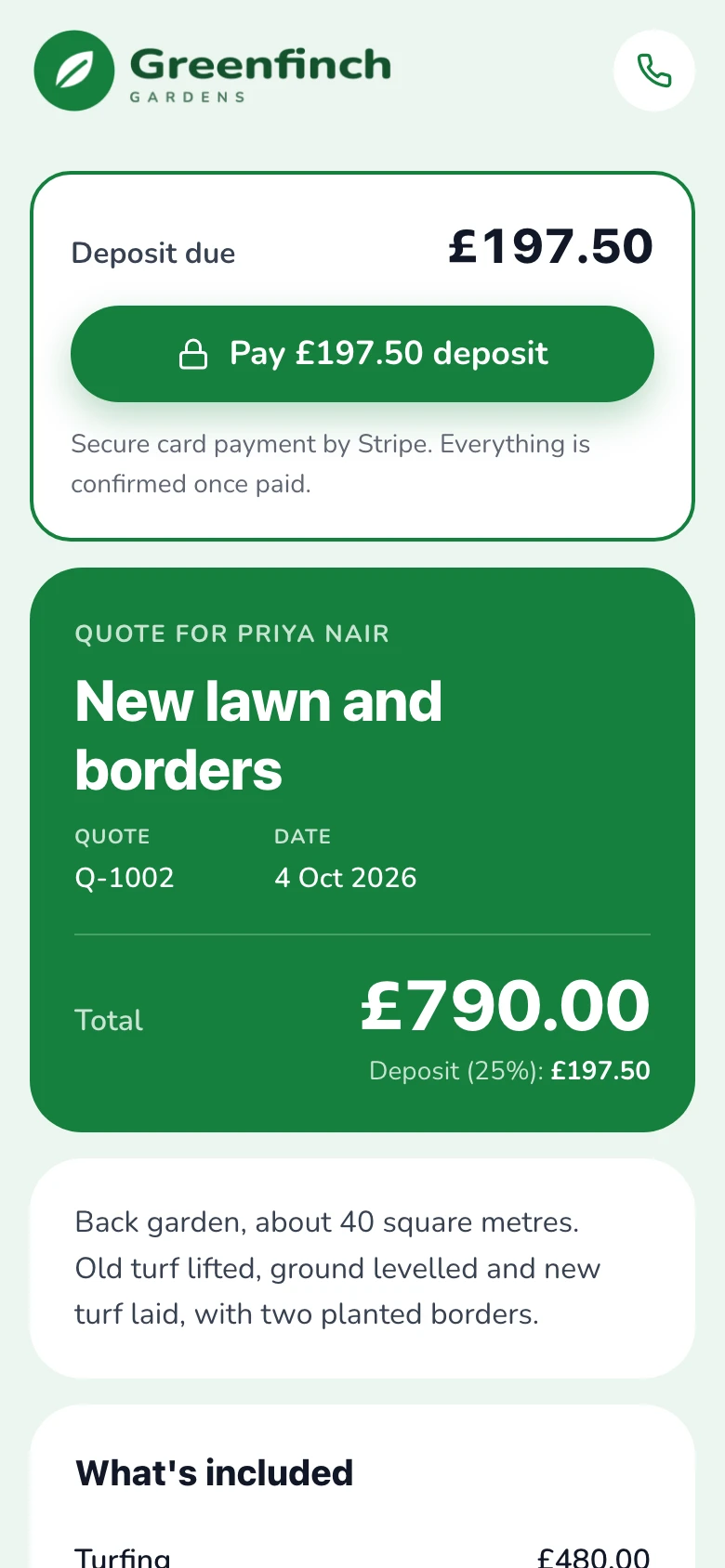
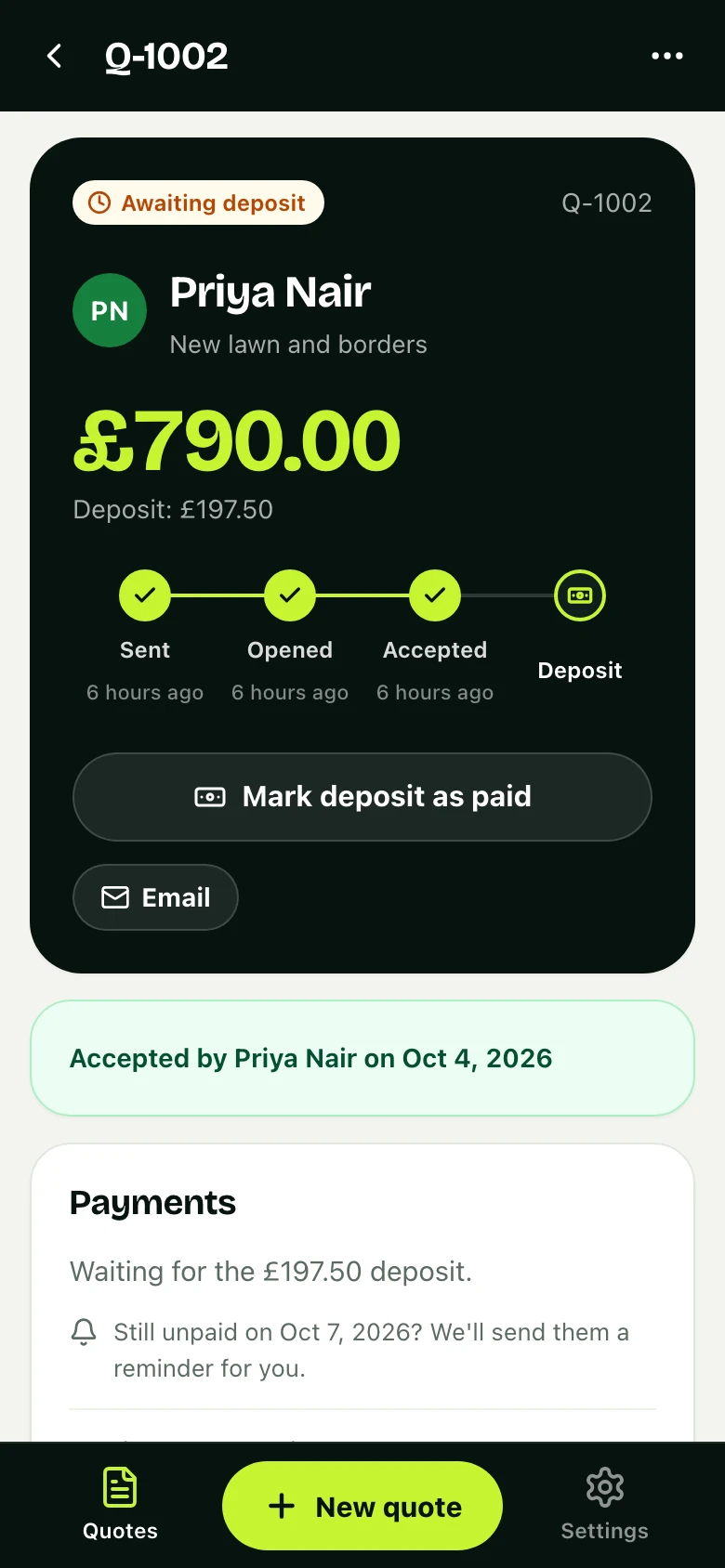
Get the deposit before you start
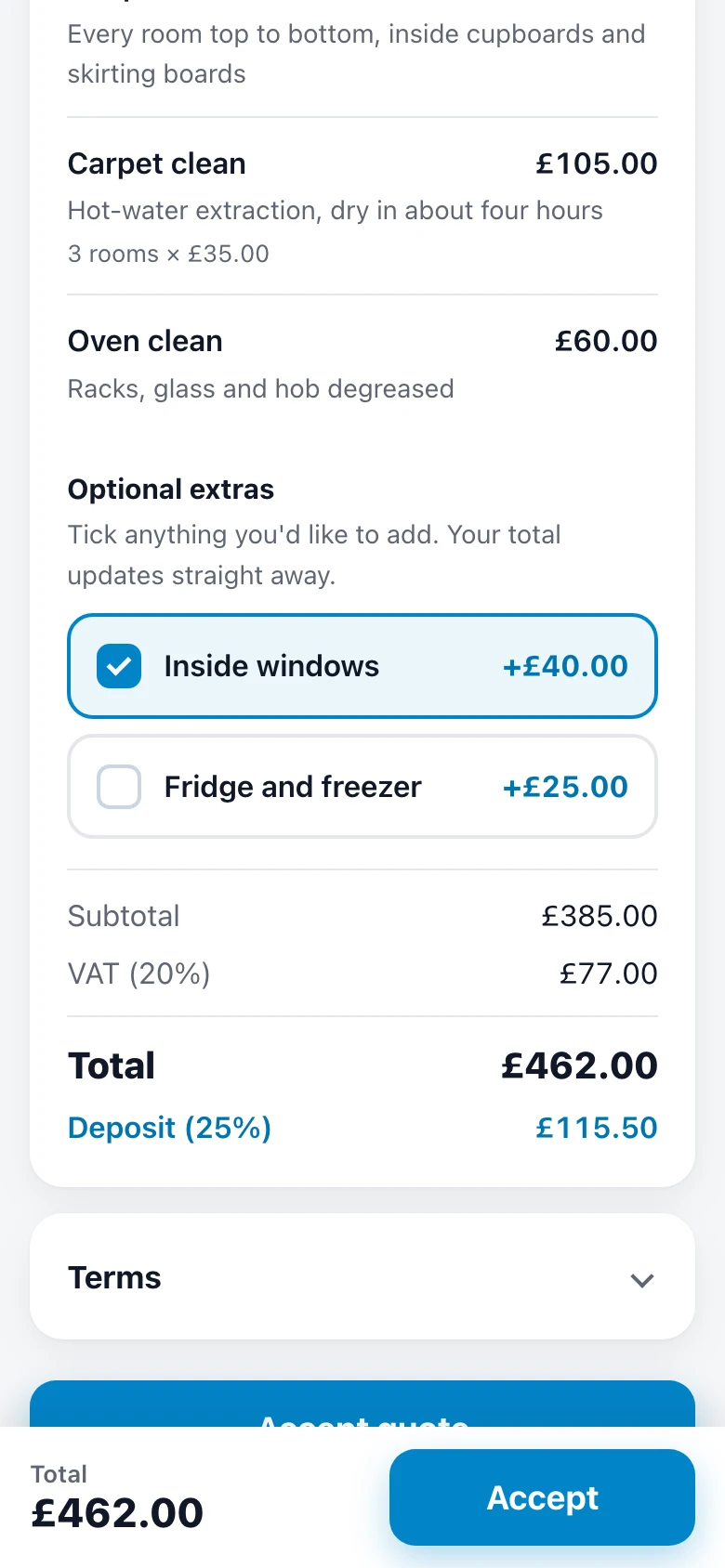
Your customer accepts on their phone and sees exactly what's due. Take it by card, Apple Pay or Google Pay through your own Stripe account, or by bank transfer and mark it as paid.
- Online deposits go straight to your Stripe account
- Bank transfer and cash cost nothing
- On Pro, a late deposit gets a reminder without you asking
04 · Bigger jobs
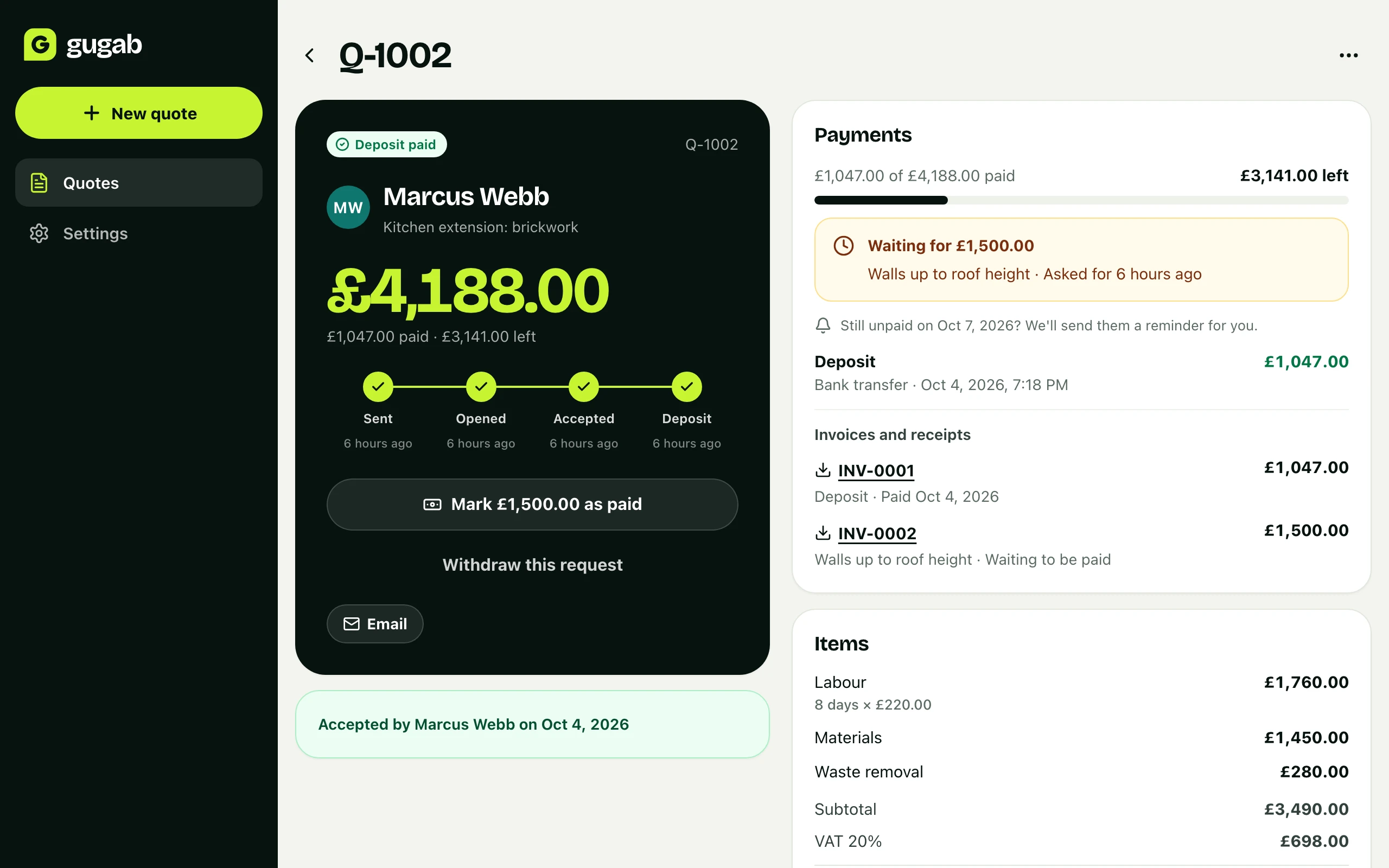
Take the rest in stages
After the deposit, ask for a stage payment or the balance in a couple of taps. Your customer pays from the same link, and you always see what's been paid and what's left.
- Ask for any amount and say what it's for
- Paid by card, or mark it paid for a bank transfer or cash
- Paid and left to pay, on every job
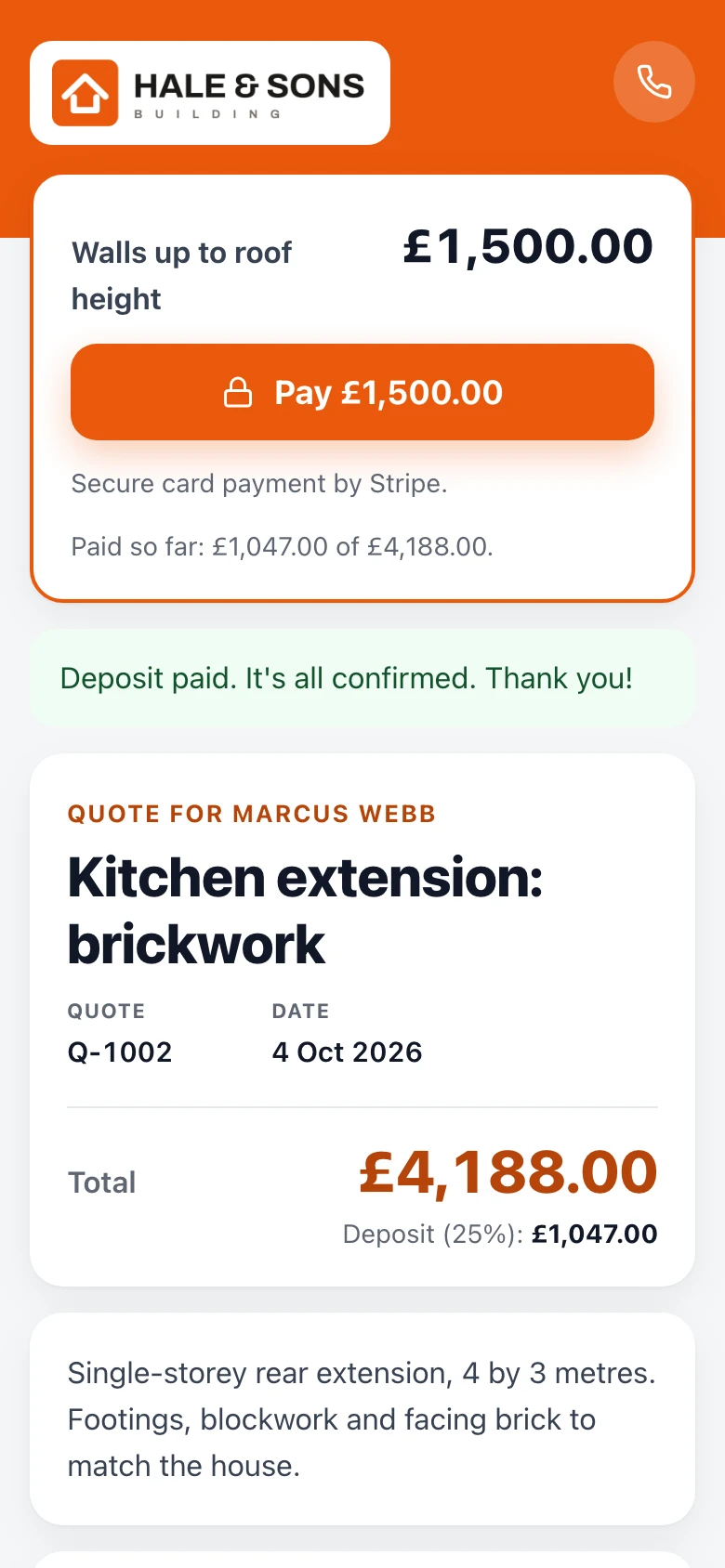
Getting paid
Paid, without the chasing
No bank details to send, no invoices to write and no “have you paid yet?” messages. The money is asked for, invoiced, paid and recorded on the same link your customer accepted on.
The deposit, when they say yes
A Pay button appears the moment your customer accepts. Card, Apple Pay or Google Pay, straight into your own Stripe account.
The rest, on the same link
When a stage is done or the job is finished, ask for a payment in a couple of taps. Your customer pays where they accepted, and you both see what's paid and what's left.
The invoice, already written
Each time you ask for money, your customer gets a numbered invoice in your own design. Once it's paid, it's their receipt. You type nothing twice.
Reminders, sent for you
On Pro, a late deposit or payment gets up to two polite reminders with the Pay button, on its due date and a week later. You never have to write the awkward message.
Prefer a bank transfer? Mark it as paid on any plan. On Pro, your bank details show on the quote and its invoice, with the reference to use.
See it work
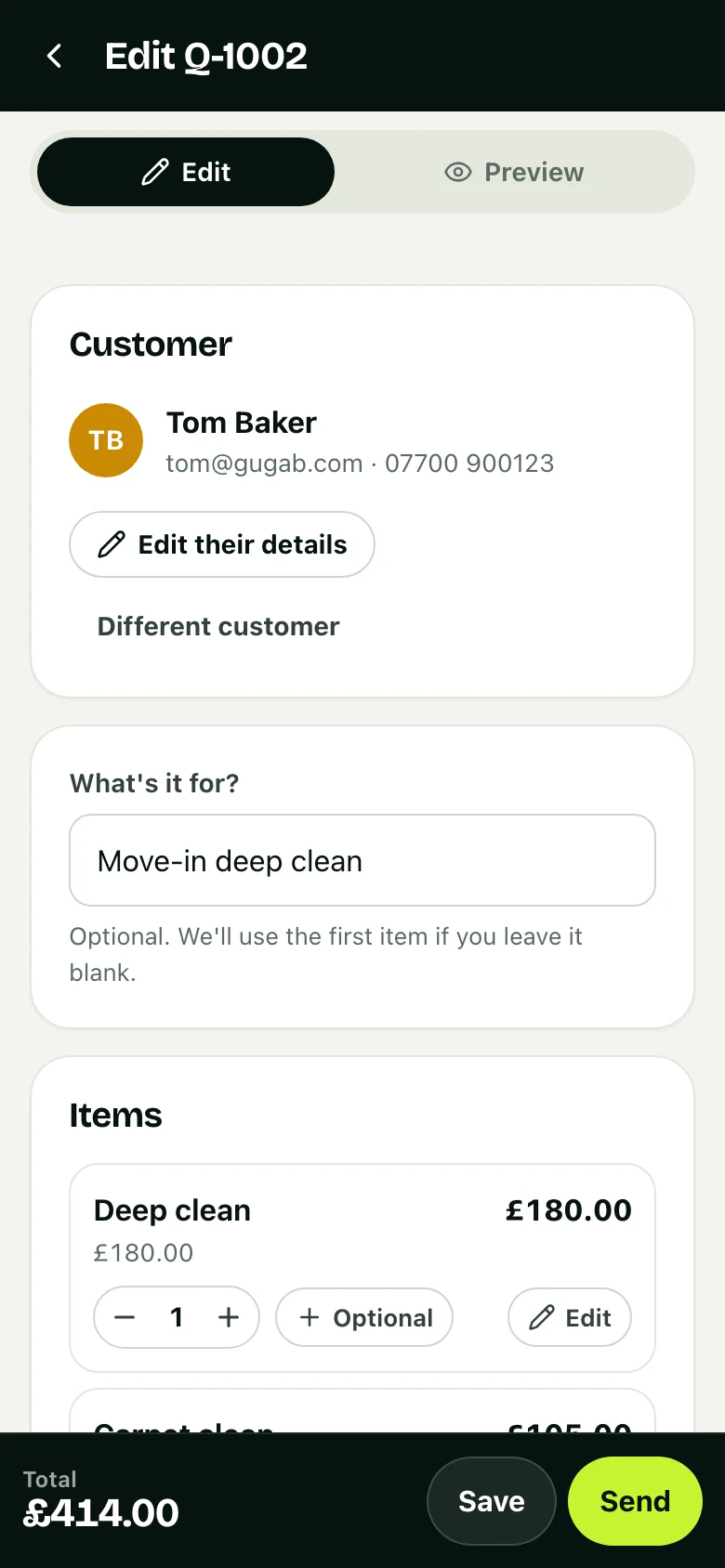
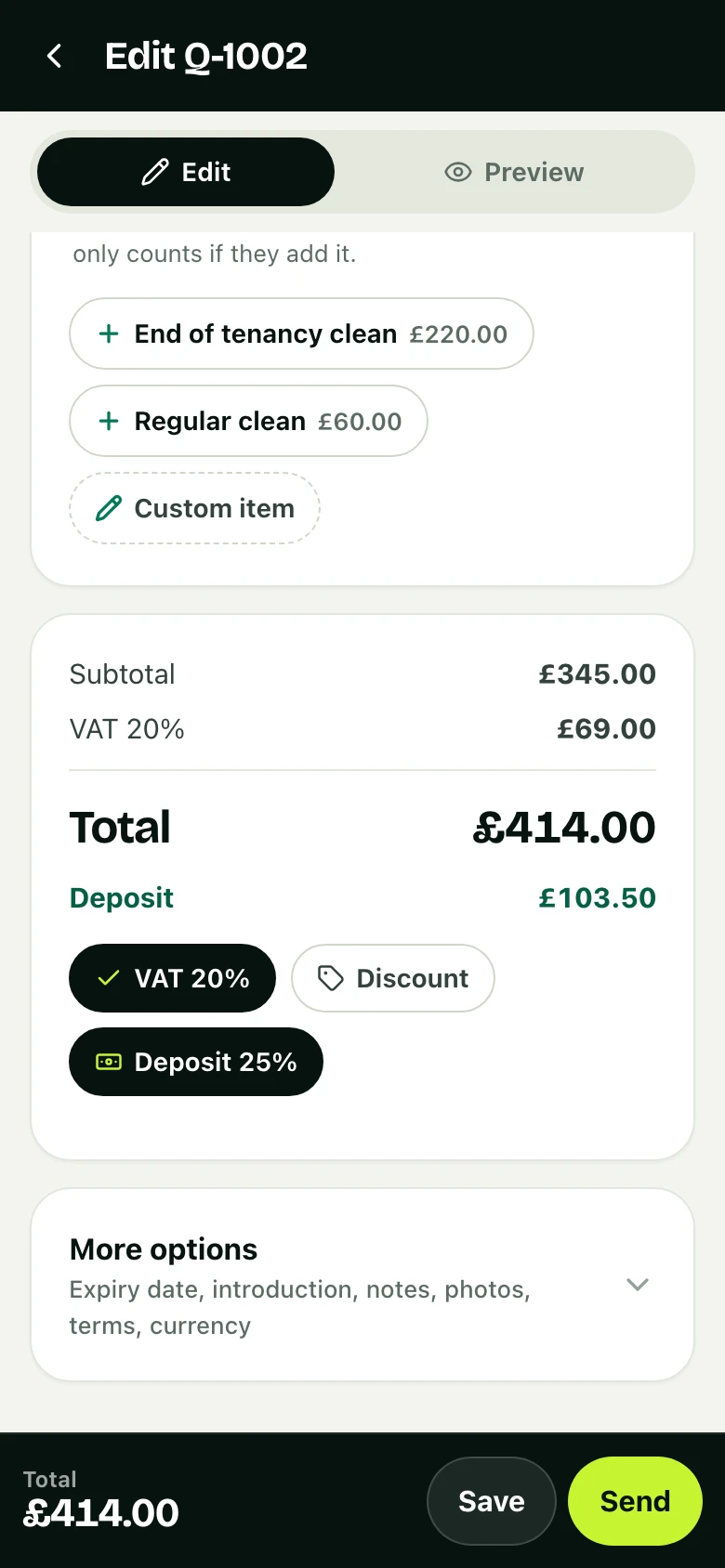
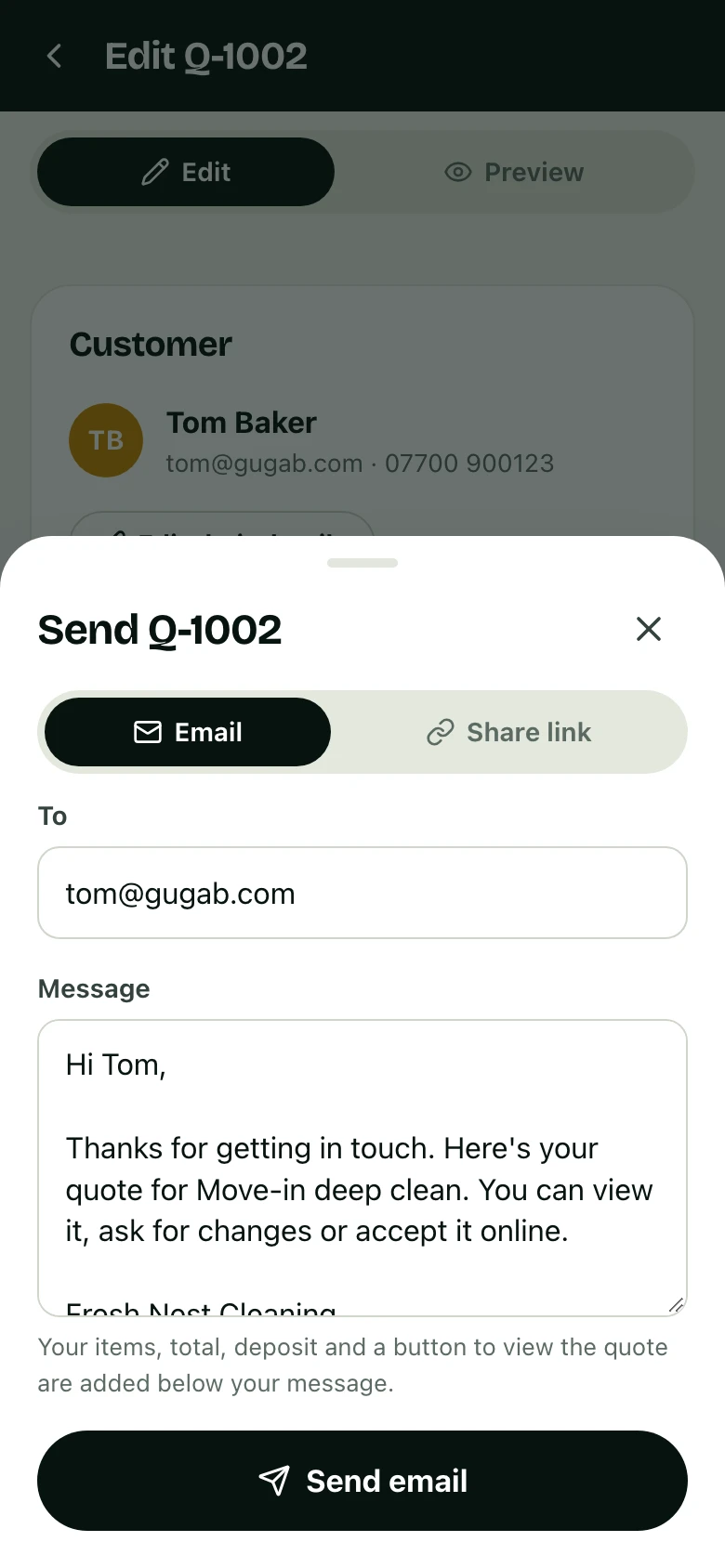
From draft to deposit in five steps
The real workflow, on real screens. Tap a step to jump to it.
Pricing
Simple pricing. Start free.
Every account starts on Free. Move to a paid plan from your settings whenever you're ready. No contracts.
Free
Everything you need to start quoting.
Get started free- 10 quotes a month
- Your logo and colour, six designs, six fonts
- 2 photos of your work on every quote
- Customers accept on their phone
- Deposits and stage payments by card, Apple Pay or Google Pay
- Invoices and receipts made for you
- Live preview, PDF and itemised emails
- 2% fee on card payments
Pro
or £150 a year (2 months free)
For businesses that quote every week.
Start free, upgrade any time- Everything in Free
- Unlimited quotes
- Up to 3 businesses under one log-in
- Up to 8 photos of your work on every quote
- Your brand only: no "Sent with Gugab" line
- Quotes chase themselves: a follow-up after three days
- A reminder before each quote expires
- Late deposits and payments reminded for you
- Half the fee: 1% on card payments
Card payments are optional. Stripe’s standard card fees also apply and are paid to Stripe. Compare plans
Questions
Before you get started
The things people ask before they send their first quote.
More answers in the help centreDo my customers need an app or an account?
No. They get a link by email, WhatsApp or text and open it on any phone or computer. They can tick extras, accept by typing their name and pay by card, with nothing to install.
Where does the deposit money go?
Straight into your own Stripe account, then to your bank on Stripe’s normal payout schedule. We never hold your money. You can also mark a bank transfer or cash payment as paid.
What does it cost per payment?
Our fee is 2% of each card payment on Free and 1% on Pro, plus Stripe’s standard card fees. That covers deposits and anything you ask for later. Payments by bank transfer or cash cost nothing.
Will it fit the way I price?
Price per hour, day, visit, person, room or square metre, or as a fixed price. Add tax on top (VAT, GST or sales tax) or keep prices tax-inclusive, and quote in any currency you need.
Do I still have to write invoices?
No. Each deposit or payment you ask for comes with a numbered invoice, and it becomes the receipt once it’s paid. At the end of the month, download your invoices and payments as spreadsheets for your accountant.
How long does it take to set up?
Pick your kind of work when you sign up and your services, prices and terms are filled in. Add your logo and you can send your first quote straight away. Connecting Stripe for deposits takes a few more minutes.
Can I leave, and take my data with me?
Yes. There’s no contract. Cancel a paid plan from your settings, download your customers, quotes, invoices and payments as spreadsheets, or delete your account at any time.
Send your next quote with Gugab
Your services and prices are ready the moment you sign up.
No credit card required
Rather use your phone? Point its camera at the square to open Gugab there.